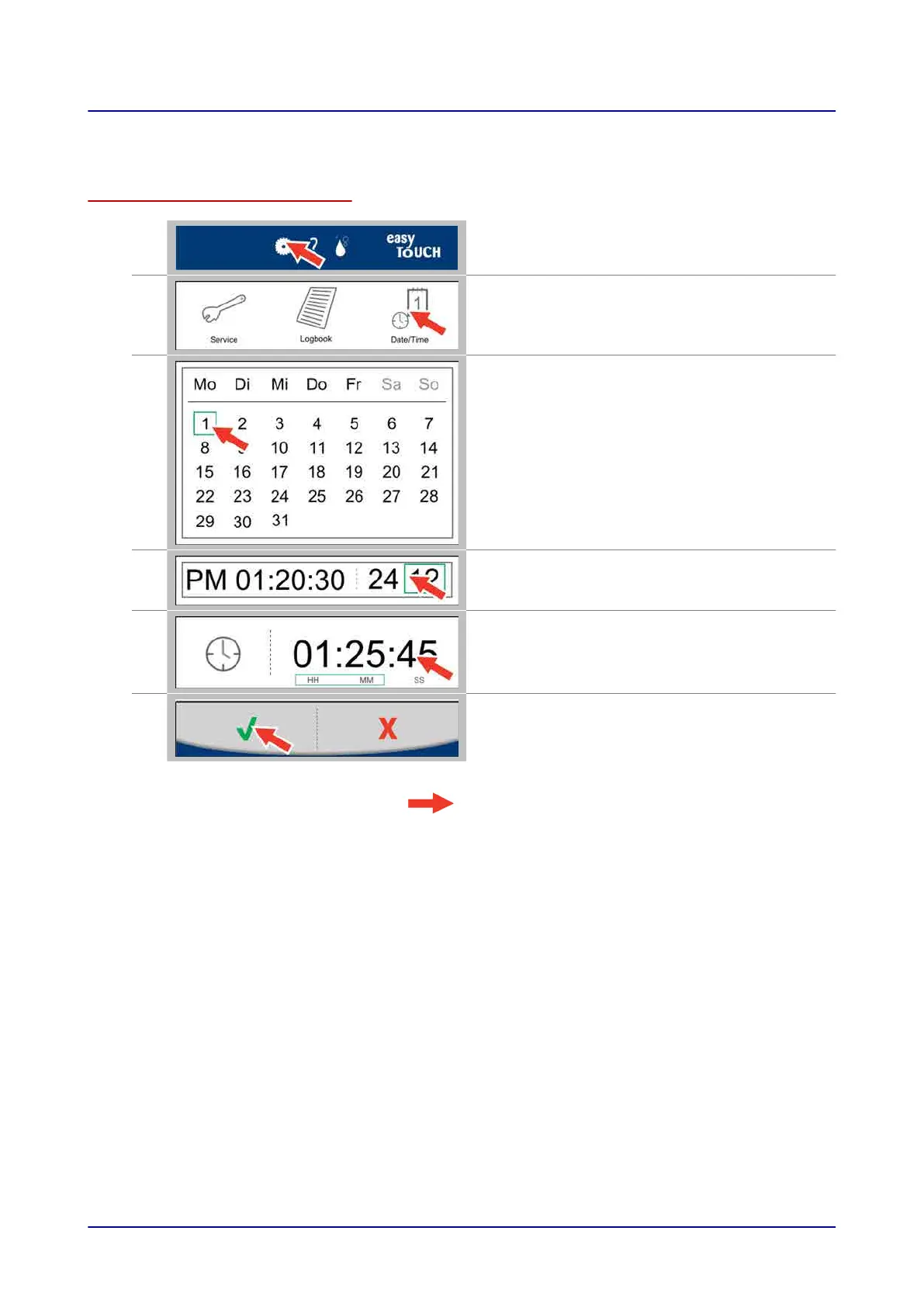
9.2 Setting a date and time
Setting a date and time
1.
Press the “Settings” button while on the main
screen, for example
2.
In the “Settings” screen, press the “Date/Time”
button.
3.
In the “Date/Time” screen, select the date you
want.
4.
Press the “Enter time” button.
5.
Enter the current time on the “Time” screen.
6.
Confirm your selections.
Result: The date and time settings will be applied.
9 Configuring Settings in easyTouch
Operating instructions 80



 To Next Page