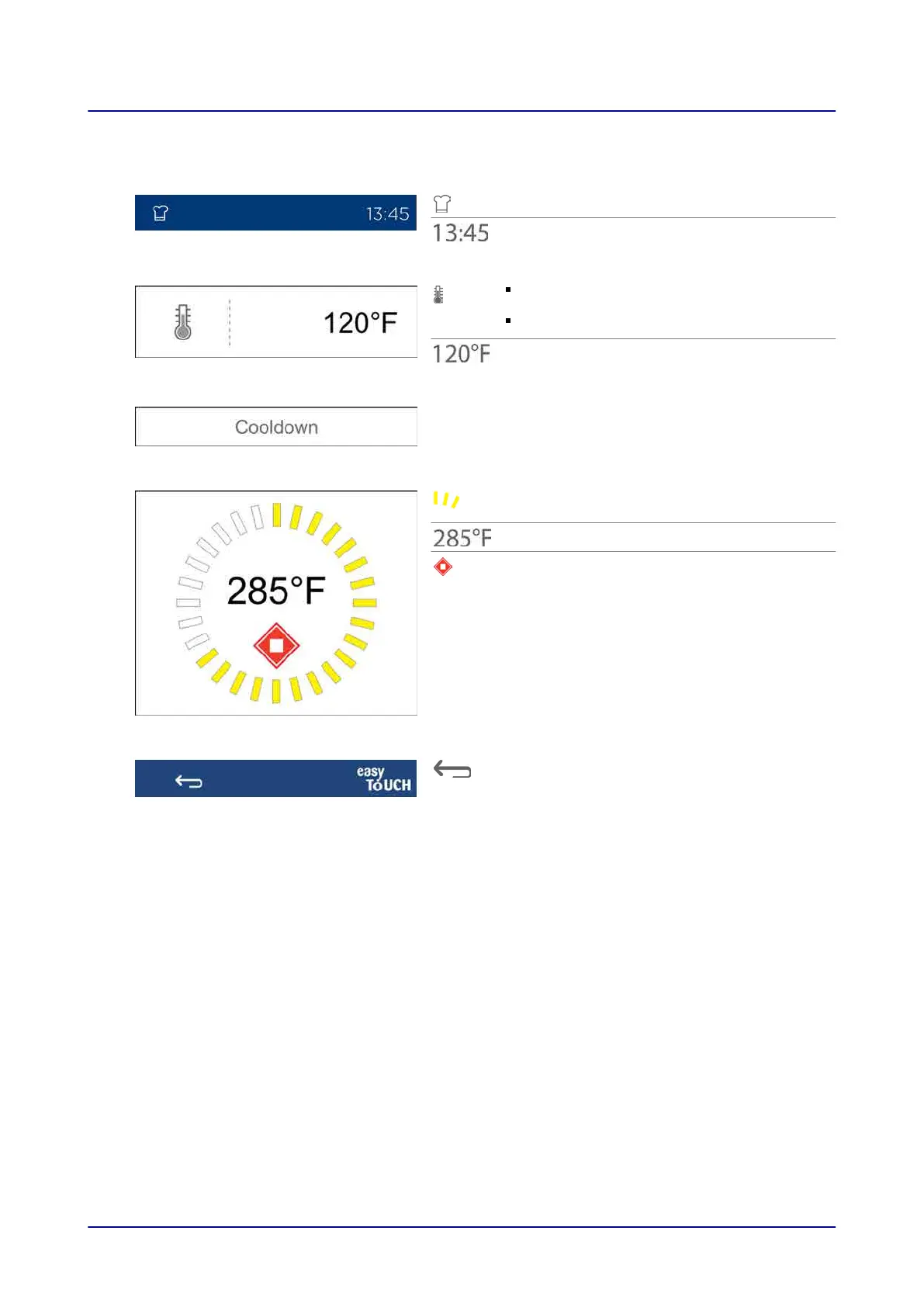
4.13 Cool down Screen
Shows which screen you are on
Current time of day
Indicates that the cool down temperature is
being shown (optional)
Press to change the cool down temperature
Cool down temperature
Tells the operator that the following step is
currently in progress: Cool down
Total progress during cool down, yellow,
counterclockwise
Current cooking compartment temperature
Stop
Press to stop the cool down process
Press to go back to the “Cooking” screen
4 easyTouch User Interface Layout
Operating instructions 34


 To Next Page