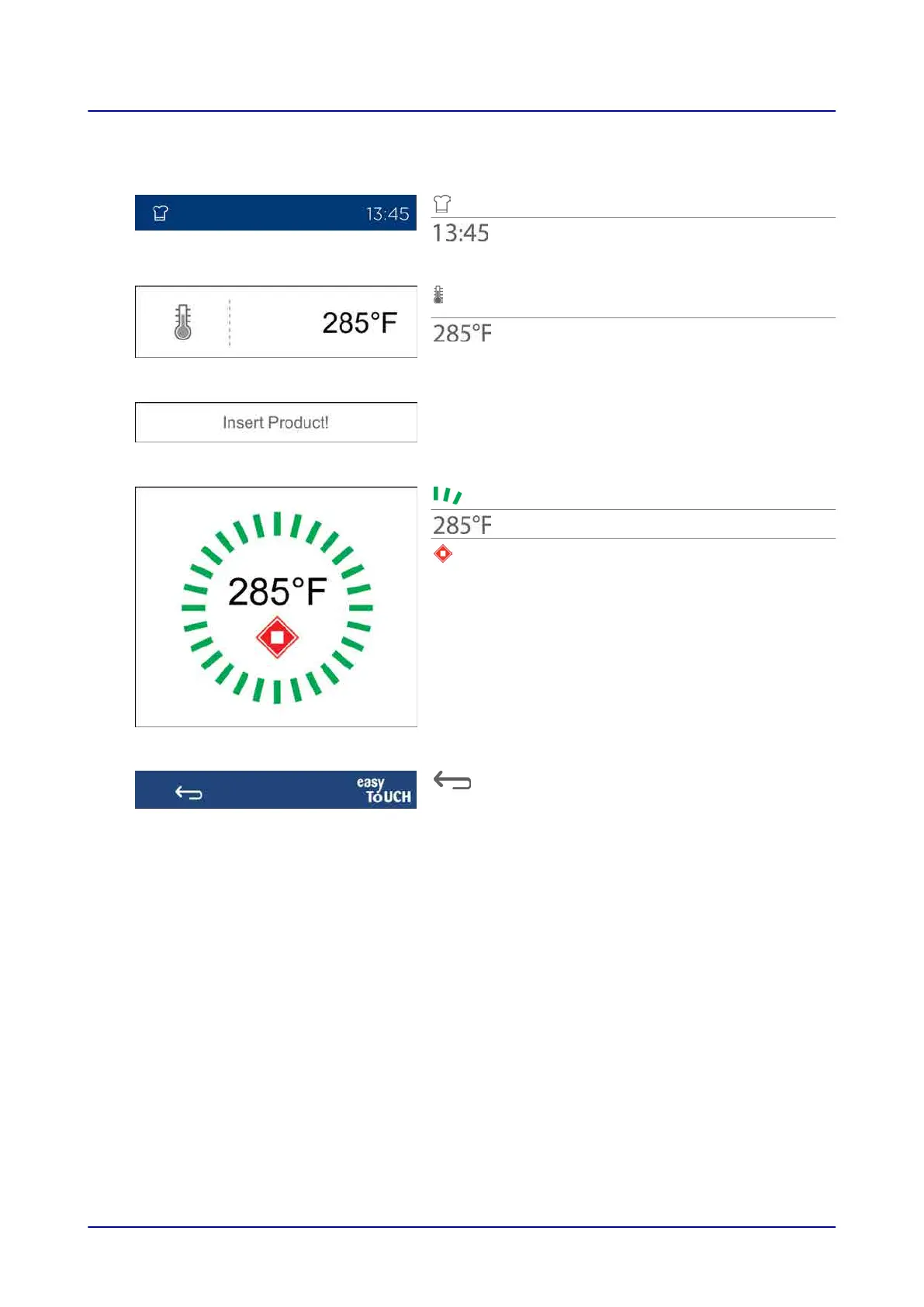
4.15 Cooking User Prompt Screen
Shows which screen you are on
Current time of day
Cooking temperature or internal temperature
for the current cooking step
Selected cooking temperature or internal
temperature for the current cooking step
Prompt asking the operator to perform a
specific action for the current cooking step
Green color: Ready for operator action
Current cooking compartment temperature
Stop
Press to stop the cooking sequence
Press to go back to the “Cooking” screen
4 easyTouch User Interface Layout
Operating instructions 36


 To Next Page