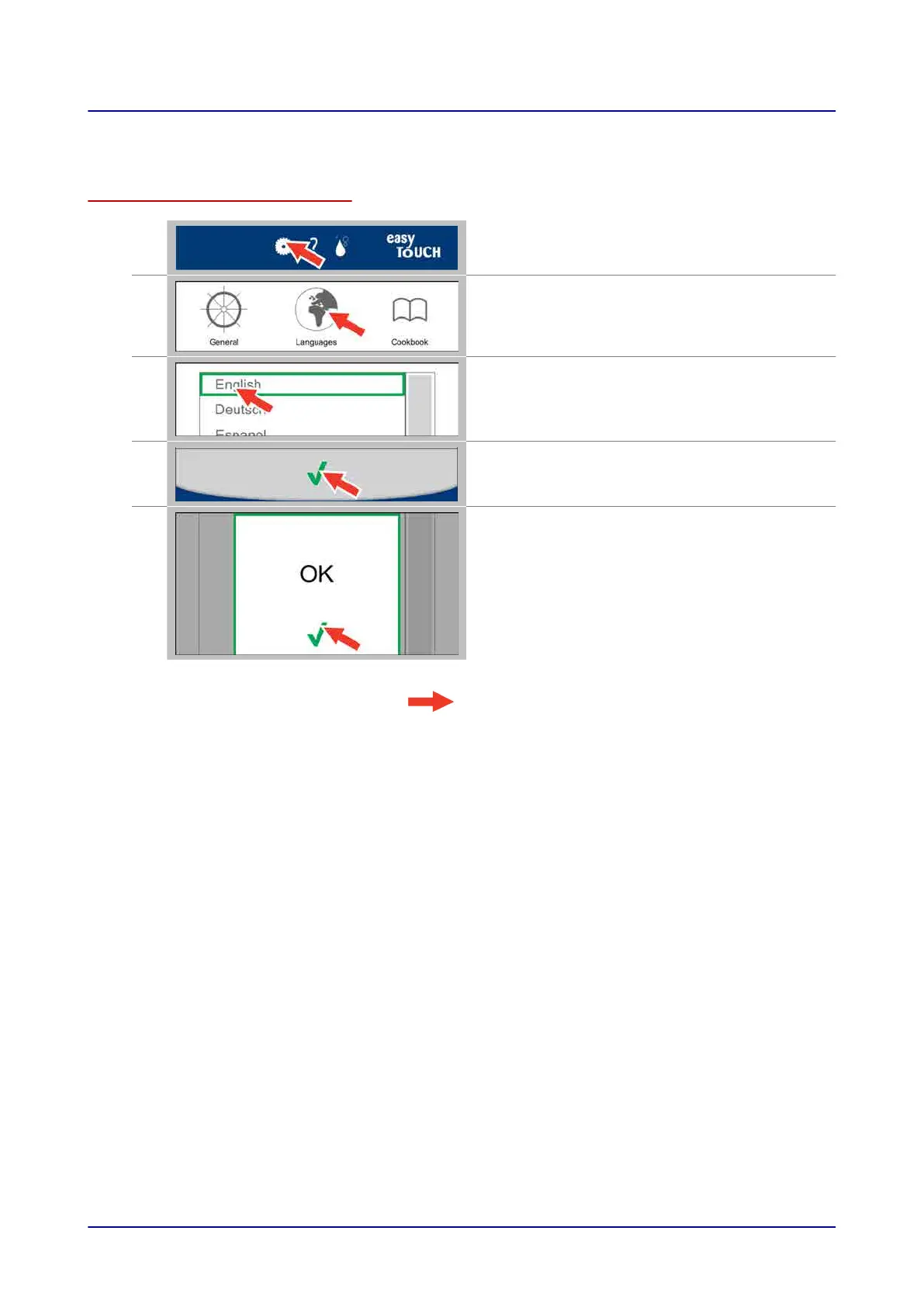
9.1 Setting a language
Setting a language
1.
Press the “Settings” button while on the main
screen, for example
2.
In the “Settings” screen, press the “Languages”
button.
3.
In the “Languages” screen, select the language you
want.
4.
Confirm your selections.
5.
Confirm that you want the new language to be
applied.
Result: The language setting will be applied.
9 Configuring Settings in easyTouch
Operating instructions 79


 To Next Page