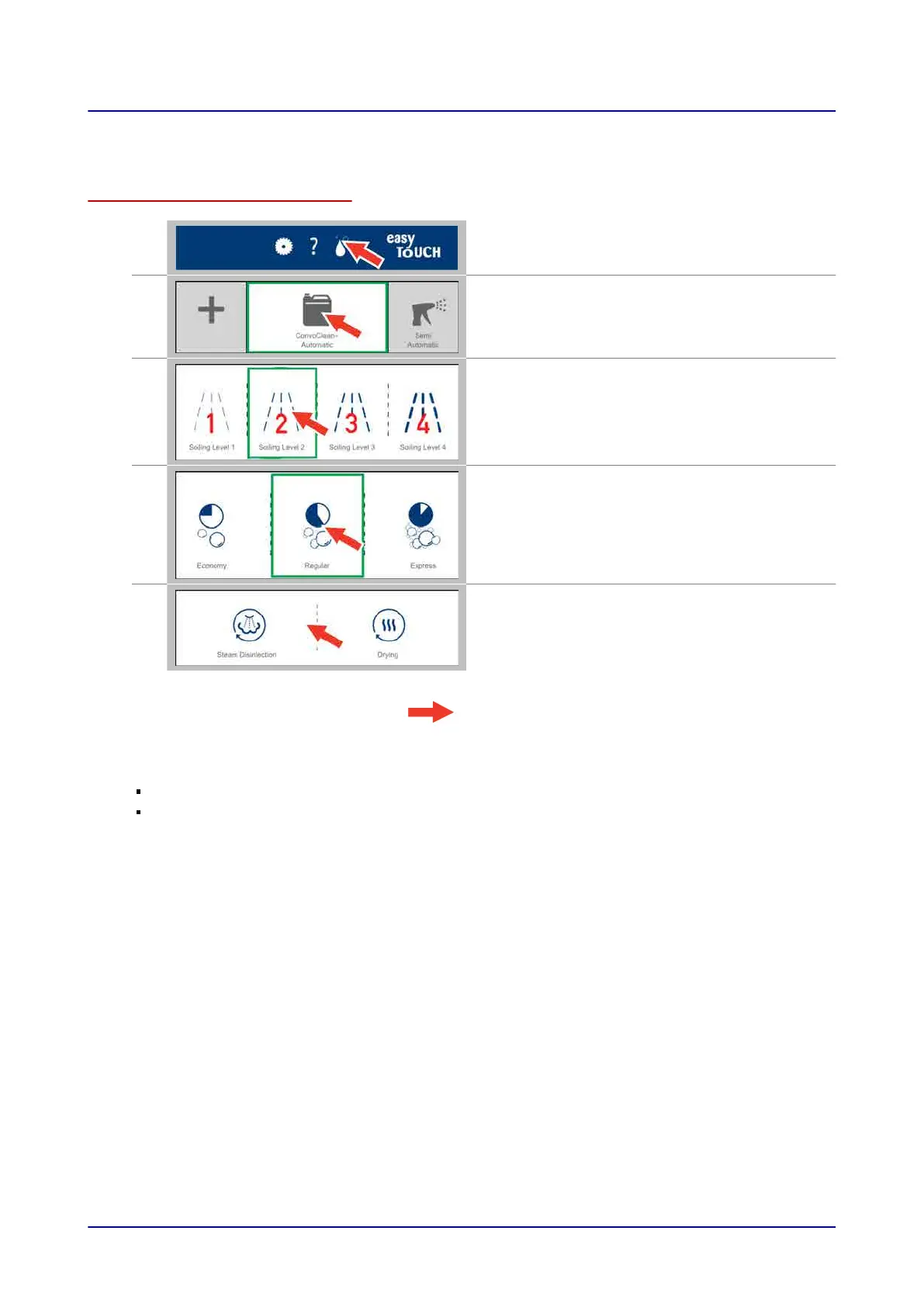
8.1.1 Configuring the Fully Automatic Oven Cleaning Profile
Configuring the cleaning profile
1.
Press the “Clean” button while on the main screen,
for example
2.
On the “Cleaning” screen, select the
“ConvoClean+” cleaning mode.
3.
Select the cleaning level you want
(cleaning level 2, for example).
4.
Select the cleaning duration you want (“Regular,”
for example).
5.
If you want, activate the “Disinfection” and/or
“Drying” extra functions.
Result: You have now configured the cleaning
profile.
Next steps:
Starting the cleaning sequence. For more information,
go to
Page 65
For more information on cleaning workflows,
go to
Page 66
8 Cleaning with easyTouch
Operating instructions 64


 To Next Page