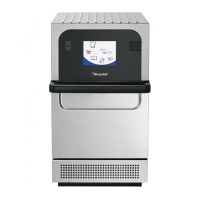
eikon e2s Service and Repair Manual UL 120
To format a USB memory stick, place it in a PC USB slot, select
'Computer' and right click on the USB memory stick symbol.
Select 'Format' and select FAT (Do NOT select FAT 32).
NOTE:
This will erase all data on the USB memory stick.
Procedure:
With the oven switched OFF, open the cover of the USB port and
insert the USB memory stick into the slot.
The USB memory stick should be formatted to FAT with firmware
loaded.
NOTICE:
Do not remove the USB memory stick during the download
sequence as this could corrupt the data transferred from the USB
stick.
Switch ON the oven.
Tap the top right hand corner of the screen to bypass the preheat
stage.
Enter the password (default password is "MANAGER").
Select the green check mark to display the Settings menu.


 To Next Page