36
Maptek Scanner Operator Manual - XR3
Scanner & Controller Wi-Fi
The Controller can communicate either by an Ethernet cable plugged into
the scanner or via a Wi-Fi link. The scanner includes Wi-Fi capability with
an antenna built into the left handle on the base of the unit. The Wi-Fi
operation can be enabled or disabled. The default setting when delivered
includes Wi-Fi capability enabled.
Scanner start light sequences
When the scanner starts, it produces a sequence of flashing and non-
flashing lights on the power button light, to signify conditions and states of
the scanner.
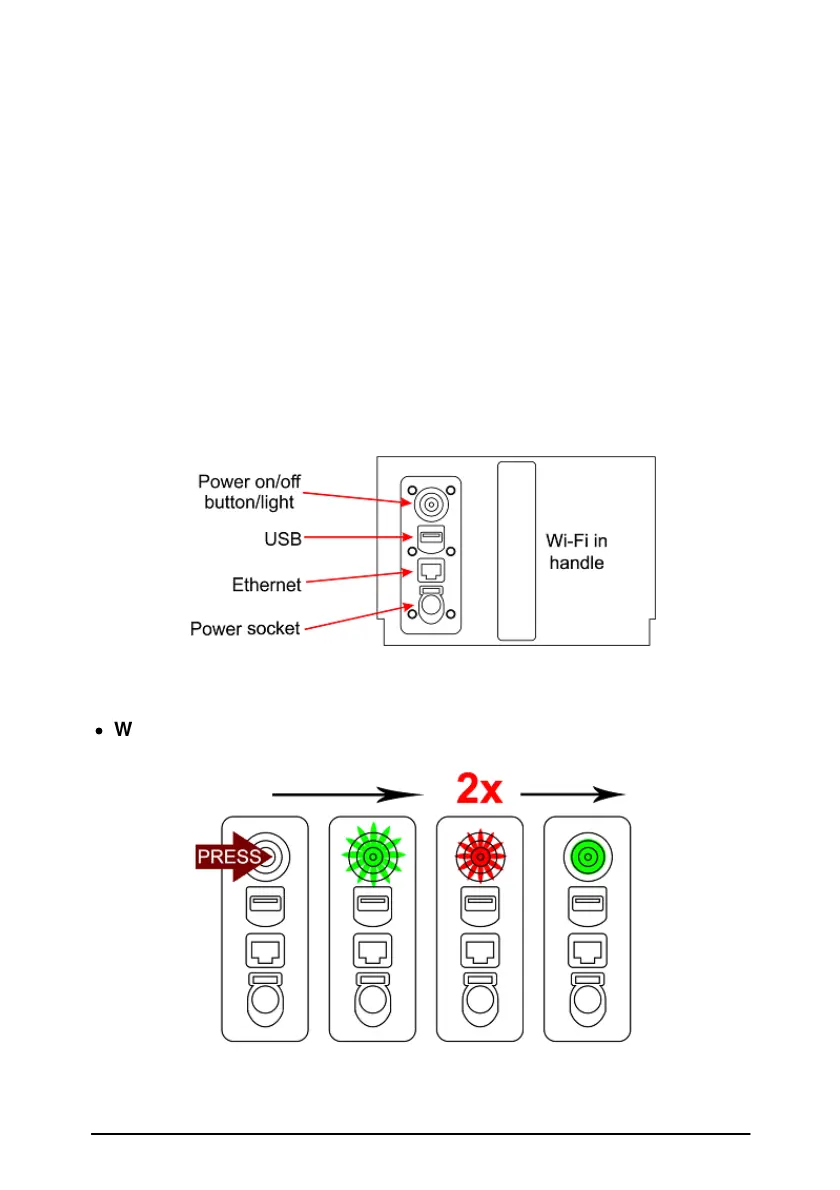
The following sequences relate to the Wi-Fi settings on the scanner:
·
Wi-Fi disabled
Power button on > Flashing green > 2 Red flashes > Solid green



 To Next Page