37
Maptek Scanner Operator Manual - XR3
·
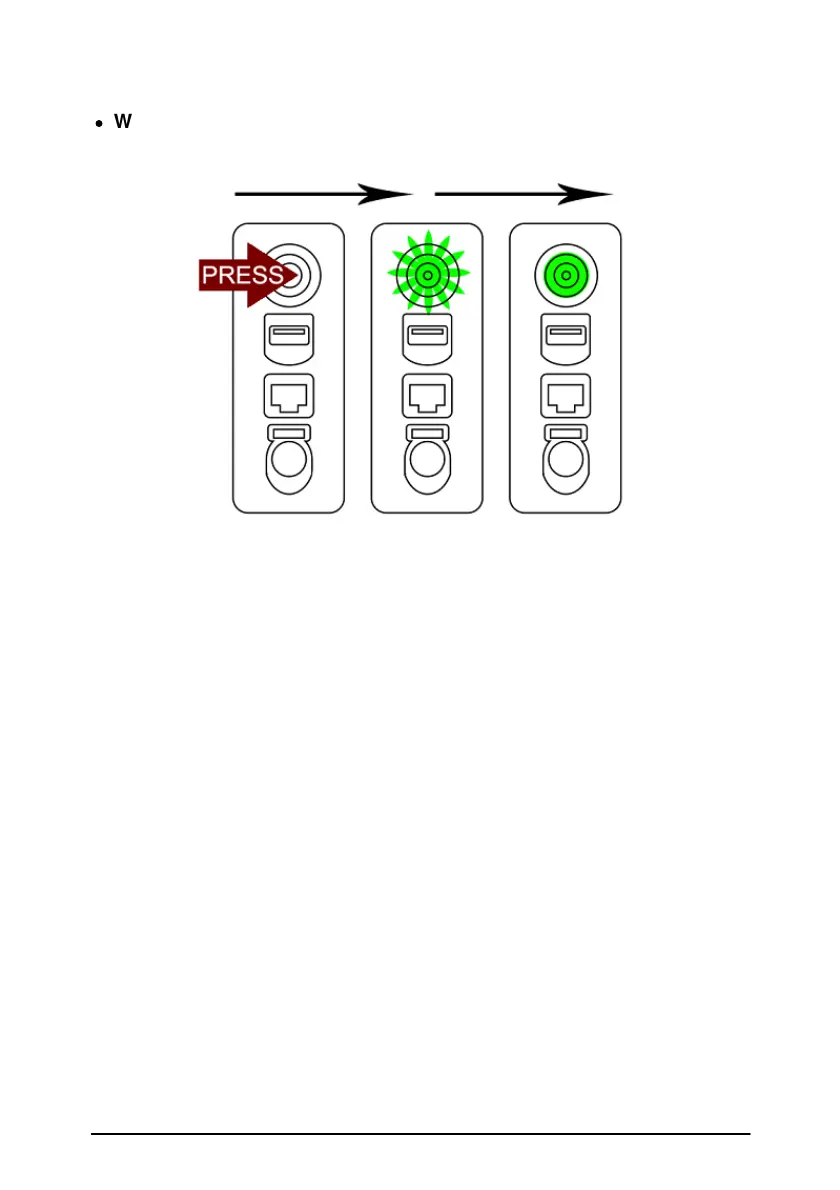
Wi-Fi enabled
Power button on > Flashing green > Solid green
If neither sequence (above) displays, an internal malfunction has
occurred, contact your distributor.
Note: If the Wi-Fi signal disconnects momentarily, data will be stored
temporarily on the scanner and continue to transmit when the connection
is re-established.
Enable/Disable Wi-Fi
The Wi-Fi functionality of the scanner is toggled on and off by the following
procedure:
1. Ensure the scanner is powered off.
2. Press the power button and release it, to start powering the scanner
on.
3. Wait until the power button light starts to flash, then quickly hold down
the power button again until the scanner head starts to home.
4. Check the scanner start light codes (described above) to confirm
whether Wi-Fi is enabled or disabled.



 To Next Page