65
Maptek Scanner Operator Manual - XR3
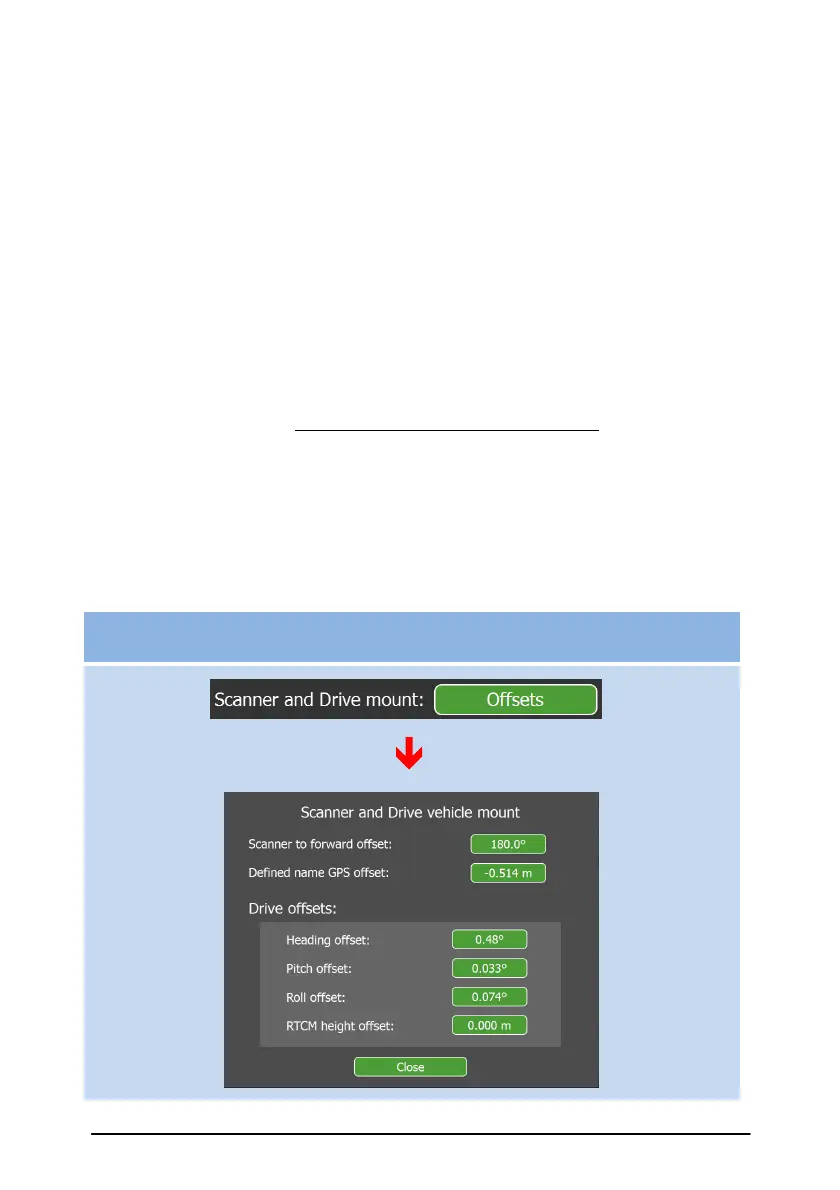
Scanner and Drive mount Offsets
These values relate to offsets used in the gpsTrack process and Maptek
Drive system.
The Scanner to forward offset informs both gpsTrack and the Drive
system of the orientation of the scanner with respect to the forward
direction of the vehicle. Usually, a scanner is mounted backwards, which
equates to a Scanner to forward offset of 180º. However, other
orientations can be accommodated and minor misalignments can be
corrected by adjusting the Scanner to forward offset. For example, if the
scanner is actually facing 2º anti-clockwise from backwards, then enter a
Scanner to forward offset of 178º. The Drive offsets are needed by the
Drive system for the calibration between the scanner and the Drive
mounts on the vehicle. This is initially set up at the factory. Future re-
calibration by the user may be required if the mount plate is removed from
the scanner or if a different scanner is to be used with the Drive system.
The RTCM height offset is for compensating for some GPS base stations
not sending the antenna reference point to phase center correctly in the
RTCM message. Further information is available under Specific Workflow
Examples and the separate Drive Manual.
Settings functions – Scanner and INS mount Offsets



 To Next Page