77
Maptek Scanner Operator Manual - XR3
Setup functions - continued
Survey job inputs (continued)
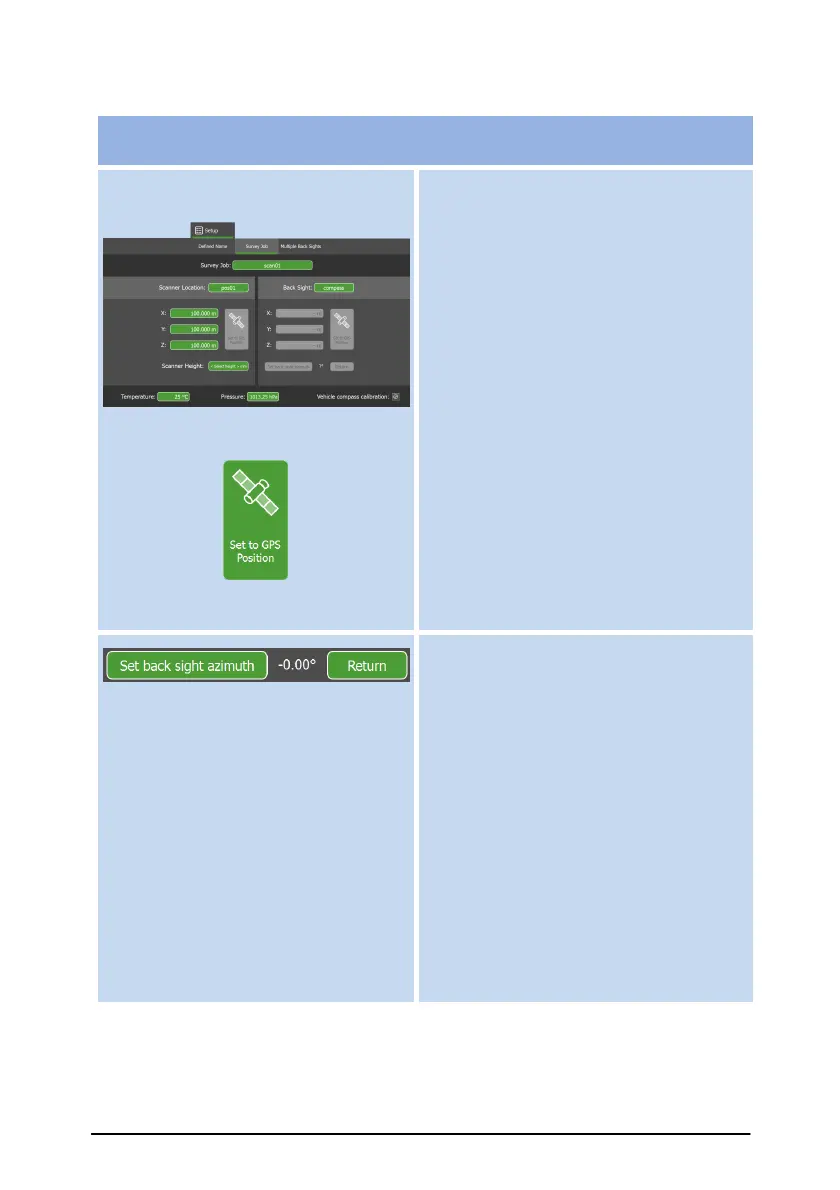
Set up locations for scanner and
backsight (if used) or compass.
Enter values manually or download
from GPS device (“Set to GPS
Position” button).
Set back sight azimuth. Use the
telescope to align scanner with a
reference location (backsight).
This function is required if using a
backsight to specify absolute
locations in a Survey job.
When clicked, the scanner measures
and stores its horizontal angular
offset from the scanning start
position to the reference location.
Press Return to set scanner back to
saved azimuth angle position. Use
this at any time to check if scanner
has moved from original backsight
setup.
Note: For post-scan registration, you
can leave coordinate fields blank.
Coordinates will be supplied later in a
special text file.



 To Next Page