EasyManua.ls Logo

Maquet HANAULUX 2000 - User Manual

Maquet HANAULUX 2000
26 pages
Print Icon
To Next Page IconTo Next Page
Loading...
HANAULUX
®
2000
Operating instructions
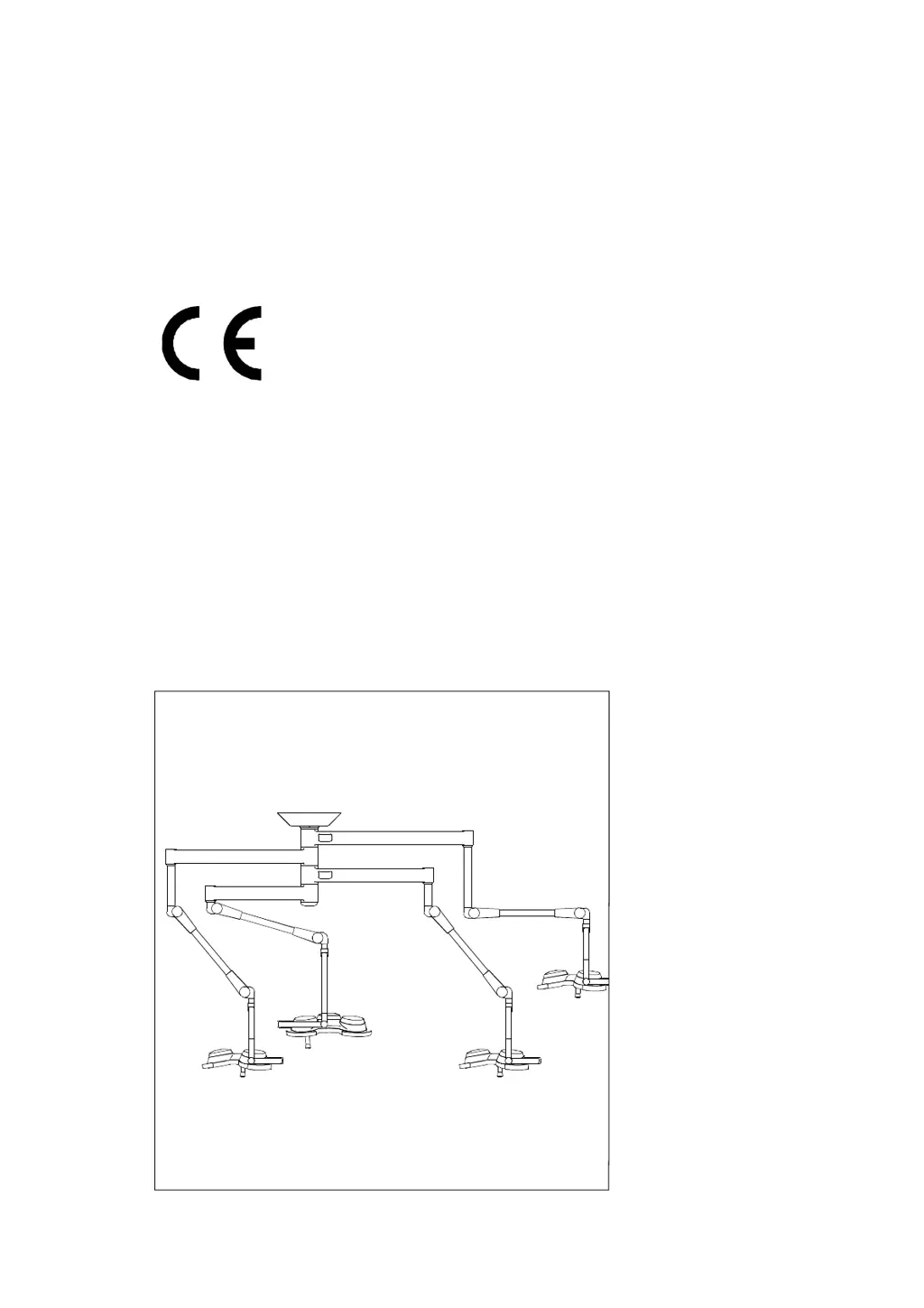
for all HANAULUX 2000 ceiling- and wall modells
56351039/C

Questions and Answers

  • S
    Sheila RobinsonSep 23, 2025
    What to do if the Maquet HANAULUX 2000 Medical Equipment light cannot be focused properly?
    • V
      Vanessa HowardSep 23, 2025
      If the Maquet Medical Equipment light cannot be focused properly, even though the focus mechanism works, it might be positioned too close to or too far from the operating field. Check that the light is within the working area.
  • B
    Brandon RojasAug 23, 2025
    Why is the Maquet Medical Equipment light intensity too low?
    • F
      fwhiteAug 25, 2025
      Several factors could cause low light intensity in your Maquet Medical Equipment light. These include low voltage, incorrect bulbs, damaged lenses from improper cleaning agents, or using the wrong lens. To resolve this: an electrician should check the voltage, verify and replace the bulb if necessary, replace the lenses and change the cleaning agent, and check the lens version.
  • A
    Adrian PayneAug 25, 2025
    What to do if the Maquet Medical Equipment light is too bright?
    • V
      vincentscottAug 26, 2025
      If the Maquet Medical Equipment light is too bright, it could be due to incorrect bulbs or excessively high voltage. You should check the bulb and replace it if necessary. Also, an electrician should check the voltage.
  • J
    Jesus SuarezAug 27, 2025
    Why is the bulb life so short in my Maquet HANAULUX 2000 light?
    • D
      Derek CrawfordAug 27, 2025
      A short bulb life in your Maquet Medical Equipment light might be caused by using the wrong bulb or having voltage that is too high. Check the bulb and replace it if needed. An electrician should also check the voltage.
  • N
    Nancy HernandezAug 27, 2025
    What causes Maquet HANAULUX 2000 Medical Equipment bulbs to explode?
    • E
      Ebony MoraAug 27, 2025
      Exploding bulbs in Maquet Medical Equipment can be attributed to excessively high voltage or a short circuit in the wiring. An electrician should check the equipment.
  • E
    Emma WareSep 16, 2025
    Why do the handles fall off of my Maquet HANAULUX 2000?
    • A
      Andrew JacobsSep 16, 2025
      If the handles on your Maquet Medical Equipment fall off, it's likely that the handles are damaged or worn. Replace them immediately.
  • K
    Kayla BennettSep 13, 2025
    Why don't the sterilizable handles last long enough on my Maquet HANAULUX 2000?
    • C
      Christine MendozaSep 13, 2025
      If the sterilizable handles on your Maquet Medical Equipment don't last long enough (less than 150 cycles), the handles may be incorrectly sterilised. Check the sterilisation process.
  • N
    Nicole MooreSep 15, 2025
    Why are the handles on my Maquet Medical Equipment cracked or discolored?
    • T
      Timothy SimmonsSep 15, 2025
      If the handles on your Maquet Medical Equipment are cracked or discolored, it's likely that the handles have reached the end of their working life. Replace them immediately.
  • D
    David BlackwellSep 5, 2025
    Why does the Maquet HANAULUX 2000 spring-arm knock against the ceiling?
    • J
      John CrawfordSep 6, 2025
      If the spring-arm of your Maquet Medical Equipment knocks against the ceiling, the upper movement of the spring-arm needs to be restricted. Adjust the height restrictor.
  • T
    Tony BruceSep 3, 2025
    Why does the Maquet Medical Equipment lighthead jump upwards?
    • J
      Jeremy GonzalezSep 3, 2025
      If the lighthead of your Maquet Medical Equipment jumps upwards, the spring-balance is likely too tight. Readjust the spring-balance.

Summary

Important Safety Information

General Safety Notes

Essential precautions for safe operation and potential hazards.

Use as intended

Defines the intended applications and limitations of the HANAULUX 2000 system.

Requirements for safe operation

Lists critical conditions for ensuring the luminaire system's safe and correct function.

Transport and Storage

Specifies the recommended temperature, humidity, and pressure for transport and storage.

Disposal

Provides guidance on how to dispose of old units and components responsibly.

HANAULUX 2000 System Description

The HANAULUX 2000 concept

Explains the modular design, flexibility, and core principles of the HANAULUX 2000 lighting system.

Standard components

Lists and identifies the standard, interchangeable components that make up the HANAULUX 2000 system.

Special components

Introduces specialized parts designed to enhance system functionality and adaptability for specific needs.

Versions with limited rotation

Explains versions with restricted rotation due to integrated cables and reasons for such limitations.

Expandability

Outlines the system's capability to be prepared for future additions like SATELLIT lights or cameras.

HANAULUX Benefits and Features

Brilliant cool light

Details the HANAUCHROME optical system, bulb technology, and reflector design that ensure cool, high-quality illumination.

In-Depth illumination

Explains how the Fresnel lens creates a deep, homogeneous light field with excellent operating depth.

Optimal hygiene

Highlights the sealed housing, smooth surfaces, and chemical-resistant coatings for easy cleaning and hygiene.

Easy manoeuvrability, true positioning

Describes features like graduated arms, spacers, and joint brakes that ensure smooth, precise light positioning.

Operating the HANAULUX 2000 System

Mounting and removing the sterilisable handle

Provides step-by-step instructions for attaching and detaching the removable, sterilisable light handle.

HANAUPORT Lite with Equipment Carrier

Explains how to balance and adjust the spring arm for the HANAUPORT Lite accessory with mounted equipment.

Positioning the lights

Guides on how to position the lightheads using the handles, including specific arm configurations (M position).

Focussing the lights

Introduces the process of adjusting the light field size and focus for optimal illumination.

Avoiding light spill

Advises on setting the minimum field size to prevent glare and eye strain in the operating area.

Working area and focus range

Defines the optimal working distance and the depth of the focused light column for consistent illumination.

Dimming the light

Recommends using a dimmer and provides guidance on adjusting light intensity for operations.

Operating the 2007 iXL D and 2007 iXL AF

Covers specific operational features for the 2007 iXL D and 2007 iXL AF models.

Operating the 2007 IXL AF light

Explains the autofocus system, its range, activation, and deactivation for the 2007 IXL AF.

Operating the dimmer on the 2007 IXL AF and 2007 IXL D

Details how to adjust light intensity using the touch panel controls on specific models.

Halogen Bulb Information

Changing a bulb

Provides essential information and warnings regarding the specialized halogen bulbs for the HANAULUX 2000 system.

System Adjustments

Adjusting the brakes

Explains how to adjust brake screws for proper lighthead movement and stable positioning, noting model variations.

Adjusting the spring-arms

Details how to readjust spring balances when lightheads drift, varying by spring-arm version.

Adjusting the spring-arms 2002 i -2005 i;iXL

Step-by-step instructions for adjusting spring arms on specific HANAULUX 2002 i to 2005 i/iXL models.

Straight spring-arm adjustment

Instructions for adjusting the spring force on straight spring-arm versions for optimal balance.

Acrobat 2000 spring arm adjustment

Specific procedures for adjusting the upper stop and balancing of the Acrobat 2000 standard spring arm.

Acrobat 2000 straight spring arm adjustment

Specific procedures for adjusting the upper stop and balancing of the Acrobat 2000 straight spring arm.

Cleaning, Disinfection, and Sterilisation

Cleaning and disinfecting the light

Guidelines for cleaning and disinfecting the light unit's special coating and chrome-plated handles.

Cleaning the lenses

Recommendations for cleaning the tough acrylic lenses, advising against alcohol-based agents.

Sterilising the handles

Specifies the correct procedure and conditions for sterilising the handles to ensure durability.

Cleaning HANAUVISION system

Refers to a separate manual for specific cleaning instructions related to the HANAUVISION camera system.

Maintenance and Repair

Operator inspection guidelines

Lists routine checks operators should perform every six months to identify potential issues.

Service inspection requirements

Outlines the annual servicing requirements and checks performed by authorized service personnel.

Spare parts identification and ordering

Provides guidance on identifying and ordering correct replacement parts like reflectors and lenses.

Troubleshooting Common Issues

Suspension System and Manoeuvrability Faults

Addresses issues related to heavy movement, drifting lights, and spring-arm problems.

Lighting Parameters and Optical System Faults

Covers problems with light flickering, intensity, color accuracy, and field roundness.

Lenses Faults

Details troubleshooting steps for cracked, split, melted, or bubbled lenses due to cleaning or bulb issues.

Sterilisable Handles Faults

Provides solutions for handles not lasting long, being discolored, or falling off unexpectedly.

Focussing and Field Change Faults

Addresses issues where the light does not focus correctly or the focus mechanism is stiff.

Technical Data

Lighting parameters

Presents detailed technical specifications for light intensity, field size, working area, and focus range across models.

Mechanical data

Lists mechanical specifications such as rotation diameter, vertical action, and weight for various HANAULUX models.

Maquet HANAULUX 2000 Specifications

General IconGeneral
BrandMaquet
ModelHANAULUX 2000
CategoryMedical Equipment
LanguageEnglish

Related product manuals