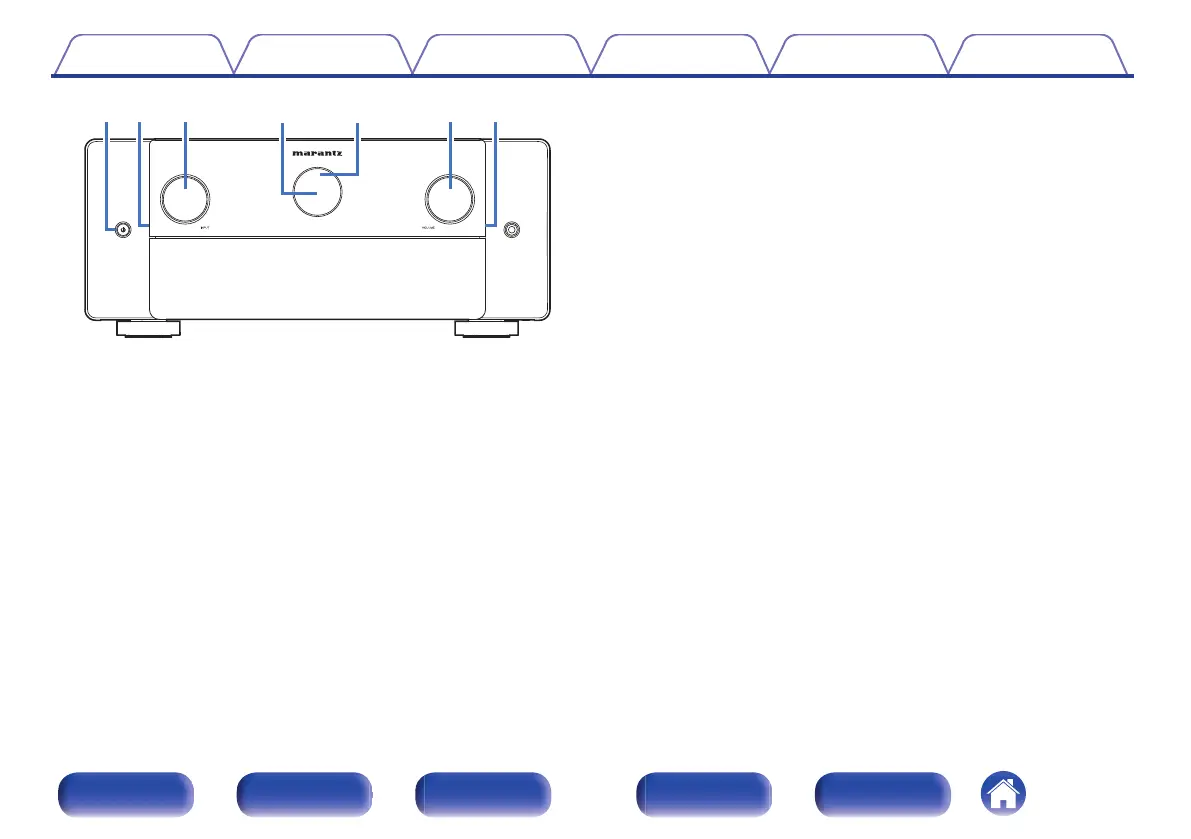
A
Power operation button (X)
Used to turn the power of the MAIN ZONE (room where this unit is
located) on/off (standby). (v p. 87)
B
Illumination
This lights up when the power is turned on. If you press the DIMMER
button, the brightness of the illumination is switched in conjunction with
the brightness of the display.
The illumination turned off from “Front Panel” of the settings menu.
(v p. 258)
C
INPUT selector knob
This selects the input source. (v p. 87)
D
Main display
This displays various pieces of information. (v p. 24)
E
Remote control sensor
This receives signals from the remote control unit. (v p. 10)
F
VOLUME knob
This adjusts the volume level. (v p. 88)
Contents Connections Playback Settings Tips Appendix
20
Front panel Display Rear panel Remote Index



 To Next Page