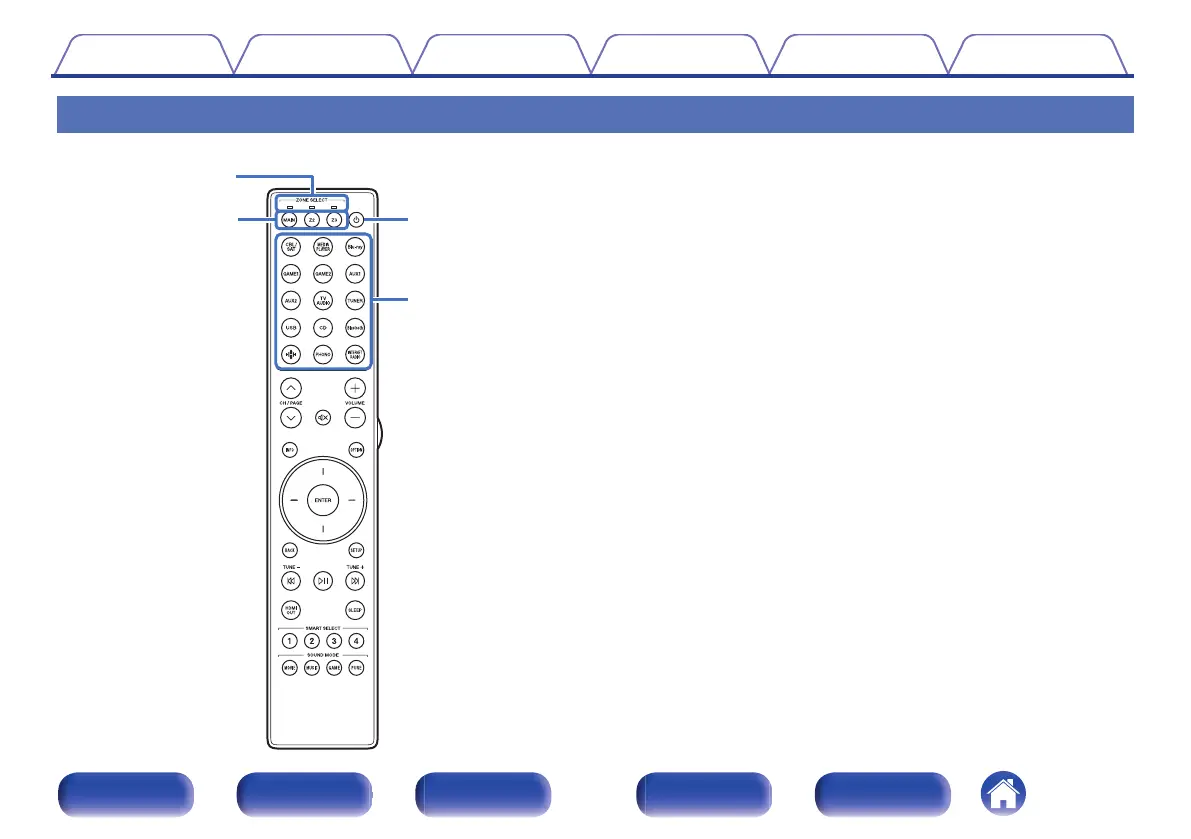
Remote control unit
A
Zone mode indicators
The indicator of the zone that you are operating lights up.
B
ZONE SELECT buttons (MAIN, Z2, Z3)
These switch the zone (MAIN ZONE, ZONE2, ZONE3) that is operated
through the remote control unit.
0
“Playback in ZONE2/ZONE3” (v p. 166)
0
“Menu operations” (v p. 173)
0
“Specifying the zone used with the remote control unit” (v p. 266)
C
POWER button (X)
This turns the power on/off.
0
“Turning the power on” (v p. 87)
0
“Playback in ZONE2/ZONE3” (v p. 166)
D
Input source select buttons
These select the input source.
0
“Selecting the input source” (v p. 87)
0
“Playback in ZONE2/ZONE3” (v p. 166)
Contents
Connections Playback Settings Tips Appendix
32
Front panel Display Rear panel Remote Index



 To Next Page