3
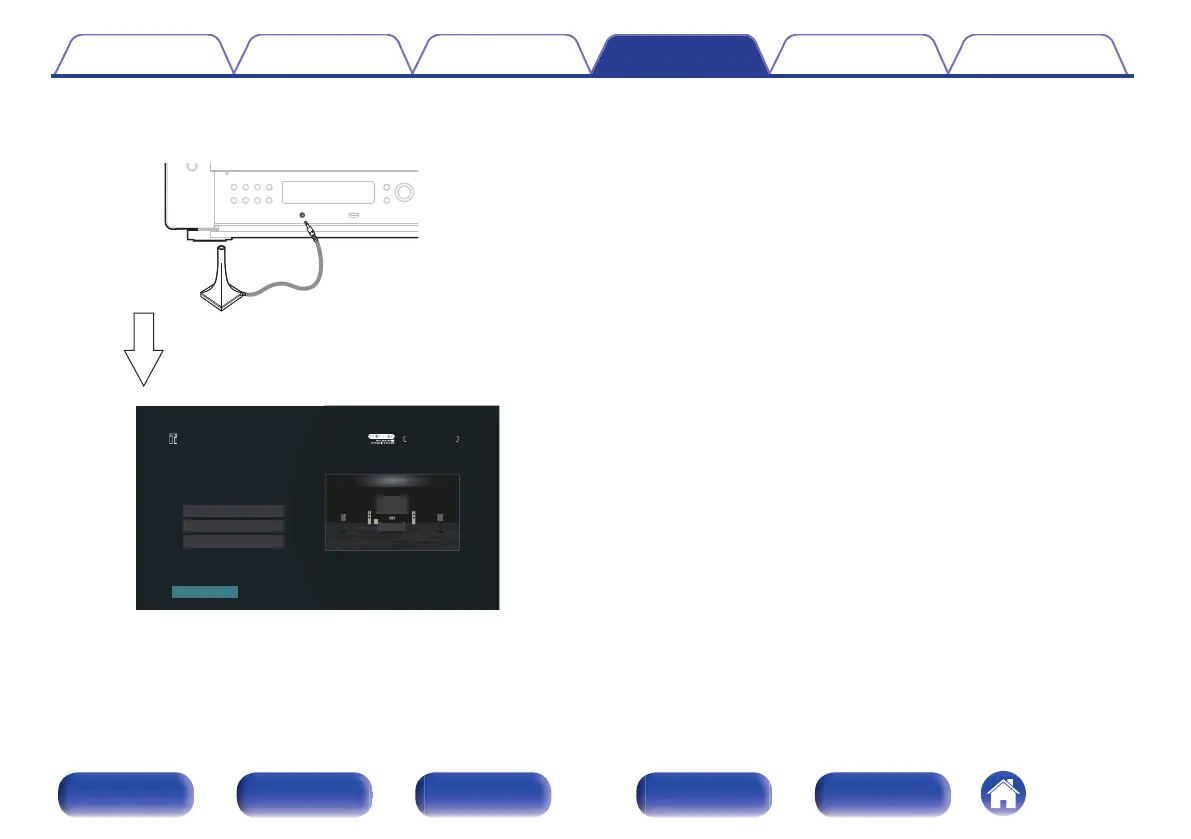
Connect the Sound calibration microphone to the
SETUP MIC jack of this unit.
When the Sound calibration microphone is
connected, the following screen is displayed.
Amp Assign
Channel Select
Dolby Speaker Setup
Start
Audyssey Setup
Speaker Preset 1
Your AVP can automatically measure the acoustics
of your room then optimize your speakers using the
includedmicrophone and microphone stand. Set the
following items if necessary.
4
Select “Start”, then press ENTER.
Audyssey
®
Setup can also make the following settings.
0
Amp Assign
The signals output from the SURROUND BACK, FRONT WIDE,
HEIGHT1, HEIGHT2, HEIGHT3 and HEIGHT4 PREOUT
connectors can be switched in accordance with your speaker
environment. (“Amp Assign” (v p. 215))
0
Channel Select
If channels that are not to be used are set in advance,
measurement for the set channels is skipped, and measuring
time can be reduced. You can also change the number of
surround back speakers and subwoofer.
0
Dolby Speaker Setup
Set the distance between the Dolby Atmos Enabled speaker and
the ceiling.
This can be set when using the Front Dolby Atmos Enabled,
Surround Dolby Atmos Enabled or Back Dolby Atmos Enabled
speaker.
5
Follow the instructions on the screen display and press
“Next” to proceed further.
Contents Connections Playback Settings Tips Appendix
207
Front panel Display Rear panel Remote Index



 To Next Page