0
This item can be set with analog signals or PCM signal (Sample Rate =
44.1/48 kHz) is input.
0
This cannot be set when the sound mode is set to “Direct” or “Pure Direct”.
0
“M-DAX” settings are stored for each input source.
0
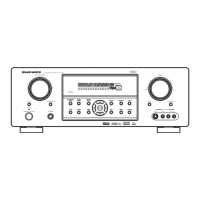
This can also be set by pressing M-DAX on the main unit.
Volume
Set the MAIN ZONE (room where the unit is located) volume setting.
o
Scale
Set how volume is displayed.
0 - 98
(Default):
Display in the range 0 (Min) to 98.
-79.5 dB - 18.0 dB:
Display ---dB (Min), in the range –79.5 dB
to 18.0 dB.
0
“Scale” settings are reflected in all the zones.
o
Limit
Make a setting for maximum volume.
60 – 80 (–20 dB – 0 dB)
Off (Default)
0
The dB value is displayed when the “Scale” setting is “-79.5 dB - 18.0
dB”. (v p. 163)
Contents Connections Playback Settings Tips Appendix
163
Front panel Display Rear panel Remote Index



 To Next Page