1-12
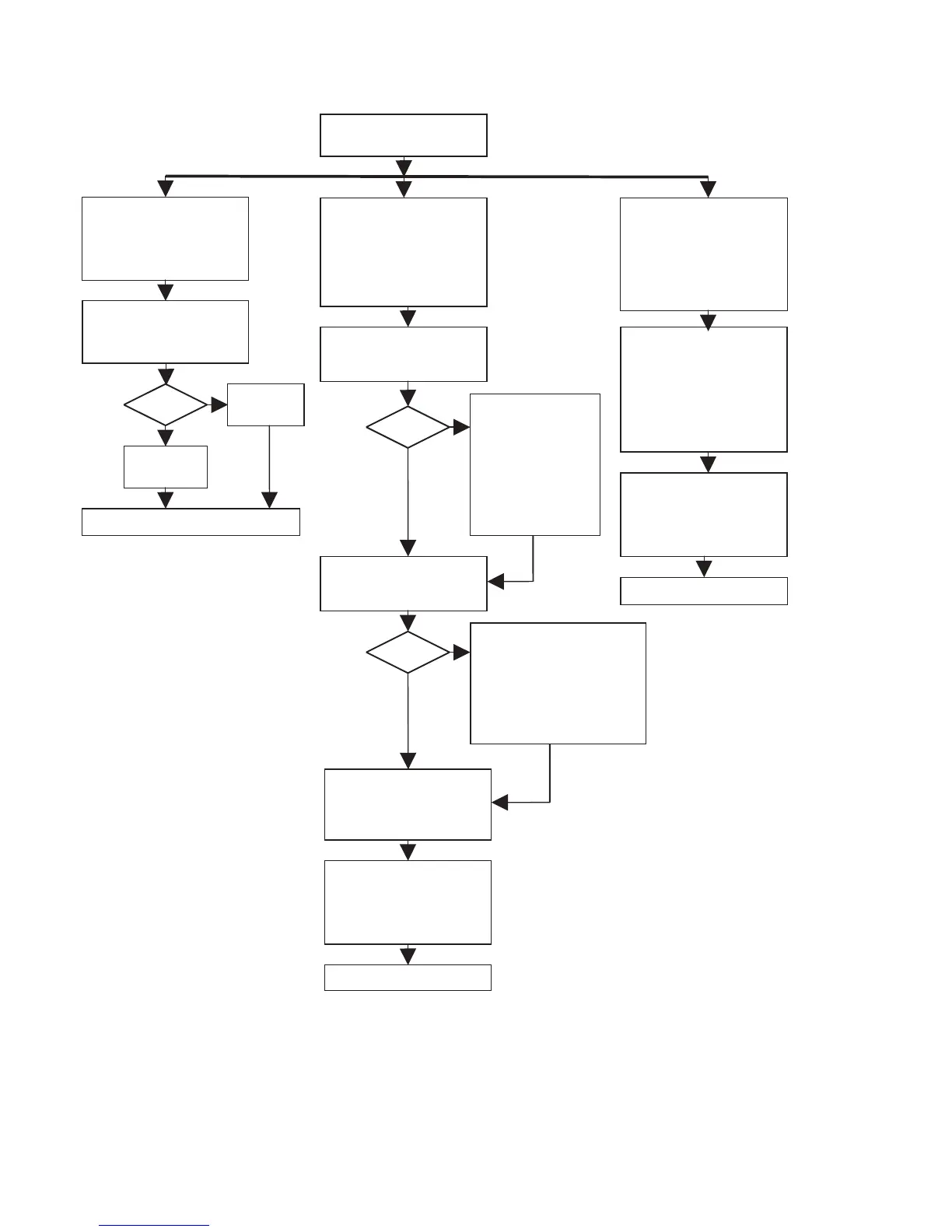
MAIN BOARD TEST
Display shows blinking
“D -----”
during the test
BASIC ENGINE TEST
Display shows
“B -----”
during the test
Display shows blinking:
“BUSY”
during the test.
DC ERASE
(erasement of complete disc)
Load CD-RW disc
Press
<ERASE> + <RECORD>
simultaneously and switch
power on
DISPLAY TEST
All segments are blinking at a
frequency of 1Hz.
To end test, switch power off.
switch power off.
KEYBOARD/REMOTE TEST
Display shows name of
pressed key on keyboard or
remote control.
Display shows:
“
PASSED
”
when the erase function is
completed.
Display shows:
“
ER mm:ss
”
during the erase function.
mm
:remaining minutes
ss
:remaining seconds
TOTAL
and
REM
are also
illuminated
ELECTRICAL SERVICE
DIAGNOSTICS
(advice for replacement units)
Load CDDA disc(SBC444A)
Press
<PLAY> + <NEXT>
simultaneously and switch
power on
DEALER DIAGNOSTICS
(status of player)
Press
<PLAY> + <STOP>
simultaneously and switch
power on
If power ON,
switch power OFF
Set OK?
to end test, switch power off
set displays:
“
PASSED
”
set displays:
“ERROR”
no



 To Next Page