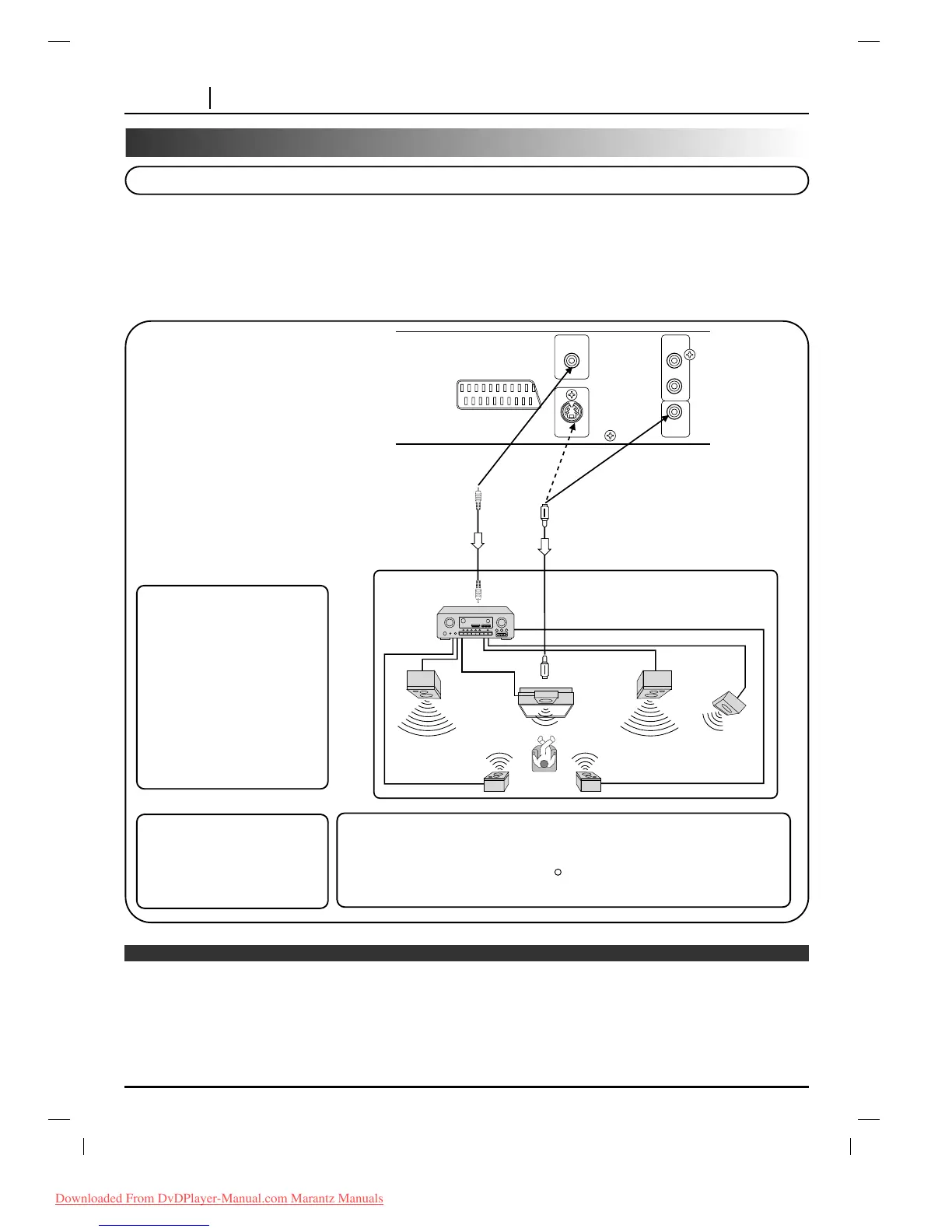
Dolby Digital (AC-3)
Dolby Digital is the surround sound technology used in theaters showing the latest movies, and is now available to
reproduce this realistic effect in the home. You can enjoy motion picture and live concert DVD video discs with this
dynamic realistic sound by connecting the DVD player to a 6 channel receiver equipped with a Dolby Digital (AC-3)
decoder or Dolby Digital (AC-3) processor.
❍
Refer to the owner’s manual of your audio equipment as well.
❍
When you connect the DVD player to other equipment, be sure to turn off the power and unplug all of the equipment from the
wall outlet before making any connections.
❍
The output sound of the DVD player has a wide dynamic range. Be sure to adjust the receiver’s volume to a moderate
listening level. Otherwise, the speakers may be damaged by a sudden high volume sound.
❍
Turn off the receiver before you connect or disconnect the DVD player’s power cord. If you leave the receiver power on, the
speakers may be damaged.
Notes
To enjoy Dolby Digital (AC-3)
sound from this DVD player
you need the following:
● DVD recorded in Dolby Digital
(AC-3)
● 6 channel receiver equipped
with a Dolby Digital (AC-3)
decoder, or Dolby Digital
(AC-3) processor and power
receiver
● 5 speakers and 1 sub woofer
To enjoy Dolby Digital (AC-3)
sound
You need to select “Dolby
Digital” on the SETUP menu.
* Manufactured under license from Dolby Laboratories Licensing
Corporation. “Dolby”, “AC-3” and the double-D symbol are trademarks of
Dolby Laboratories Licensing Corporation.
Confidential Unpublished Works. 1992-1997 Dolby Laboratories, Inc. All
rights reserved.



 To Next Page