18
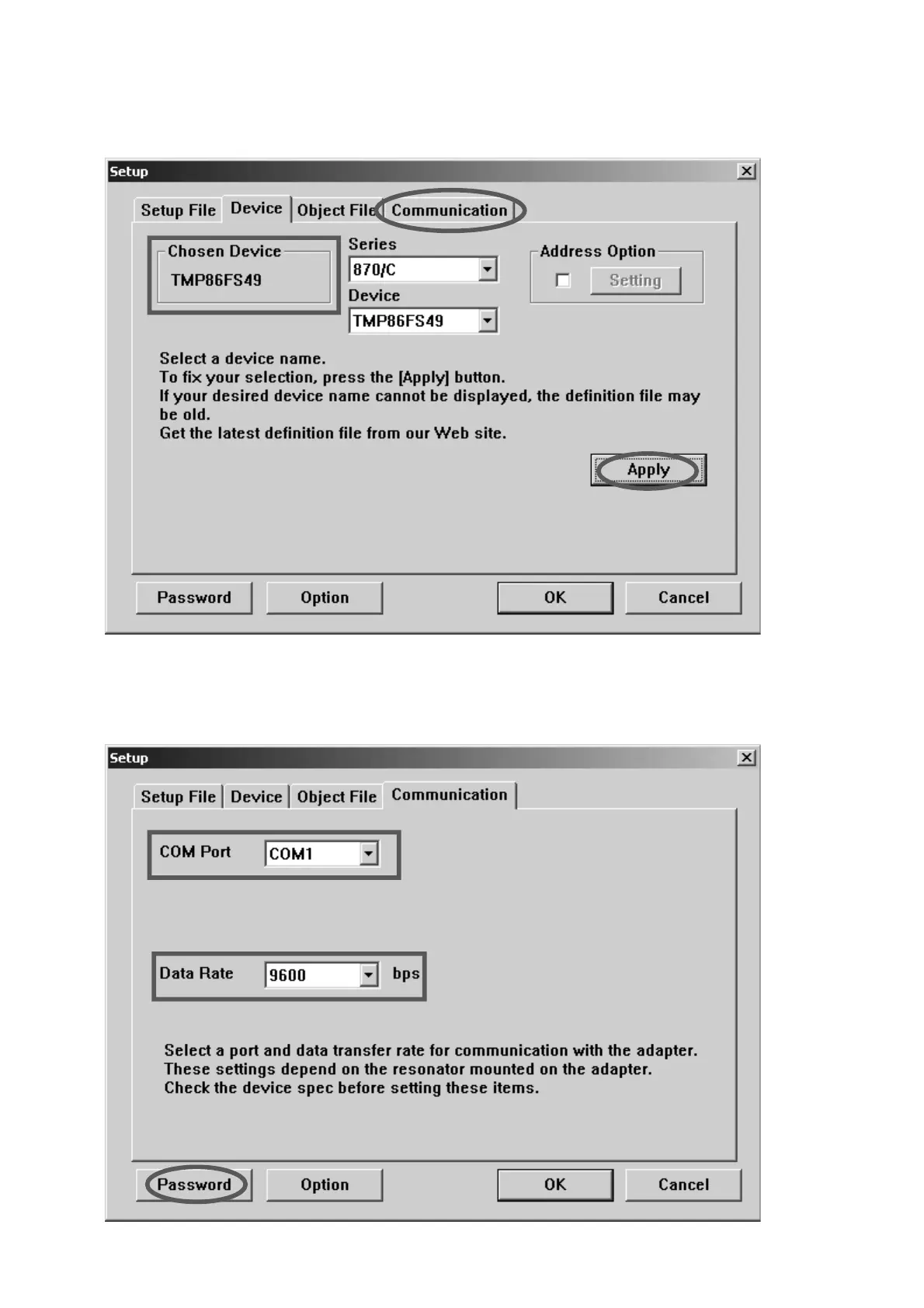
5. Applyをクリックします。Chosen Deviceに
TMP86FS49が表示されます。
Communicationタブをクリックします。
6. COM Port
から使用するSerial Port番号を選択します。
Data Rateから9600を選択します。
Passwordをクリックします。
5. Click the Apply, then TMP86FS49 appears in the Chosen
Device.
And click the Communication tab.
6. Choose the Serial Port number in the COM Port.
Choose the 9600 bps in the Data Rate.
And Click the Password.



 To Next Page