19
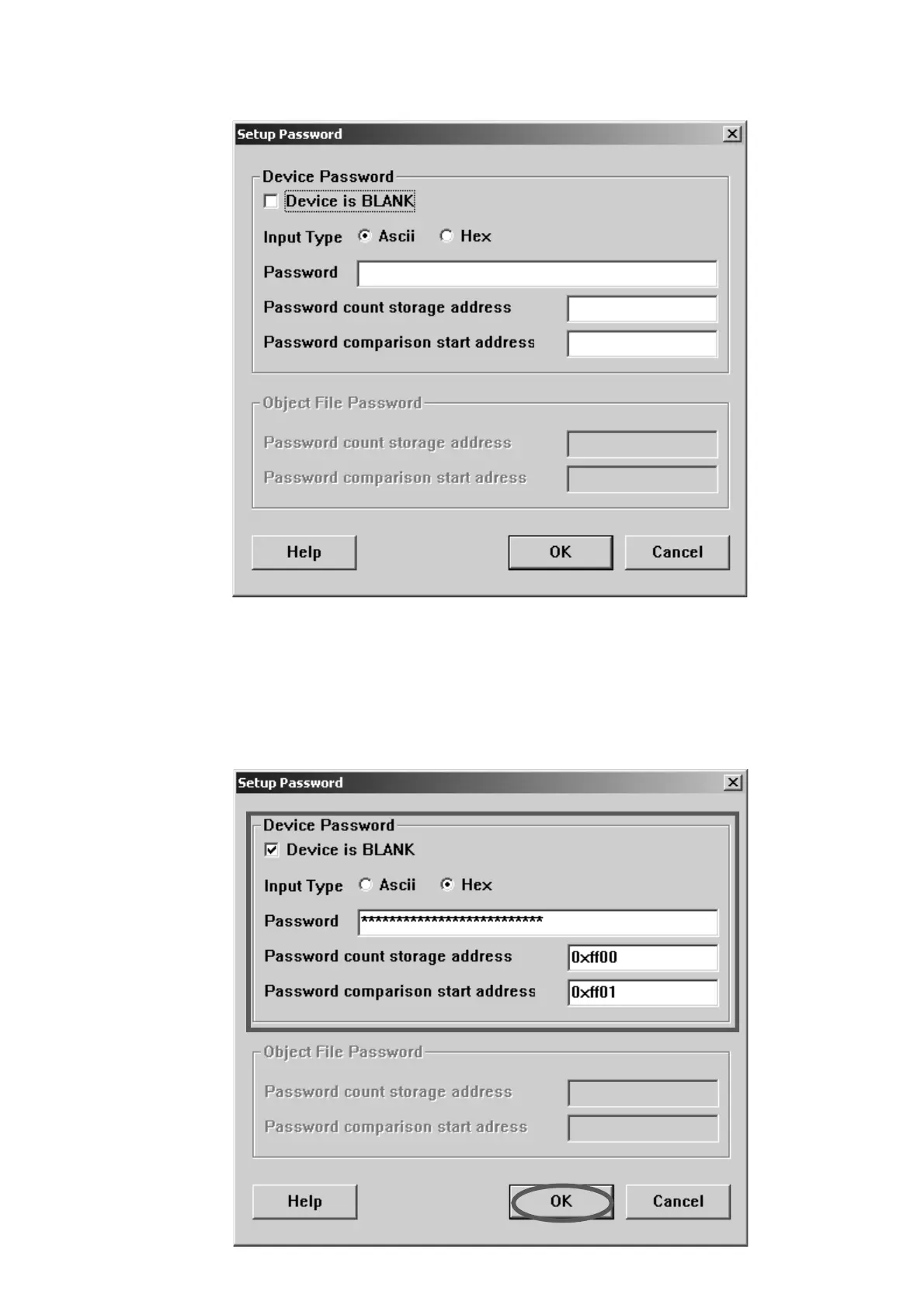
8. Setup Passwordが表示されます。
9. Devise is BLANK
をチェックします。
Input TypeからHexをチェックします。
Passwordに5468652044264d2047726f7570を入力します。
Password count storage addressに0xff00を入力します。
Password comparison start addressに0xff01を入力します。
OKをクリックします。
8. Setup Password appears.
9. Click the Devise is BLANK.
Check the Hex in Input Type.
Type the 5468652044264d2047726f7570 into Password.
Type the 0xff00 into Password count storage address.
Type the 0xff01 into Password comparison start address.
Click the OK.



 To Next Page