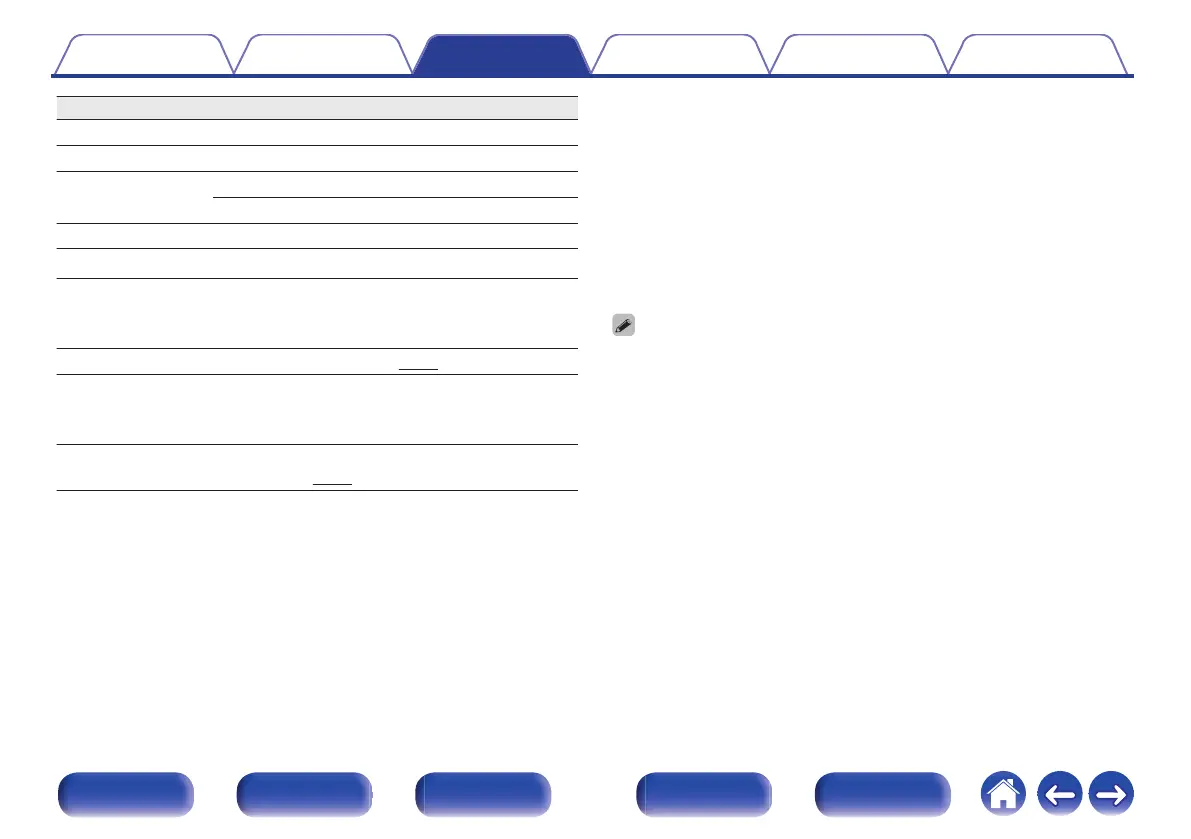
Operation buttons Function
1/3
Playback / Pause
2
Stop
8 9
Skip to previous track / Skip to next track
(Press and hold) Fast-reverse / Fast-forward
0 – 9, +10 Select the track
RANDOM P
Random playback
REPEAT L
Repeat playback
0
Switching between All-track repeat and Single-
track repeat.
REPEAT A-B
A-B repeat playback (v p. 25)
TIME
Time display switching
0
Track elapsed time, Track remaining time and
Total remaining time
Q.REPLAY P
0
Rewinding tracks slightly to listen
again. (v
p. 27)
o
Playing a specific track (Direct searching)
1
Use 0 – 9 and +10 to select the tracks.
GExampleH
Track 4 :
Press number 4 to select track 4.
Track 12 :
Press numbers +10 and 2 consecutively to select track 12.
0
The number you enter is set about 1.5 seconds after you press the number
buttons. To enter a two-digit number, be sure to press the two number buttons,
one immediately after the other.
Contents Connections Playback Settings Tips Appendix
24
Front panel Display Rear panel Remote Index


 To Next Page