n
CD player operations
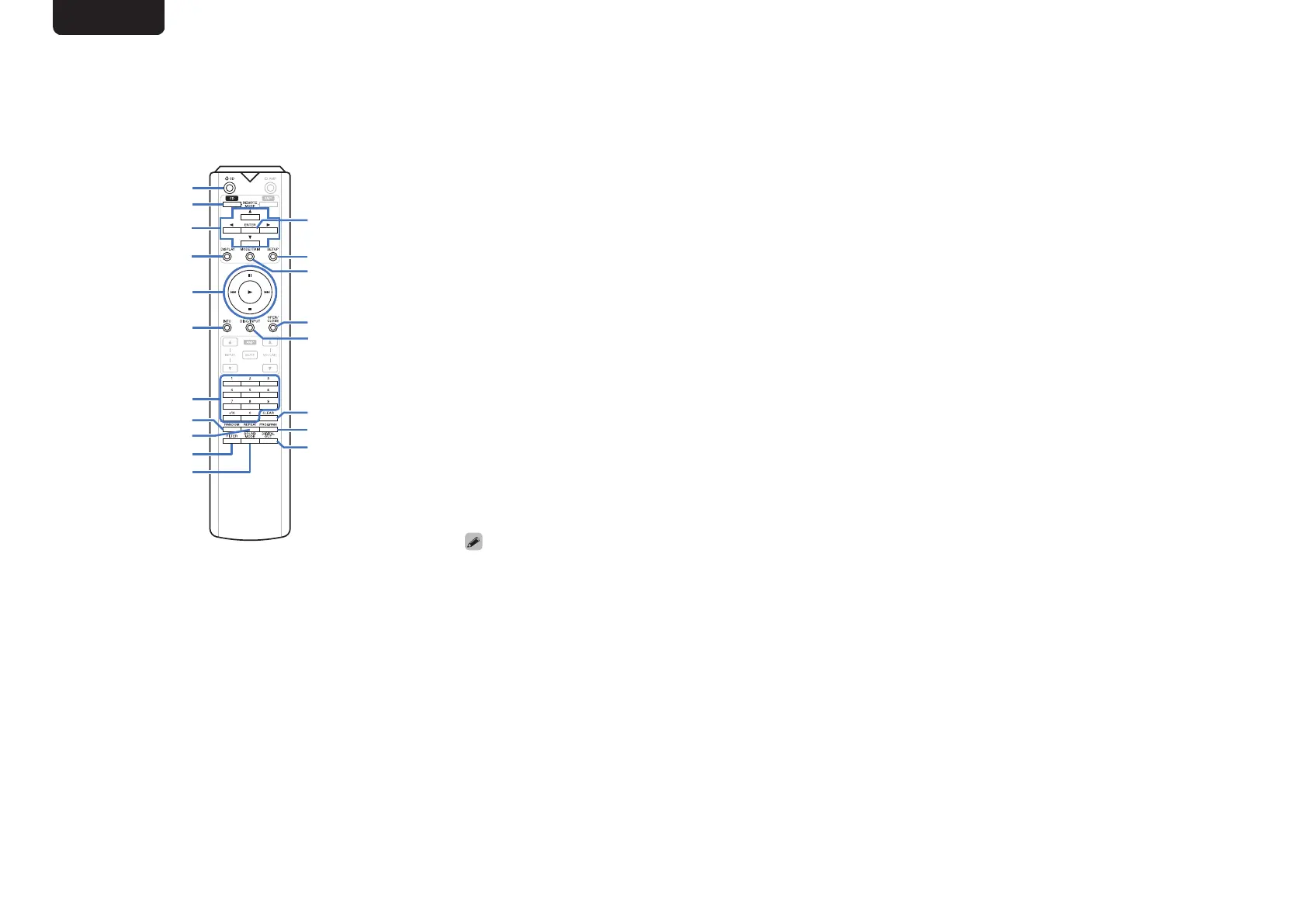
The supplied remote control can be used to control a
Marantz CD player in addition to this unit. To operate a
Marantz CD player, press the REMOTE MODE CD button
to switch the remote control to the CD player operation
mode.
.
q
w
e
r
t
u
i
o
Q0
Q1
y
Q7
Q9
Q8
Q3
Q5
Q6
Q2
Q4
A
Power operation button (X CD)
B
Remote mode select button (REMOTE MODE CD)
C
Cursor buttons (uio p)
D
DISPLAY button
E
System buttons
0
Skip buttons (8 / 9)
0
Stop button (n)
0
Play button (1)
0
Pause button (3)
F
Information button (INFO)
G
Number buttons (0 – 9, +10)
H
RANDOM button
I
REPEAT button
J
FILTER button
K
SOUND MODE button
L
ENTER button
M
SETUP button
N
Playback mode switching button (MODE/TRIM)
O
OPEN/CLOSE button
P
DISC/INPUT button
Q
CLEAR button
R
PROGRAM button
S
DIGITAL OUT button
0
Basic amplifier operations such as switching input source,
adjusting volume, and muting are also possible when the
operation mode of the remote control is set to CD.
0
When using it, also refer to the operating instructions of the
other devices.
0
The remote control may not operate some products.
ENGLISH
7


 To Next Page