10
ENGLISH
CONNECTIONS
REMOTE CONTROL JACKS
The REMOTE CONTROL jacks are for connecting components that are capable of remote control such as
a Marantz CD Player or DVD Player. This enables these other components to be operated with the remote
controller included with the PM6002. The PM6002 comes with the system remote controller that can operate
the basic features of Marantz CD Players and DVD Players. Here, a brief explanation of how to control the
PM6002 and CD6002 using this remote controller is provided.
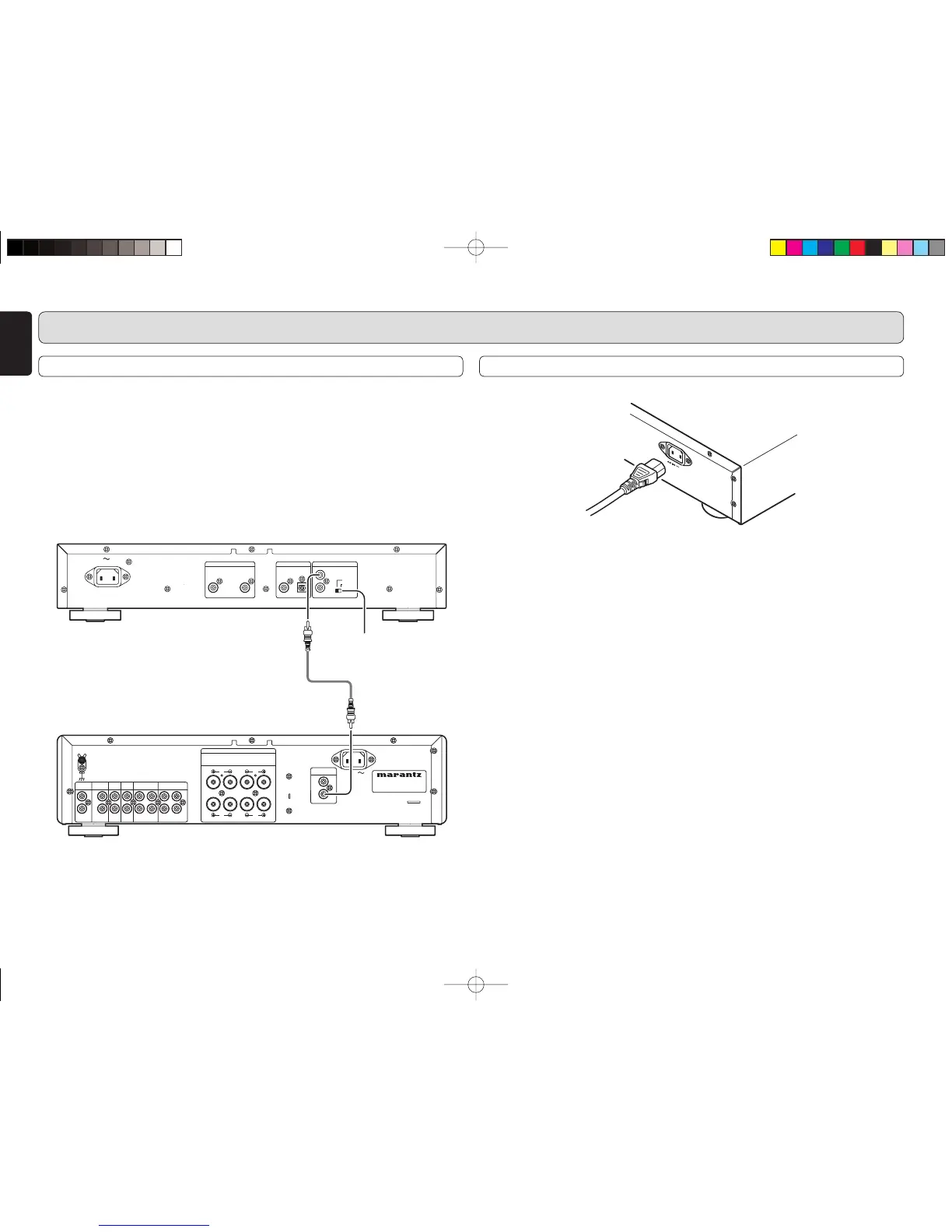
• As shown in the illustration below, connect the REMOTE CONTROL “IN” jack of the CD6002 to the
REMOTE CONTROL “OUT” jack of the PM6002, and set the CD6002 switch to “EXTERNAL”.
• Both the PM6002 and CD6002 can be operated by pointing the remote controller at the receptor of the
PM6002.
OUT
Set to “EXTERNAL”
CONNECTION OF AC POWER CABLE
1. Plug the power cable into AC IN jack on the back panel.
2. Turn on the power switch of the audio unit (amplifier, etc.) that is connected with this unit. Set the selector
on the connected unit to this unit.
3. Plug the power cable into an AC outlet.
PM6002N01ENG.indd10PM6002N01ENG.indd10 07.7.189:56:14AM07.7.189:56:14AM



 To Next Page