EasyManua.ls Logo

Marantz PM7003 - User Manual

Marantz PM7003
20 pages
Print Icon
To Next Page IconTo Next Page
Loading...
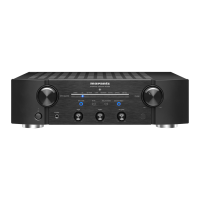
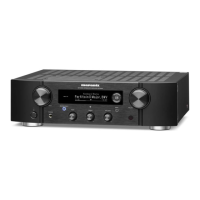
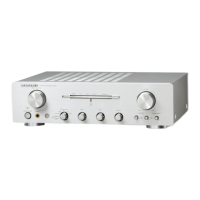
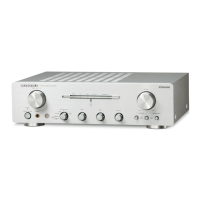
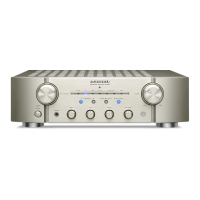
Integrated Amplifier
PM7003
PM8003
www.marantz.com
You can find your nearest authorized distributor or dealer on our website.
is a registered trademark.
ENGLISHFRANÇAISDEUTSCHNEDERLANDSESPAÑOLITALIANOSVENSKA

Other manuals for Marantz PM7003

Questions and Answers

  • H
    haileyoconnellJul 26, 2025
    What to do if my Marantz PM7003 Amplifier has power but no sound?
    • V
      Victor RyanJul 26, 2025
      If your Marantz Amplifier has power but you're not hearing any sound, there are several things to check: * Ensure the speaker cables and input cables are properly connected. * Verify the INPUT SELECTOR knob is correctly set. * Make sure the VOLUME knob isn't set to the minimum. * Confirm the SPEAKERS knob is correctly set for your speaker setup. * Check the POWER AMP DIRECT button setting. * If the MUTE indicator is on, press the MUTE button on the remote.
  • J
    James JonesJul 31, 2025
    How to fix a Marantz Amplifier when no power is supplied?
    • B
      bbrownJul 31, 2025
      If your Marantz Amplifier isn't getting power: * Check that the power cable is properly connected. * Ensure the unit isn't in STANDBY mode by turning the INPUT SELECTOR knob or pressing the POWER ON button on the remote. * If the STANDBY indicator is flashing, the protection circuit may be activated. Turn the power OFF, wait at least one minute, and then turn it back ON.
  • J
    Joshua WilsonAug 5, 2025
    Why is there noise when playing records on my Marantz PM7003?
    • K
      kjonesAug 6, 2025
      If you're experiencing noise while playing records on your Marantz Amplifier, consider the following: 1. Check the grounding connection from the record player to the PHONO GND terminal. 2. Verify the connection to the PHONO input jacks. 3. Ensure that devices like TVs aren't placed too close to the record player, as they may cause interference.
  • B
    Bradley AguilarAug 10, 2025
    How to troubleshoot sound only coming from one side of my Marantz Amplifier?
    • D
      dwheelerAug 10, 2025
      If sound is only coming from the left or right speakers on your Marantz Amplifier, check the speaker connections to ensure they are properly connected. Also, verify that the BALANCE knob is set correctly.
  • C
    carl94Aug 15, 2025
    What causes howling when increasing the volume while playing records on my Marantz PM7003?
    • S
      Stephanie DavidsonAug 15, 2025
      Howling when increasing the volume while playing records on your Marantz Amplifier can be caused by: * Speakers being too close to the record player. Place the speakers further away. * The record player being placed on a surface that easily vibrates. If your record player didn't come with an insulating pad, consider using one available on the market.
  • J
    Joy PotterAug 20, 2025
    Why are the left and right channels reversed on my Marantz PM7003?
    • A
      amanda55Aug 20, 2025
      If the left and right channels are reversed on your Marantz Amplifier, it's likely due to reversed connections of the speaker cords or input cords. Ensure that all connections are made properly.

Summary

Warranty Information

Retain Your Purchase Receipt

Your purchase receipt is your permanent record of a valuable purchase.

Important Warranty Service

Consumer must establish proof and date of purchase for warranty service.

For U.K. Only

Undertaking is in addition to consumer's statutory rights.

CE Marking Compliance

English CE Marking Details

The PM7003/PM8003 is in conformity with the EMC directive and low-voltage directive.

Introduction and Setup

Accessories Check

Details the included accessories like remote, batteries, and cables.

Note About Recycling

Provides guidelines for recycling product packaging, unit, and batteries.

Product Features

PM7003;PM8003 Feature Highlights

Details core technological features like current-feedback amplifier and HDAM-SA3.

PM8003 Exclusive Features

Highlights advanced features specific to the PM8003 model, such as phono equalizer.

Before Use Guidelines

Mains Setting and Copyright

Covers power requirements, copyright laws, and safe operating environment.

Placement and Handling Precautions

Advises on unit placement, keeping vents clear, and avoiding hot surfaces.

Remote Controller Usage

Loading Batteries

Instructions for inserting batteries into the remote controller for the first time.

Battery Handling Cautions

Warnings about battery misuse, leakage, and proper disposal procedures.

Operational Range and Tips

Details the effective range of the remote and important usage precautions.

Front Panel Components

Front Panel Controls and Indicators

Details all buttons, knobs, indicators, and jacks on the front panel.

Remote Controller Functions

Remote Control Button Layout

Identifies and explains the functions of buttons on the remote controller.

Rear Panel Connections

Rear Panel Input;Output Terminals

Describes all input and output jacks, terminals, and sockets on the rear panel.

Basic Connections

Connecting Audio Components

Provides diagrams and instructions for connecting various audio sources to the amplifier.

Basic Connection Procedures

Speaker System Setup and Wiring

Covers speaker impedance, connection, and detailed wiring instructions.

AC Power Cable Connection

Instructions for connecting the unit to the mains power supply.

Basic Operation

Playback Procedures

Step-by-step guides for playing audio from CD players and analog record players.

Advanced Connections

Using as Power Amplifier

Instructions for connecting pre-amplifiers using the POWER DIRECT IN jacks.

Using as Preamplifier

Instructions for connecting power amplifiers via PRE OUT jacks.

Advanced Connection Methods

Bi-Wire Speaker Connection

Details the bi-wire connection technique for improved sound quality.

Remote Control Jacks

Explains connecting Marantz components for system remote control operation.

Remote Controller Operation

CD Player Operation

Explains how remote buttons control a Marantz CD player connected to the unit.

Tuner Operation

Explains how remote buttons control a Marantz Tuner connected to the unit.

DVD Player Operation

Explains how remote buttons control a Marantz DVD player connected to the unit.

Tape Deck Operation

Explains how remote buttons control a Marantz Tape Deck connected to the unit.

Troubleshooting

Troubleshooting Common Issues

Lists common problems and their potential causes and solutions for self-help.

Understanding the Protective Circuit

Explains the function and activation triggers of the unit's protective circuit.

Other Information

Specifications and Diagrams

Provides detailed technical specifications and dimensional drawings of the amplifier.

Others

Equipment Cleaning and Maintenance

Instructions for cleaning the exterior surfaces of the unit and basic maintenance.

Repair and Service Information

Guidance on obtaining repairs and contacting service centers.

Headphone Usage Safety

Advice on safe volume levels when using headphones to prevent ear injury.

Marantz PM7003 Specifications

General IconGeneral
Power Output (8 Ohms)70 W
Total Harmonic Distortion (THD)0.02%
Signal-to-Noise Ratio100 dB
Input Impedance47 kΩ
Dimensions440 x 370 x 105 mm
Weight8.5 kg
Power Output (4 Ohms)100 W
Input Sensitivity (MM)2.5 mV
Phono InputYes
Damping Factor100
Input Sensitivity (High level)200mV

Related product manuals