2
Optional
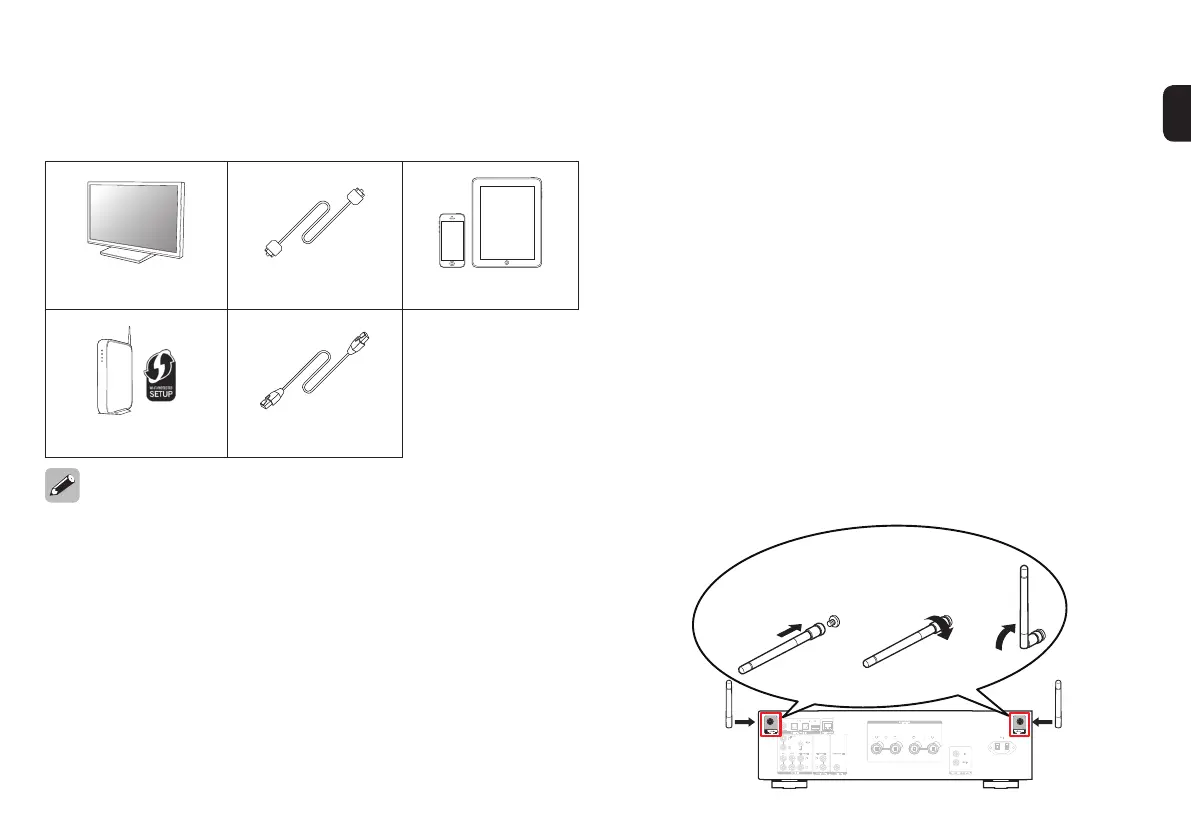
TV Optical cable iOS device
Router with WPS LAN cable
• These drawings are for illustrative purposes only and may not represent
the actual product(s).
Important: External Antennas
The removable external antennas are required for both
Bluetooth and Wireless network connectivity. Please make
sure to connect the antennas before attempting to use the
Bluetooth or Wi-Fi features of the PM7000N.
n Connecting the external antennas for
Bluetooth/Wireless connectivity
For each of the two antennas:
q Place the antenna evenly over the antenna terminal
located at the upper left or right corner of the rear
panel.
w Turn the antenna clockwise until it is fully connected.
Do not over tighten.
e Rotate the antenna upwards for the best possible
reception.
COAXIAL OPTICAL
DIGITAL AUDIO IN
AUDIO IN
CD AUX
RECORDER
PHONO
SIGNAL
GND
AC IN
AUDIO OUT PRE OUT
RECORDER
SUBWOOFER
q w e
1.PM7000NN_ENG_QSG_190725.indd 2 2019/08/09 10:28:43







 To Next Page