10
ファームウェアのバージョン確認
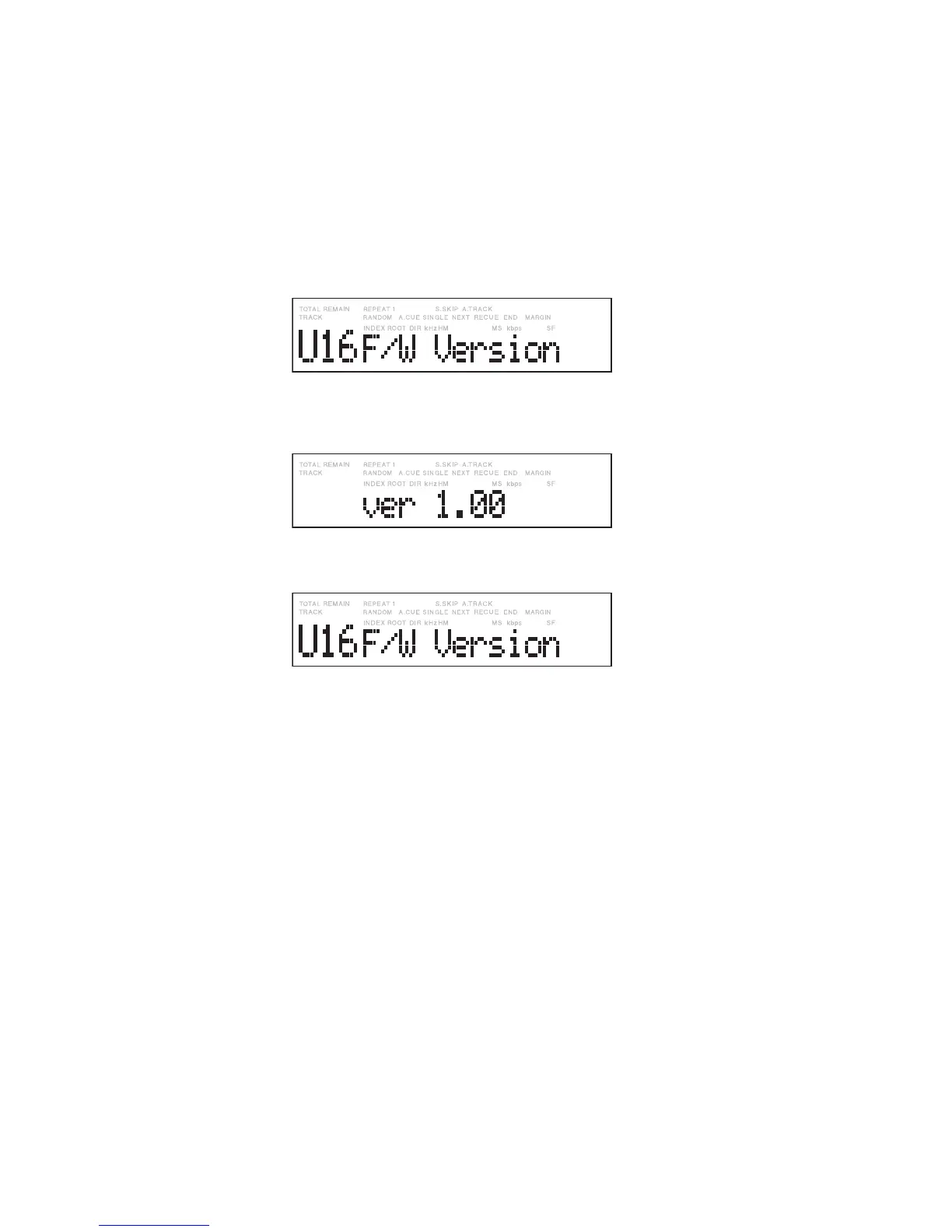
停止状態においてユーティリティメニューの
“
F/W version
”
に
よりファームウェアバージョンを確認することができます。
1.
停止状態において、
SHIFT
ボタンを押しながら
MENU
/
STORE
ボタンを同時に押します。ユーティリティメ
ニューに移行します。ディスプレイには、ユーティリティ
メニューが表示されます。
2.
ジョグダイヤルを時計方向に回して、
“
U16 F/W version
”
を表示させ、この状態でジョグダイヤルを押してください。
ディスプレイにバージョン
“
ver 1.00
”
が表示されます。
(表示例: Versionが1.00の場合)
3.
この状態でジョグダイヤルを押すと、ディスプレイが元
に戻ります。
4.
ユーティリティメニューから通常モードに戻る場合は
MENU
/
STORE
ボタンを押します。
Checking the fi rmware version
In Stop mode, you can check the fi rmware version with “F/W
version” of the Utility menu.
1. Press both the MENU/STORE button and the SHIFT
button in Stop mode. The Utility menu appears on the
display.
2. Turn right the Jog wheel until “U16 F/W version” is
displayed then press the Jog wheel.
A version number, such as “ver 1.00,” appears on the
display.
(Example: The version number is 1.00)
3. Press the Jog wheel to restore the previous display.
4. Press the MENU/STORE button to return to the normal
operation mode from the Utility menu.


 To Next Page