4
3. If the STOP/CANCEL button is held pressed for several
seconds, the display will return to that previous from
Service mode.
3.
STOP
/
CANCEL
ボタンを長押しすると、サービスモード
から元の画面に戻ります。
(For Japan) (日本向けのみ)
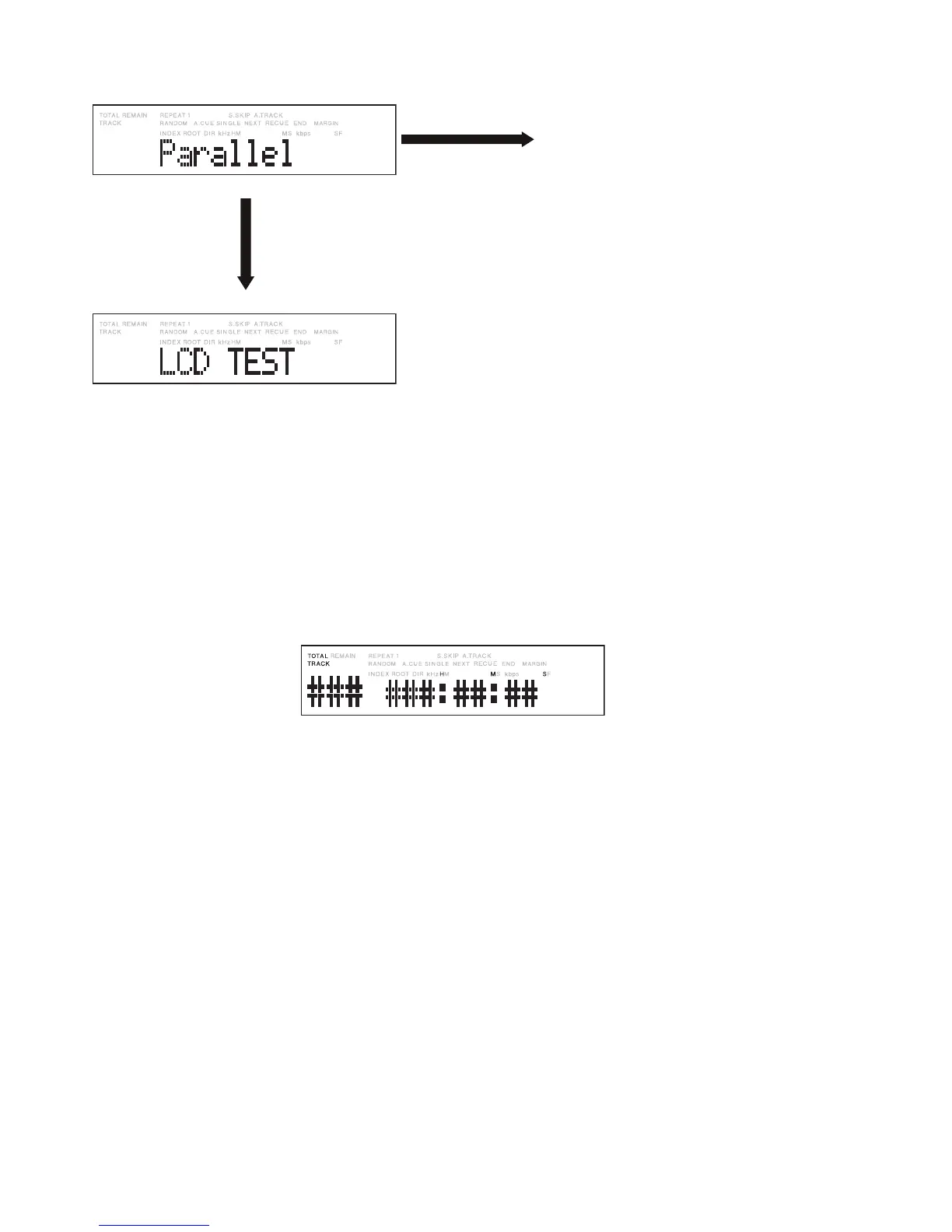
Turn right the Jog wheel
one click.
ジョグダイヤルを時 計
方向に1クリック 回します 。
* When the Jog wheel is turned left, the mode changes
in reverse order with each click.
※ ジョグダイヤルを反時計方向に1クリック回すごとに
逆順でモードが変わります。
Press the Jog wheel while
this display is shown.
表示中にジョグダイヤル
を押します。
The lighting condition of the LED of each button
can be checked with the special tool connected
to the parallel connector.
• PLAY button ................ The PLAY LED lights.
• REC button .................The REC LED lights.
• PREVIOUS button ...... The PLAY LED and
Extra2 LED light.
• NEXT button ...............The REC LED and
Extra1 LED light.
• EXTRA1 button ........... The Extra1 LED lights.
• EXTRA2 button ........... The Extra2 LED lights.
• STOP button ............... All LED goes off.
パラレル端子に専用治具を接続して、各ボタン
LEDの点灯を確認できます。
•
PLAY
ボタン .......... PLAY LED 点灯
•
REC
ボタン ............ REC LED点灯
•
PREVIOUS
ボタン ...PLAY LED / Extra2 LED点灯
•
NEXT
ボタン ........... REC LED / Extra1 LED点灯
•
EXTRA1
ボタン ..... Extra1 LED点灯
•
EXTRA2
ボタン ..... Extra2 LED点灯
•
STOP
ボタン .......... LED全消灯


 To Next Page