7
Updating the fi rmware
Load the prepared CF card into the PMD580 to update the
fi rmware.
1. Insert the CF card to the Card compartment with the
PMD580 turned off and close the door. The USB cable
should not be connected to the PDM580.
2. Turn the PMD580 on.
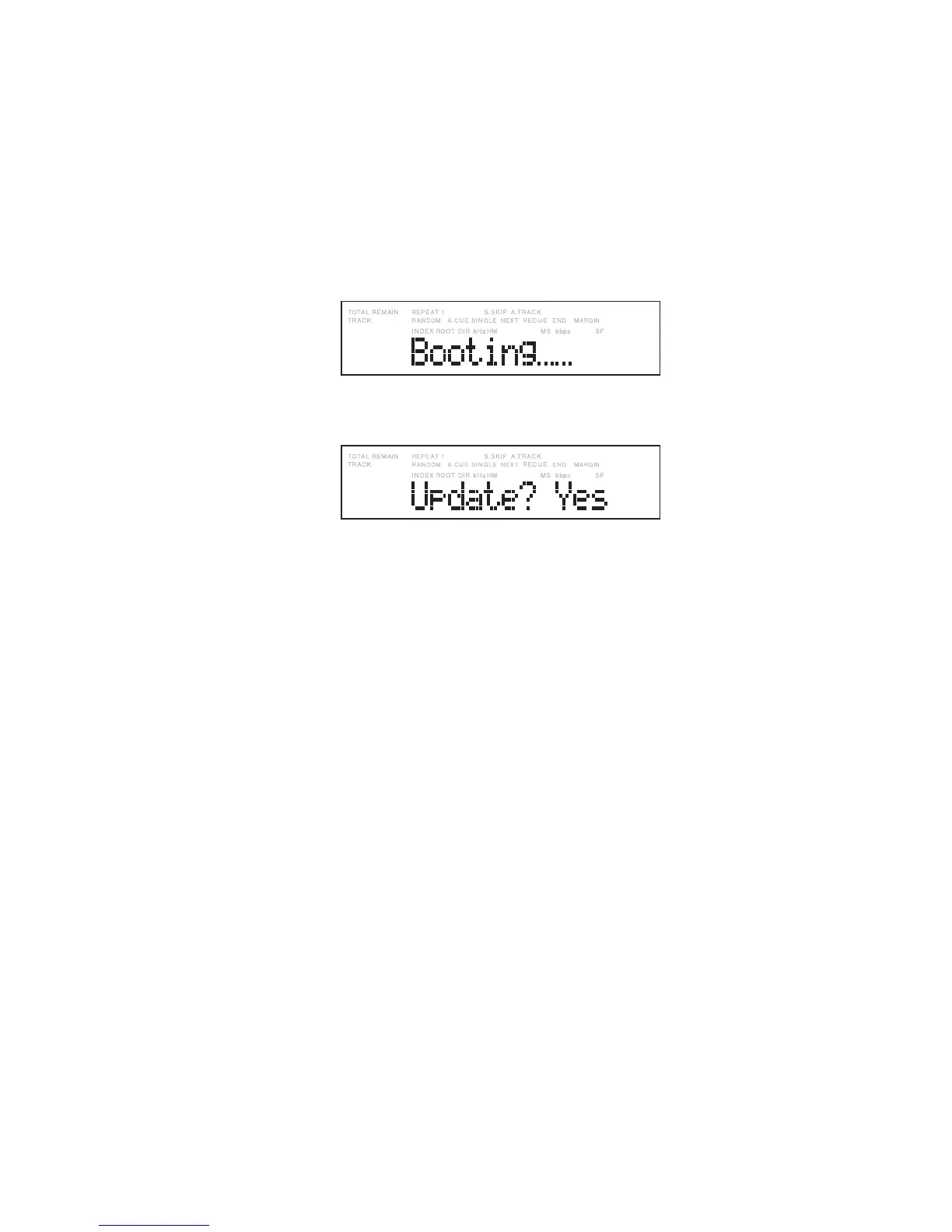
The power indicator (blue) flashes, and after several
seconds “Booting” appears on the display.
Then after several tens of seconds, “Initial” then
“Loading” appear on the display in sequence, and finally
“Update? Yes” appears.
Note:
Once updating of the firmware begins, it cannot
be stopped. During updating, unplugging the AC
power cord, turning the power off, opening the Card
door, and any action on the operation panel must
be avoided, any of which may result in abnormal
updating and lead to trouble in operations.
If normal updating is aborted, a second attempt may
not be possible. Updating of the firmware must be
performed carefully.
ファームウェアの更新作業
前準備した CFカードを PMD580に挿入してファームウェ
アを更新します。
1.
PMD580の電源をOFFにした状態で、前準備したCFカー
ドを CFカード挿入部に挿入し、ドアを閉めます。このと
きUSBケーブルは PMD580に接続しないでください。
2.
PMD580の電源を入れます。
電源インジケータ(青)が点滅し、数秒後にディスプレイ
が
“Booting”
と表示します。
さらに数 10秒後、ディスプレイは
“
Initial
”
→
“
Loading
”
と表示し、最後に
“
Update? Yes
”
と表示します。
注意:
ファームウェアの更新が一旦始まると途中で停止させる
ことはできません。ファームウェア更新中は電源コード
を抜いたり、電源スイッチをOFFしたり、CFカードド
アを開けたり、操作パネルを操作したりすると、ファー
ムウェアが正常に更新されず、動作不良になることがあ
ります。そのような行為は絶対に行わないでください。
ファームウェアが正常に更新されなかったとき、再更新
もできない場合があります。ファームウェア更新作業は
操作などを含め十分注意して行ってください。


 To Next Page