55 56
8. SERVICE PROCEDURE
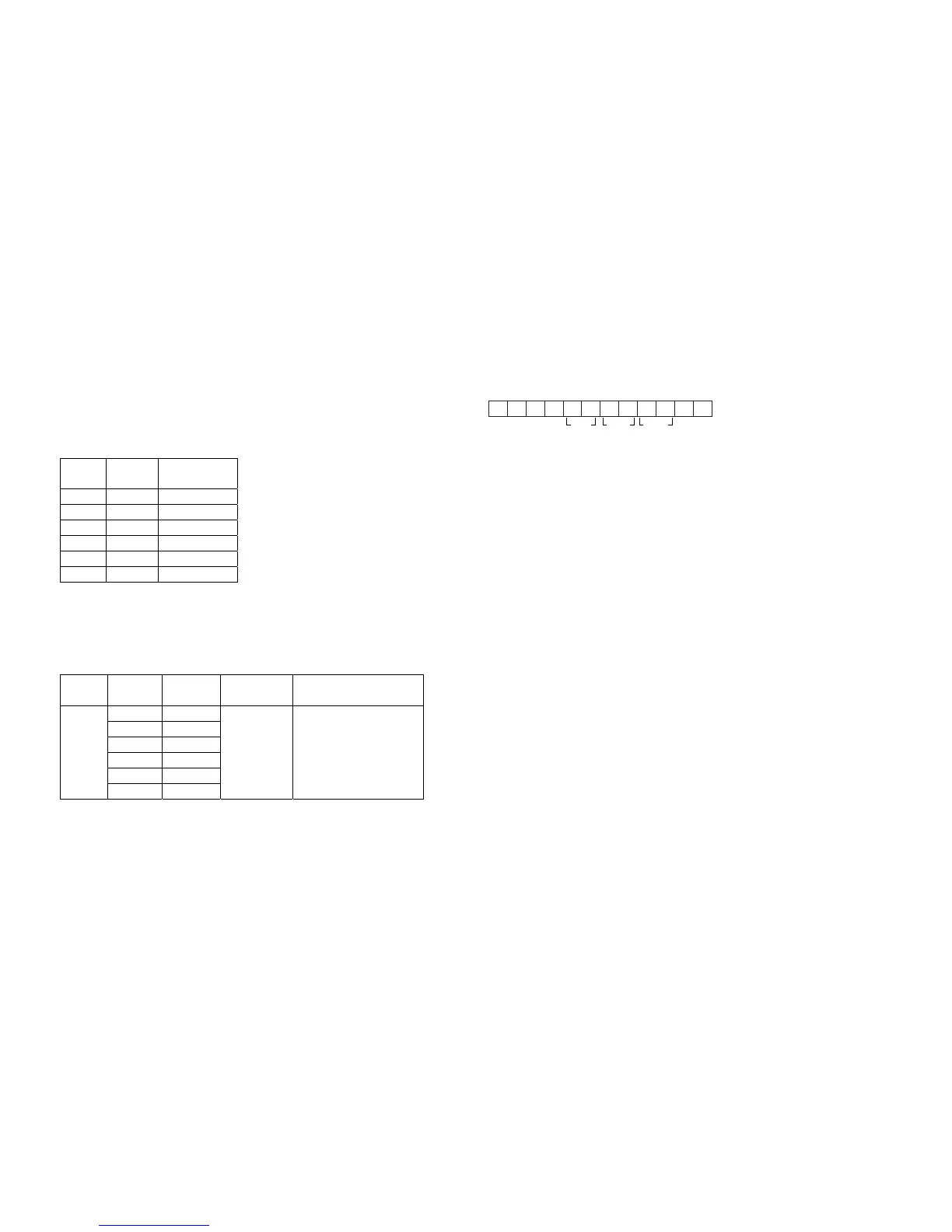
Idling current Alignment
1. Each of cement resistors are provided with two test points. Set a voltage meter to DC voltage input,
Connect the digital voltage meter to the two test points on a cement resistor.
2. After the setup above, turn the main switch ON and heat up the amplifier about 10 minutes.
3. Adjust variable resistors (RM114, RM214, ..., RM614) according to the digital voltmeter reading.
The target setting value is 5 ±1mV for each channels.
Settings: Master Volume --- Minimum
Speaker out --- No Load
Top lid --- Open
Channel
Alignment
Point
Measurement
Point
Front L RM414 JM401
Center RM114 JM101
Front R RM314 JM301
Surr. L RM514 JM501
Surr. R RM214 JM201
SB RM614 JM601
DC Offset Alignment
Settings: Master Volume --- Minimum
Speaker out --- No Load
Power Channel
Adjustment
Point
Measurement
Point
Alignment Target
Front L RM406
Center RM106
Front R RM306
Surr. L RM506
Surr. R RM206
On
SB RM606
Speaker
Output
Terminal
0 ±40mV
Micro-Prosessor (ICS18) Version and FLD Segment Check
1. While the power is on, press the CD, TUNER and TUNIGNG UP buttons simultaneously for more than
3 seconds. The FL display shows “SERVICE MODE” for 2 seconds then is shows the model name
(Ex.: “SR4300”).
2. Press the MODE button. The software version of the micro-processor (ICS18) is displayed in the format below.
3. Press the MODE button again. The left half and the right half of the label area in the FLD light on and off each other.
4. Press the MODE button again. The segments of the charactor area in the FLD flick in the checker pattern.
5. Press the MODE button two times to quit this mode.
Product Reset
To reset the buck-up memory in the unit to the default status, follow the procedure below.
1.
While the power is on, press the CLEAR and MEMORY buttons simultaneously for more than 3 seconds.
2. The FL display shows “DEFAULT”. Then the power is turned off once and turned on again automatically. The
micro-computer is reset, the EEPROM is cleared and the unit returns to the normal operation.
Note: When the unit is shipped from the factory, the procedure above must be done to set the unit to initial status after
the tests.



 To Next Page