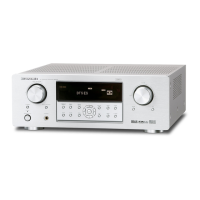
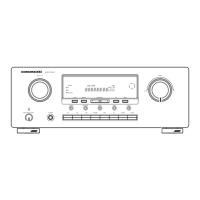
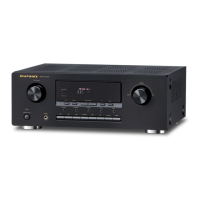
What to do if I cannot select CSII mode on Marantz SR4600?
- JJudy JohnsonSep 9, 2025
If you cannot select CSII mode, the input signal may be incompatible. Use a 2 channel Dolby Digital input signal, PCM input signal, or analog input signal.

What to do if I cannot select CSII mode on Marantz SR4600?
If you cannot select CSII mode, the input signal may be incompatible. Use a 2 channel Dolby Digital input signal, PCM input signal, or analog input signal.
What to do if there is no sound and picture output even when power is on Marantz Receiver?
If there is no sound and picture even when the power is on, check the following: * Ensure that mute is off by using the remote control. * Verify that the input cable is connected correctly, referring to the connection diagram. * Adjust the master volume, as it might be turned all the way down. * Confirm that the function selector is in the correct position.
Why is there no output to Sub Woofer Out on my Marantz SR4600?
If there is no output to the Sub Woofer Out, it may be because 'Sub-woofer = NONE' has been selected in SETUP mode. To resolve this, select 'Sub-woofer = YES'.
What to do if FM or AM reception fails on Marantz SR4600 Receiver?
If FM or AM reception fails, ensure that the indoor FM and AM antennas are correctly connected to the FM and AM antenna outlets.
Why is there no audio output from the center channel speaker on my Marantz SR4600?
If there is no audio output from the center channel speaker, check the following: * Ensure the center speaker cable is correctly connected. * If 'STEREO' is selected for Surround mode, no sound will be output from the center speaker; set another Surround mode. * Verify that 'Center = NONE' has not been selected in SETUP mode; make the correct setting.
What to do if there is no speaker output on Marantz SR4600?
If there is no speaker output, disconnect the headphones if they are connected to the headphone jack. Speakers will not output sound when headphones are connected.
What to do if I cannot get programmed station when the PRESET button is pressed on Marantz Receiver?
If you cannot get a programmed station when the PRESET button is pressed, the preset data may have been erased. Disconnecting the power plug for long periods of time will erase preset data. If that happens, input the preset data again.
What to do if a specific channel does not produce output on Marantz SR4600 Receiver?
If a specific channel does not produce output, check the encoded channel on the source side to ensure there is content recorded on that channel.
What to do if I cannot select Neo:6 mode on Marantz SR4600?
If you cannot select Neo:6 mode, the input signal may be incompatible. Use a 2 channel Dolby Digital input signal, PCM input signal, or analog input signal.
Why is noise heard during FM reception on my Marantz SR4600 Receiver?
If noise is heard during FM reception, the radio waves from the broadcasting station may be weak. Consider installing an FM outdoor antenna.
| Type | AV Receiver |
|---|---|
| Number of Channels | 6.1 |
| Total Harmonic Distortion (THD) | 0.08% |
| Input Sensitivity | 200 mV |
| HDMI | No |
| Component Video Inputs | 3 |
| Surround Sound Formats | Dolby Digital, DTS, Dolby Pro Logic II |
| Input Impedance | 47 kOhms |
| Signal-to-Noise Ratio | 100dB |
| Digital Audio Inputs | 2 Optical, 2 Coaxial |
| Tuner Section | AM/FM |
| Video Section | Composite, S-Video |
Details specifications for FM reception capabilities.
Details specifications for AM reception capabilities.
Details audio output power and input specifications.
Details video input/output and response specifications.
Lists general specifications like power requirements and weight.
Lists included accessories with the unit.
Schematic for the Input and DSP Printed Circuit Board, part 1.
Schematic for the Input and DSP Printed Circuit Board, part 2.
Schematic for the Input and DSP Printed Circuit Board, part 3.
Schematic for the Main Printed Circuit Board.
Schematic for the Video Printed Circuit Board.
Schematic for the Component and Digital Input PCB.
Pin assignments and functions for IC31 (NJW1157).
Pin assignments and functions for IC13 (LC89057W).
Pin assignments and functions for IC19 (CS49400).
Pin assignments and functions for IC81 (NJU3430FG1).
Pin assignments and functions for IC41 (H8S2398).
Visual representation of the unit's assembly with numbered parts.
Detailed list of components with part numbers and descriptions.
Details on resistors, capacitors, and other components.
Important safety information regarding fuse replacement.
Defines common abbreviations and symbols used in the list.
General safety precautions for handling components.
Instructions for updating the DSP firmware.
Instructions for updating the CPU firmware.
Procedure to verify the installed firmware versions.
Loading...