EasyManua.ls Logo

Marantz SR6001 - 1 INPUT SETUP; FUNC INPUT SETUP; 7.1 CH INPUT SETUP; FUNCTION RENAME

Marantz SR6001
71 pages
Print Icon
To Next Page IconTo Next Page
To Previous Page IconTo Previous Page
Loading...
ENGLISH
25
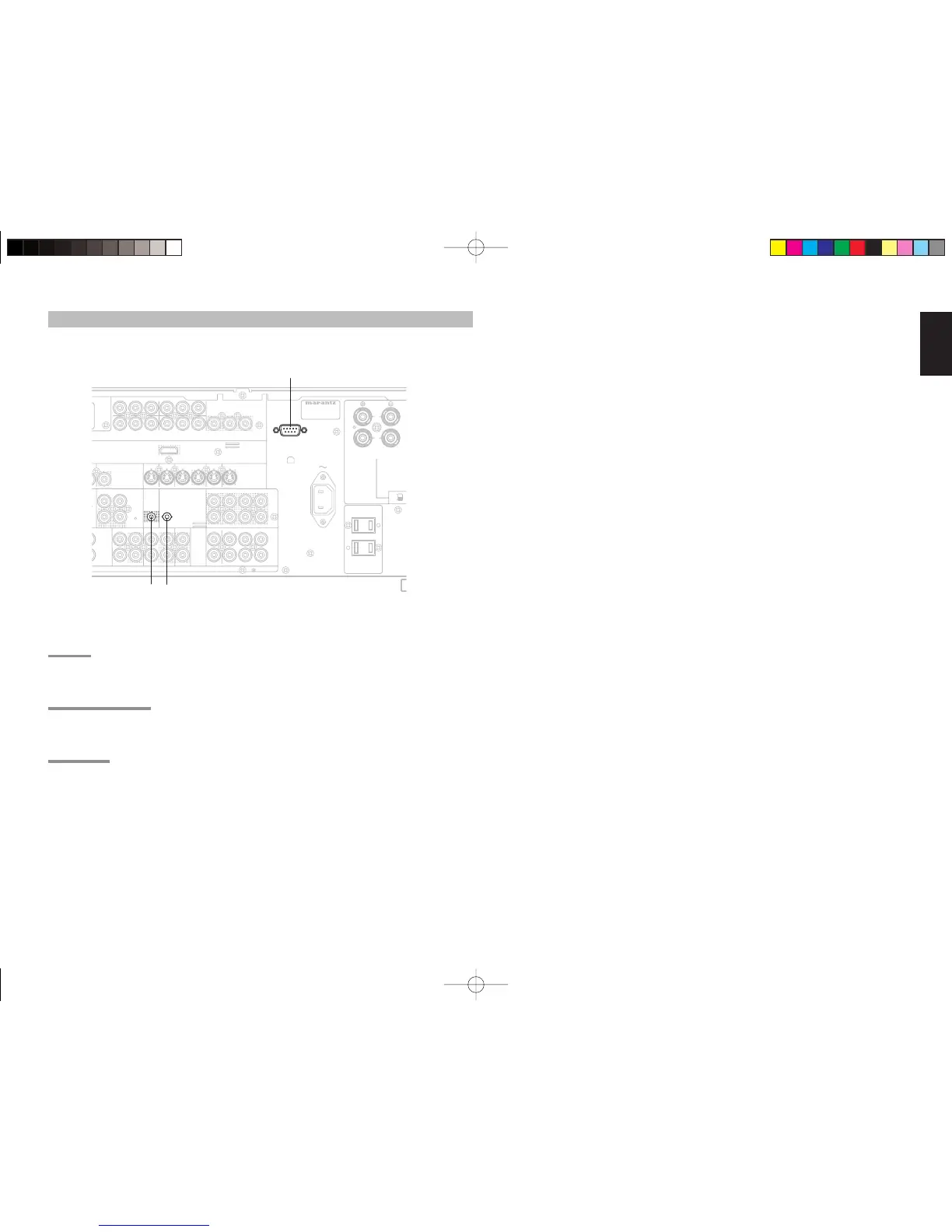
a RS232C
Connect an external control device or other device for
servicing. (Use a straight cable for the connection.)
s DC OUT (DC TRIGGER)
External devices can be controlled from the SR6001
by connecting them to the DC OUT terminal (12 V).
d FLASHER IN
This receiver can be controlled by connecting a
control box or other control device to this receiver.
DC OUT
OUTPUT
M
PONENT
V
IDEO
IN OUT
PRE
OUT
SLL
RSR
FLASHER
IN
A
X.
SURROUND
BACK
OUT
L
RS-232C
OUTPUT
TAPE CD/CD-R
OUTOUTIN
MULTI
R
(
AUX2
)
AUDIO
7.1CH
IN
T
.
4
)
OUT
RC-5 MULTI RC
INPUT 1
(
TV
)
INPUT 4
(
DSS
)
IN
SR
IN
INPUT 3
(
VCR
)
SL
C
B
/
P
B
C
R
/
P
R
C
R
/
P
R
C
R
/
P
R
C
B
/
P
B
C
B
/
P
B
YYY
DVD
(
2
)
DSS
(
4
)
VCR
(
3
)
TV
(
1
)
MONI. OUT
MONITOR
OUT
SBR
SBL
SBR
SBL
C
SW
SW
C
R
L
AC IN
INPUT 2
(
DVD
)
S-VIDEO
MODEL NO. SR6001
ON
OFF
MULTI SPEAKER
/
SPEAKER C
DMI
e
r1.2
UNSWITCHED
1.25A 150W
SWITCHED
1.25A 150W
AC OUTLETS
120V 60Hz
XM
s
a
d
CONNECTING OTHER EQUIPMENT
SR6001UDFU1ENG24.indd25SR6001UDFU1ENG24.indd25 06.12.214:14:29PM06.12.214:14:29PM

Table of Contents

Other manuals for Marantz SR6001

Related product manuals