28
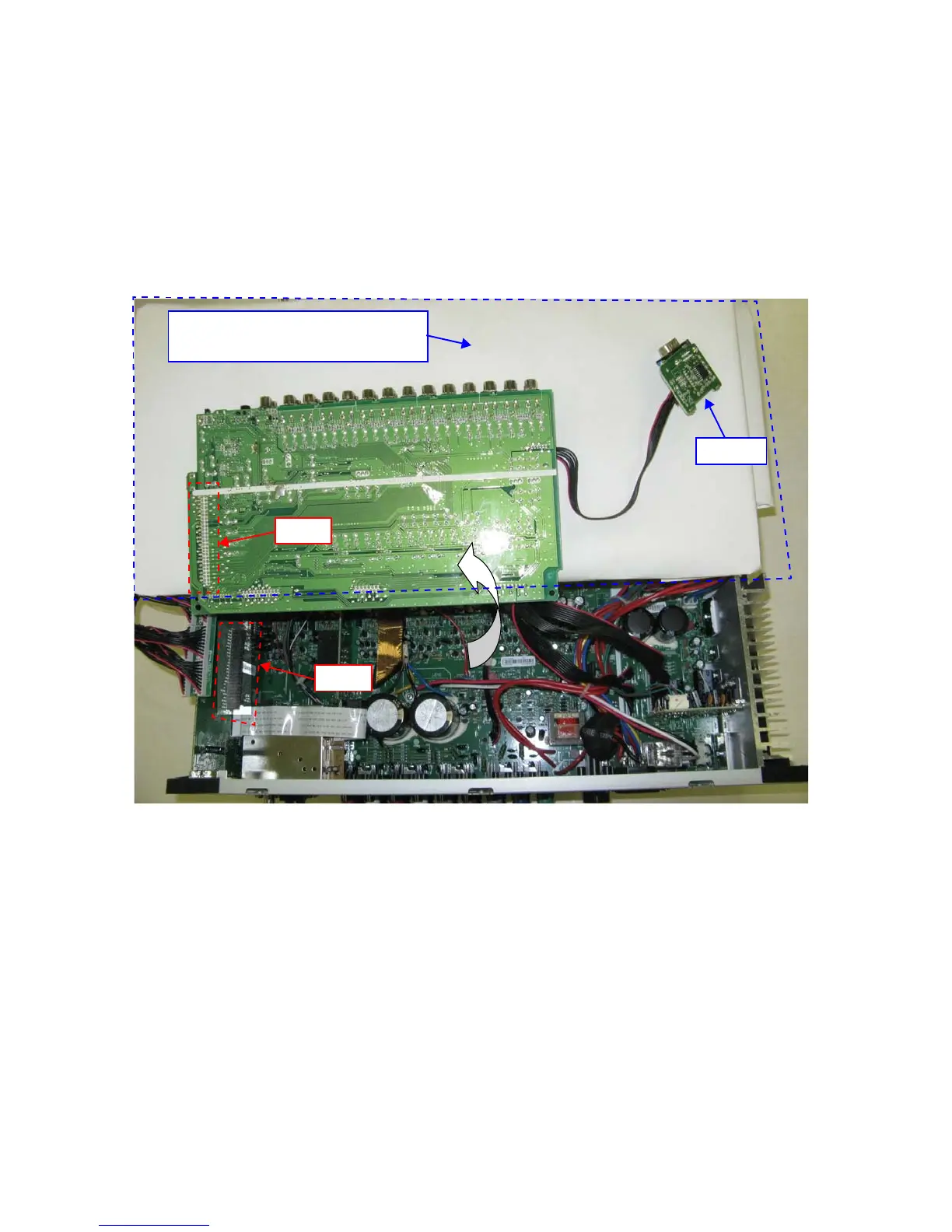
7-2INPUTPWB 用延長治具の接続方法
- 準備する物 -
998619000480S:
extensionwireforSR6004/5004INPUTPWB:1 本
絶縁シート--1 枚 (D&M では供給しません )
1. 事前に、前節 (7-1HDMIPWB 用延長治具の接続 ) の
HDMIPWB 用延長治具の接続を行って下さい。
INPUTPWB(CUP12208)をシャーシから取り外し、
裏返します。INPUTPWB より大きい絶縁シートを敷い
て下さい。
7-2 Connection of INPUT PWB JIG
-Preparation-
998619000480S :
extension wire for SR6004/5004 INPUT PWB : 1 Set
Insulation sheet 1(Do not supply it)
1. First of all, please connect the extension treatment de-
vice for HDMI PWB in the foregoing paragraph (7-1 Con-
nection of HDMI PWB JIG).
INPUT PWB(CUP12208) is detached from the chassis,
and turned inside out. Please pave an insulation sheet
that is larger than INPUT PWB.



 To Next Page