46
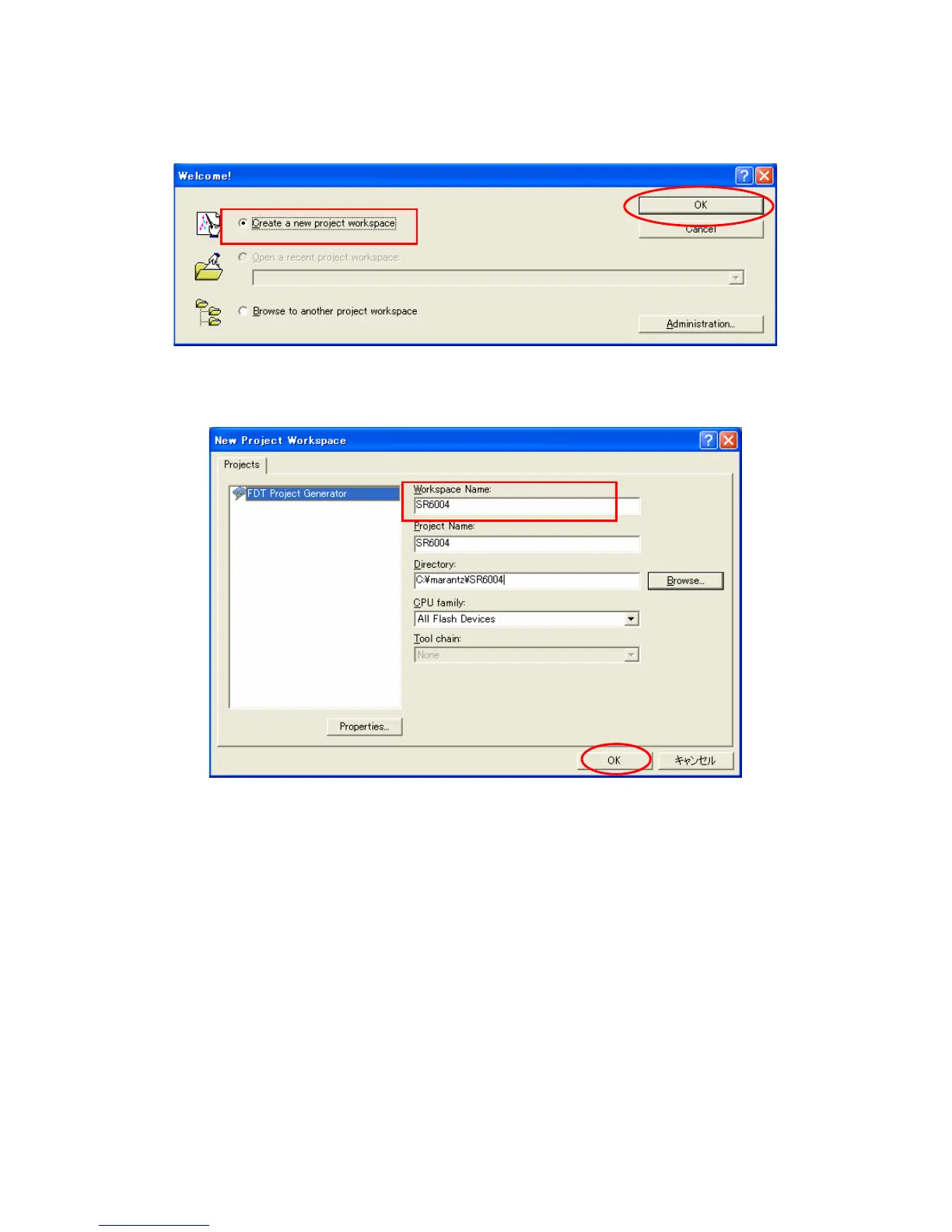
3. Createanewprojectworkspace をチェックし、OK
をクリックします。
ご注意: すでに SR6004 用のセットアップが済んでいる
場合は、[M1-2] メイン CPU の書き込み手順へ進
んでください。.
4. WorkspaceName に SR6004 を入力します。( 同時に
ProjectName にも入力されます )
OK をクリックします。
3. Check the Create a new project workspace, and click the
OK.
NOTE : It is needs setup for SR6004 When you have
already setup, please advance to "[M1-2] Writing
Procedure for MAIN CPU".
4. SR6004 is inputted into the Workspace Name. (It is si-
multaneously inputted into Project Name.)
ClicktheOK.



 To Next Page