55
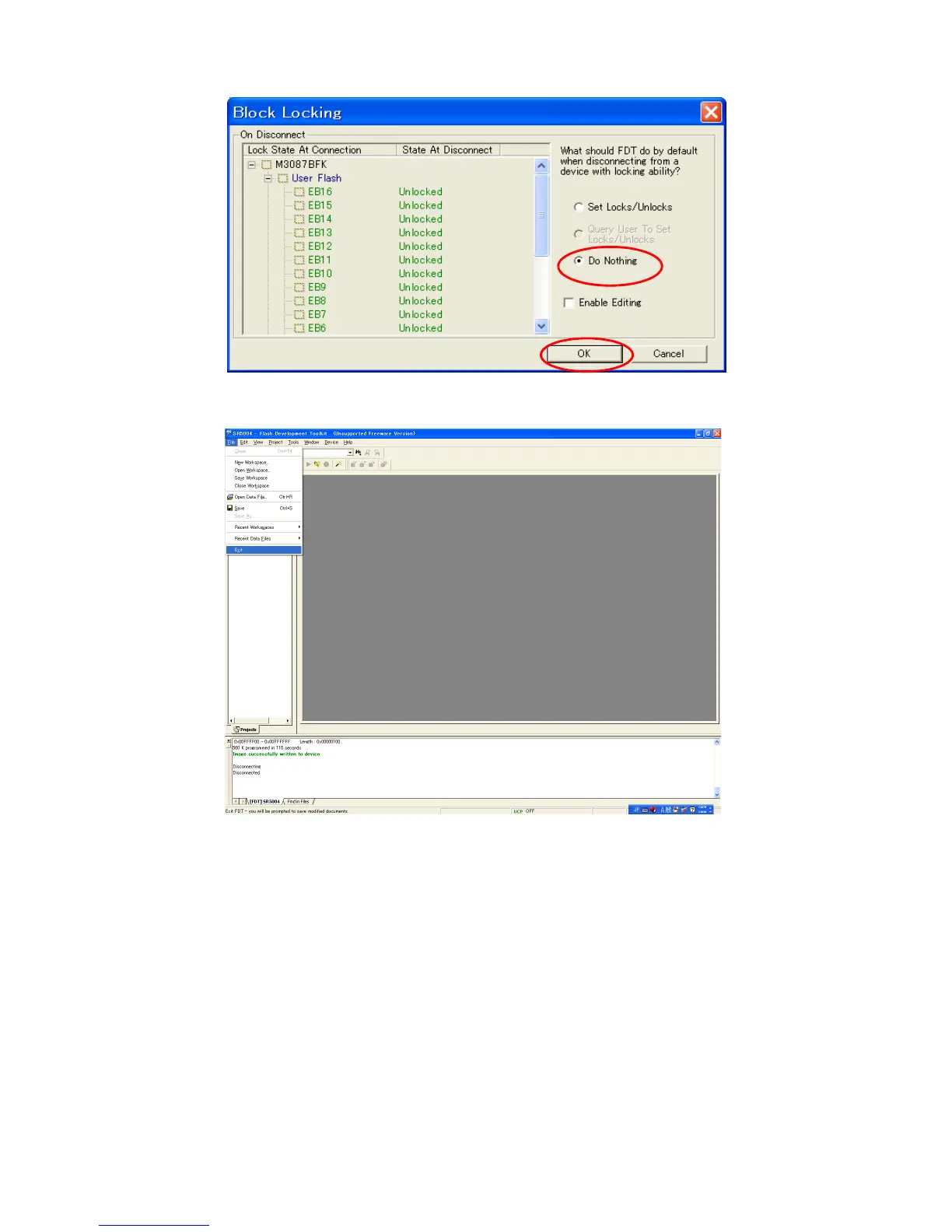
17. OK をクリックします。
18. File をクリックし、メニューから Exit を選択します。
19. POWERON/OFF ボタンを押して本機の電源を切りま
す。(N,K バージョン )
20. 本機から電源コードと RS-232C ケーブルを外します。
21. 穴に細い棒を差し込み、内部のスイッチを押して書き込み
モードを解除します。
17. Click the OK.
18. Click the File and select the Exit in menu.
19. Press the POWER ON/OFF button for turn off the unit.
(N and K version).
20. Disconnect the mains cord and RS-232C cable from the
unit.
21. Insert a thin rot to the hole and push the switch inside to
turn off the switch.
s



 To Next Page