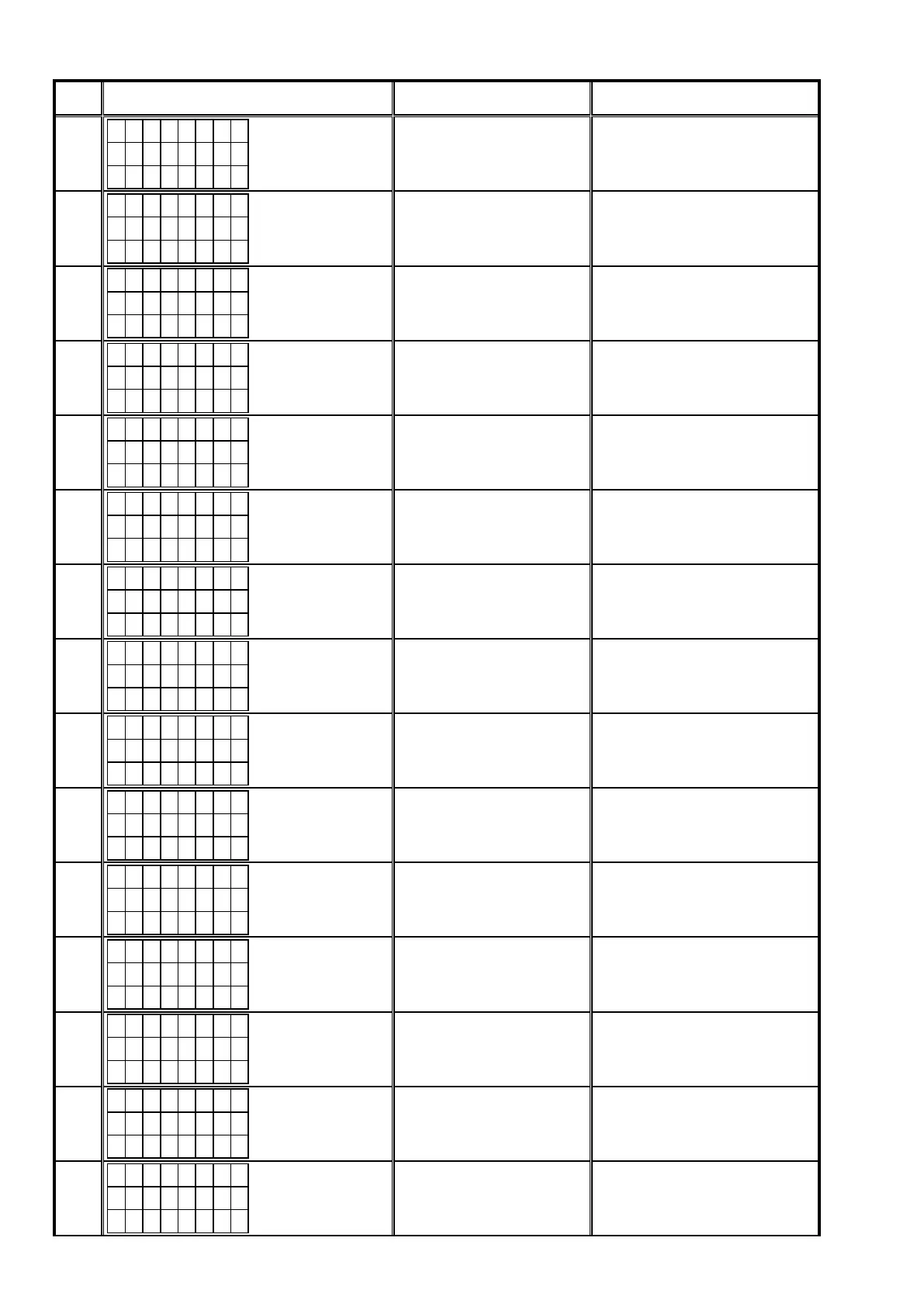
Error
Code
DPMS Update Error Display Details of Error code Remedies
10
M a i n 1 0
U p d a t i n g
f a i l e d
No Update Packet received from
CY920 (Time Out).
Turn off and on the power. Updating
starts automatically.
11
M a i n 1 1
U p d a t i n g
f a i l e d
Abnormal data in Update Packet
received from CY920 (CRCError).
Turn off and on the power. Updating
starts automatically.
12
M a i n 1 2
U p d a t i n g
f a i l e d
Abnormal data in Update Packet
received from CY920 (Packet No
Error).
Turn off and on the power. Updating
starts automatically.
13
M a i n 1 3
E r a s e
f a i l e d
Failed in Block Erase before rewrit-
ing Main.
Turn off and on the power. Updating
starts automatically.
14
M a i n 1 4
U p d a t i n g
f a i l e d
Failed in Block Erase while rewrit-
ing Main.
Turn off and on the power. Updating
starts automatically.
15
M a i n 1 5
U p d a t i n g
C h e c k N G
Error in Verify after rewriting Main
(Check Sum Error).
Turn off and on the power. Updating
starts automatically.
16
M a i n 1 6
U p d a t i n g
f a i l e d
Setup failure of the XModem
transfer method.
Check the network connection. Carry
out the update in an environment that
has little network load.
20
C o n n e c t
f a i l e d
2 0
After SBL Mode IP Address acqui-
sition failure (AutoIP).
Check the network connection. Carry
out the update in an environment that
has little network load.
21
C o n n e c t
f a i l e d
2 1
After SBL Mode IP Address acqui-
sition failure (Time Out).
Check the network connection. Carry
out the update in an environment that
has little network load.
22
L o g i n
f a i l e d
2 2
DPMS login incorrect notication
after SBL.
Initialize the unit and try updating
again.
Carry out the update in an environment
that has little network load.
23
S e r v e r
i s b u s y
2 3
DPMS congestion notication
after SBL.
Carry out the update in an environment
that has little network load.
24
C o n n e c t
f a i l e d
2 4
DPMS connection failure notica-
tion after SBL.
Check the network connection. Carry
out the update in an environment that
has little network load.
25
C o n n e c t
f a i l e d
2 5
Failed to transit to SBL Mode.
Initialize the unit and try updating
again.
26
D o w n l o a d
f a i l e d
2 6
Error in Firmware Download (Time
Out).
Check the network connection. Carry
out the update in an environment that
has little network load.
27
C o n n e c t
f a i l e d
2 7
Failed to write to EEPROM after
SBL Mode.
Initialize the unit and try updating
again.
88



 To Next Page