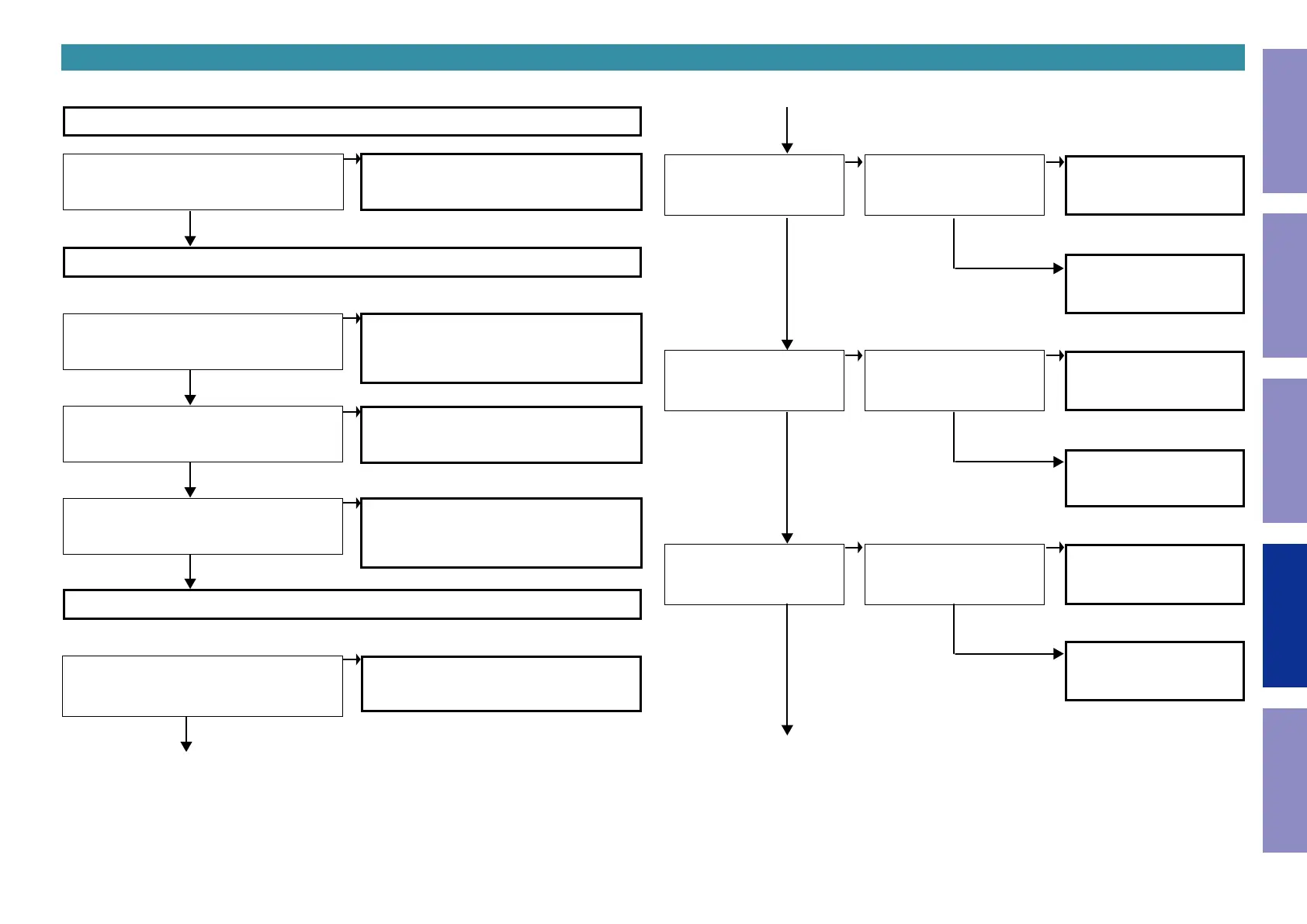
5. Network / Bluetooth / USB
Check the setting
YES
YES
YES
YES
Are the network settings of this unit correct?
Are peripheral devices such as the router and
hub connected to this unit correctly?
Are the router settings correct?
Set the IP address, etc. correctly.
When the static IP address is used, check that no
other devices have the same IP address and that
the subnet mask settings are correct.
Connect the peripheral devices correctly.
Check the instruction manual of the router and
congure the settings correctly.
Check that there are no connection restrictions
by MAC addresses, etc.
5.1. Cannot connect to the network
Is the LAN cable correctly inserted?
Insert the LAN cable correctly and then turn on
the power again.
Check the connection environment
Checking the unit
YES
YES
YES
YES
Can the output voltage (3.3V)
to IC112 (DC-DC Conv.) be
conrmed?
Can the voltage (5V) be conrmed between pin
2 and pin 5 of CN903?
Is D5V_POWER (IC151 uCOM
136 pin) "Hi" ?
The circuit of D5V_POWER
between IC151 and IC112 are
faulty.
The circuit around IC112 (DC-
DC.Conv.) is faulty.
The circuit between the AC inlet and CN903 is
faulty.
Check the SMPS PCB.
YES
YES
YES
NO
NO
NO
NO
NO
NO
NO
NO
NO
NO
NO
Can the output voltage (3.3 V)
to Q1101 (FET-SW) be con-
rmed?
Can the output voltage (1.25
V) to IC115(DC-DC Conv.) be
conrmed?
Is E_POWER1 (IC151 uCOM
132 pin) "Hi" ?
Is E_POWER4 (IC151 uCOM
135 pin) "Hi" ?
The circuit of E_POWER1 be-
tween IC151 and Q1101 are
faulty.
The circuit of E_POWER4
between IC115 and IC151 are
faulty.
The circuit around Q1101
(FET-SW) is faulty.
The circuit around IC151 (DC-
DC.Conv.) is faulty.
Go to next page.
93
Caution in
servicing
Electrical Mechanical Repair Information Updating



 To Next Page