/
MD
CDR
REMOTE CONTROL
OUT
IN
REMOTE
CONT.
OUT
IN
REMOTE
CONT.
OUT
IN
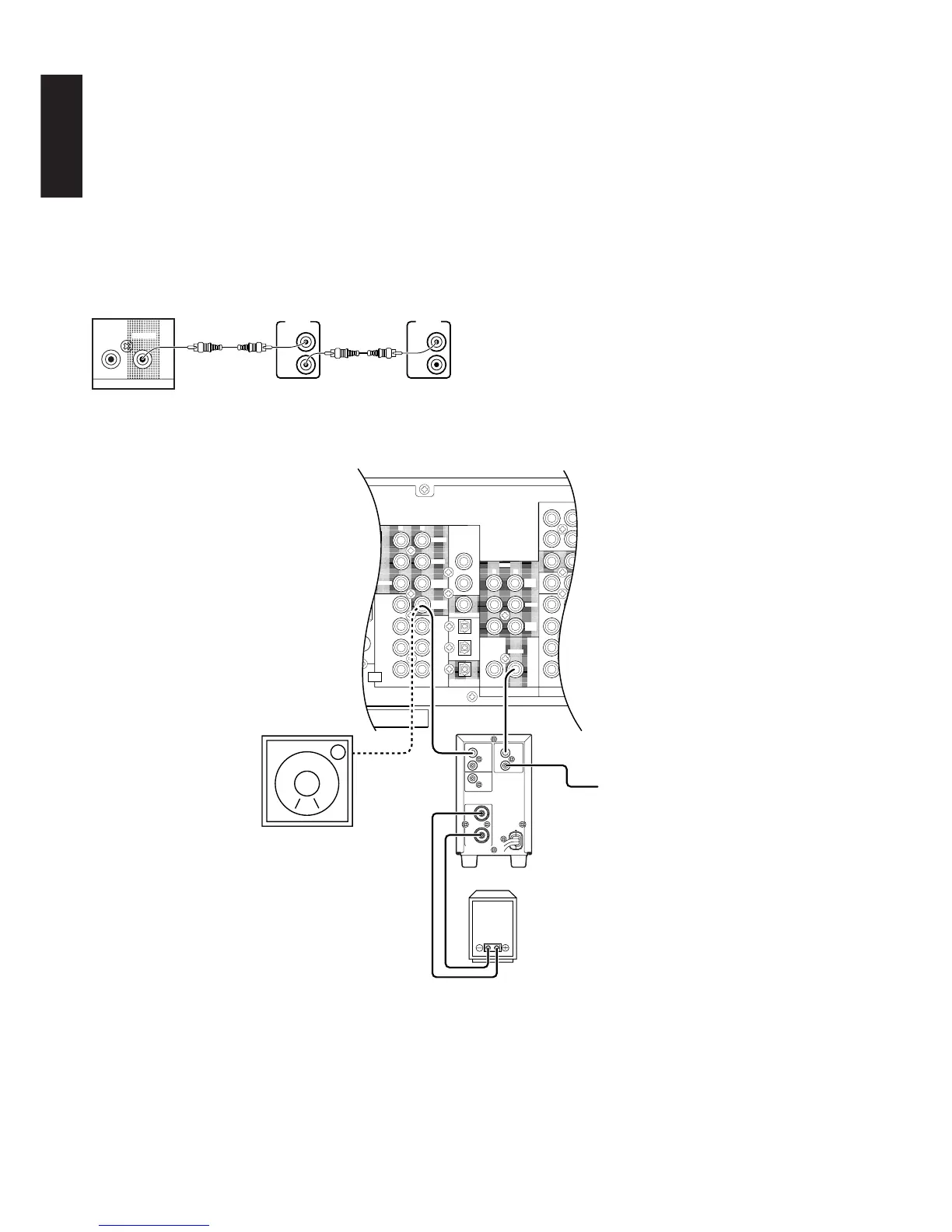
Other Marantz
Equipment (RC-5)
LINE IN
Powered subwoofer
Marantz MA6100
power amplifier
Subwoofer speaker
REMOTE CONTROL BUS CONNECTIONS
This unit is equipped with a remote control function.
By connecting this unit’s remote control jacks to a Marantz CD player
or tape deck equipped with remote control (RC-5) jacks, it allows
system remote control to operate.
Connect REMOTE CONTROL OUT jack of SR6200 to REMOTE
CONT. IN of other Marantz equipment, i.e. CD player or tape deck, by
using an RCA pin cable.
Note:
If a component equipped with remote control (RC-5) jacks has an
INT/EXT switch on the rear panel, set the switch to EXT when using
the system control function.
(Connection example)
SR6200 rear panel CD player rear panel Tape deck rear panel
Controlling the power ON/OFF of a power amplifier connected to
the SR6200 through Marantz remote control
1. Now the MA6100 can be turned ON / OFF in synchronism with the
power ON / OFF of the SR6200.
Notes:
• Be sure to connect the remote control bus before the procedure
above.
CONNECTION FOR A SUBWOOFER
Use this connection when using
a sub-woofer speaker.
You can also connect a powered
subwoofer.



 To Next Page