7
ENGLISH
REMOTE CONTROL OPERATION
(RC6200SR)
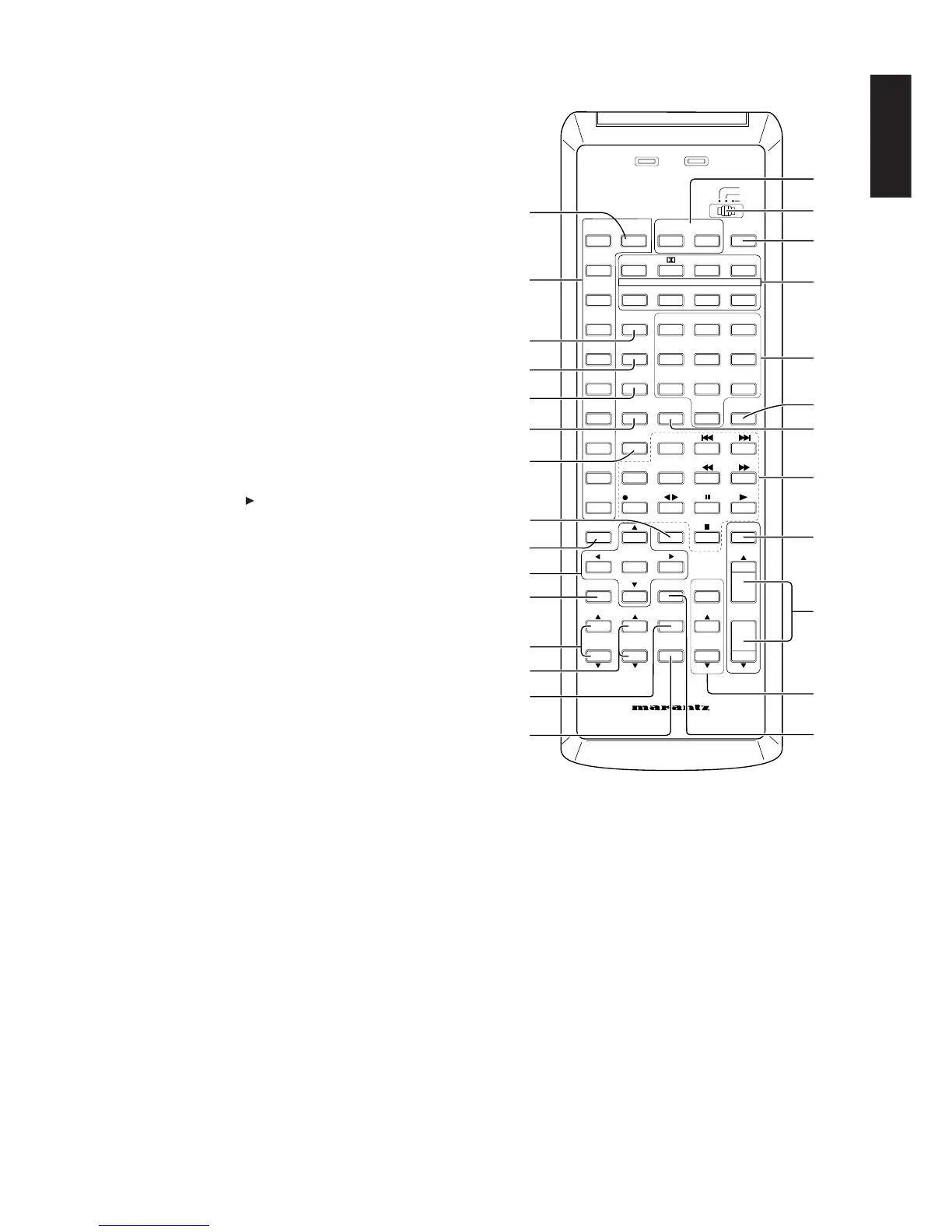
• The remote control unit (RC6200SR) provided with the SR6200 is a
“learning”-type, programmable unit capable of controlling almost
any component in your system, as well as the Marantz D-BUS
components (RC-5). The components to be controlled can be
selected with one slide switch x and nine buttons ¤6, except AUX
button.
RC-5/USER/LEARN SWITCH (MODE SELECT SWITCH)
In the RC-5 position, all buttons output RC-5 codes only. In the USER
position, the previously-learned remote control codes can be output,
but RC-5 codes are output with buttons which have not learned any
function. The LEARN position is used when programming codes
under the buttons.
OPERATION
The provided remote control unit is a system remote controller. The
POWER button z, 10-key numeric buttons b and control buttons ,
are used in common across different input source components.
The input source system controlled with the remote control unit
changes when one of the input selector buttons ¤6 is pressed.
• Example: To select the DVD player as the input source and play an
DVD on it
Press the DVD button ¤6 twice within 2 seconds.
The input function of the SR6200 is switched to DVD and
the remote control unit is set for control of the DVD player.
Press the PLAY button , to play the DVD.
FUNCTION AND OPERATION
z MAIN POWER buttons
Press to switch the power of the SR6200 ON or OFF.
x Mode select switch
Set this switch to set the remote control mode to the RC-5 mode,
USER mode or LEARN mode.
c SLEEP (sleep timer) button
This button is used for setting the sleep timer.
v SURROUND MODE buttons
Use these buttons to select a surround mode.
b Numeric buttons 0,1 to 9 (A, B, C ... Z, –)
These buttons are used to enter figures in the selection of a tuner
preset station and station name preset or to select a CD track number,
etc. The functions of these buttons are dependent on the function
button selected.
MAIN POWER
AMP
SOURCE
POWER
TV
AUTO DTS CS5.1
DVD 6.1 DSP
6-STEREO
2CH
VCR1 7CH-DIR 1 ABC 2 DEF 3 GHI
DSS/VCR2
A/D
4
JKL
5
MNO
6
PQR
AUX
S-DIRECT
7
STU
8
VWX
9
YZ_
TUNER CLEAR MEMO
0
P.SCAN
CD + / A / ANT
TAPE
DISP./RDS
F.DIRECT
DISK /
DECK
CDR/MD REC
OSD MUTE
PROGRMMABLE REMOTE CONTROLLER
RC6200SR
OK
NIGHT T.TONE
DIMMER
MUTE
MAIN
VOL.
BASS TREBLE
ATT.
TV
VOL.
SURROUND MODES
CHANNEL / SKIP
– / B / VCR TUNE / SERCH
MODE
SET UP
MENU
PTY
SLEEP
OFF ON
RC-5/6
USER
LEARN
TX
LEARN
(AM/FM)
x
z
¤7
¤6
b
,
⁄1
⁄2
v
¤5
⁄3
.
⁄0
⁄7
⁄5
⁄4
c
¤2
m
n
⁄8
⁄6
¤0
¤1
⁄9
¤4
¤3



 To Next Page