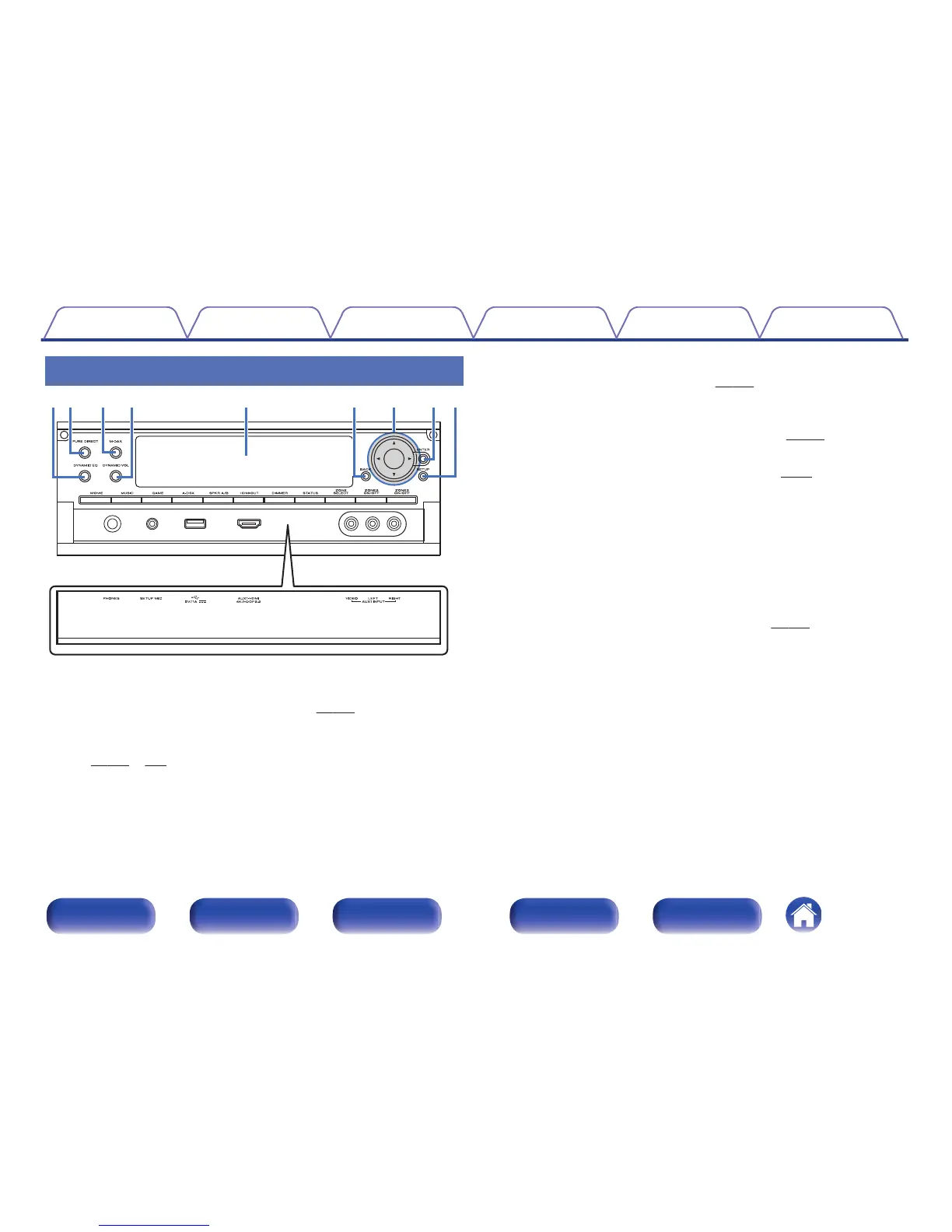
A
DYNAMIC EQ button
This switches the Dynamic EQ settings. (v
p. 213)
B
PURE DIRECT button/indicator
This switches the sound mode between Direct, Pure Direct and Auto.
(v
p. 164 – 165)
This lights when the Pure Direct mode is selected as the sound mode.
C
M-DAX button/indicator
This enables the M-DAX mode. (v
p. 210)
This lights when the M-DAX mode is selected.
D
Dynamic Volume button (DYNAMIC VOL)
This switches the Dynamic Volume settings. (v
p. 214)
E
Sub display
This displays various pieces of information. (v
p. 25)
F
BACK button
This returns to the previous screen.
G
Cursor buttons (uio p)
These select items.
H
ENTER button
This determines the selection.
I
SETUP button
This displays the menu on the TV screen. (v p. 201)
Contents
Connections Playback Settings Tips Appendix
20
Front panel Display Rear panel Remote Index



 To Next Page