M
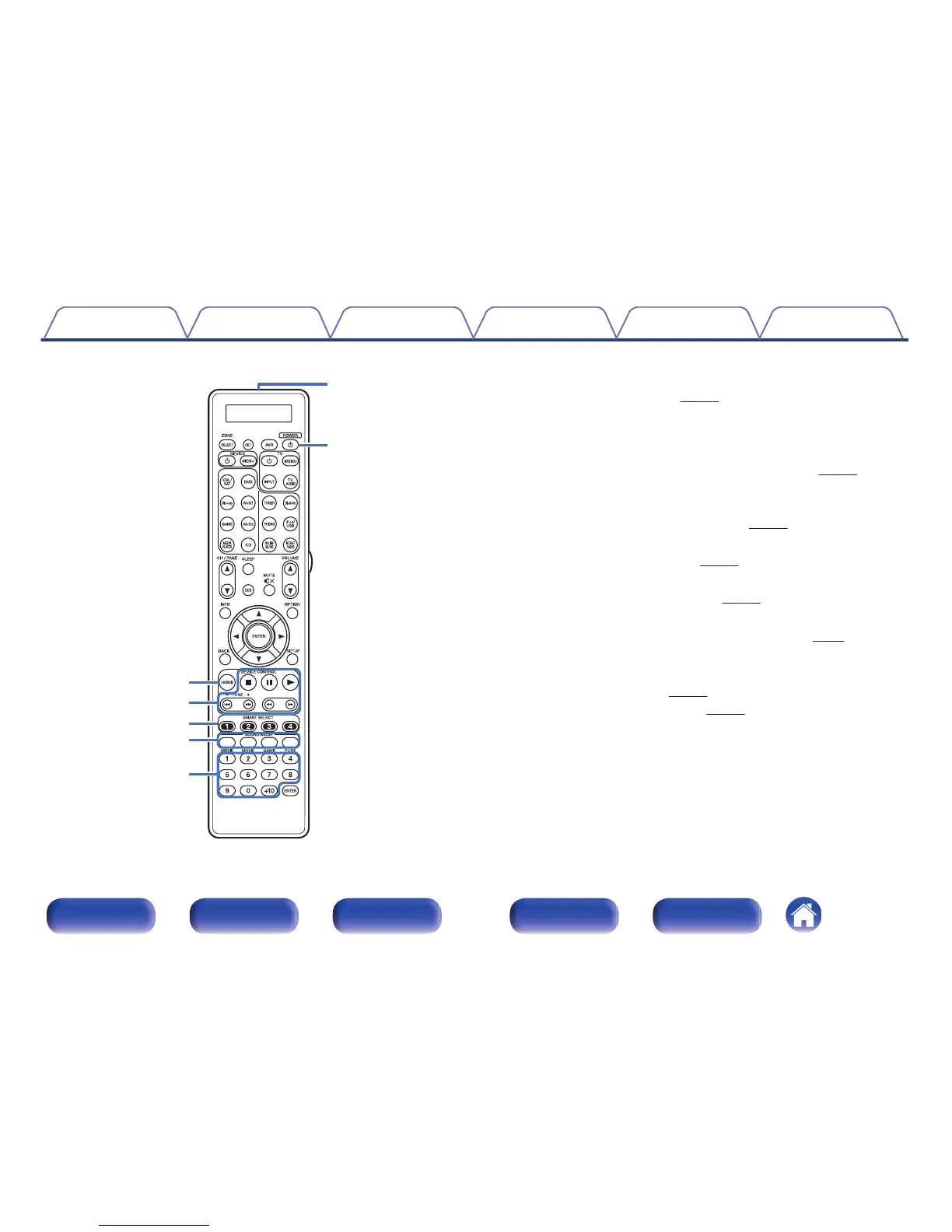
HOME button
This takes you to the Home screen (Top screen) when the input source is
Online Music or iPod/USB. (v p. 107)
N
System buttons
These perform playback related operations.
Tuning up / Tuning down buttons (TUNE +, –)
These select either FM broadcast or AM broadcast. (v p. 120)
O
SMART SELECT buttons (1 - 4)
These call up settings registered to each button, such as input source,
volume level and sound mode settings. (v
p. 182)
P
SOUND MODE buttons
These select the sound mode. (v p. 162)
Q
Number buttons
These enter numbers into the unit. (v p. 120)
R
Remote control signal transmitter
This transmits signals from the remote control unit. (v p. 10)
S
POWER button (X)
This turns the power on/off.
0
“Turning the power on” (v
p. 103)
0
“Playback in ZONE2/ZONE3” (v
p. 196)



 To Next Page