58
10. SERVICE MODE
Microprocessor (IC28), DSP(IC20 )Version and FLD Segment
Check Mode.
1. While the power is on, S-DIRECT, TAPE and SELECT
buttons simultaneously more than 3 seconds.
The FL display shows "SERVICE MODE"for 2 seconds then
shows the model name.
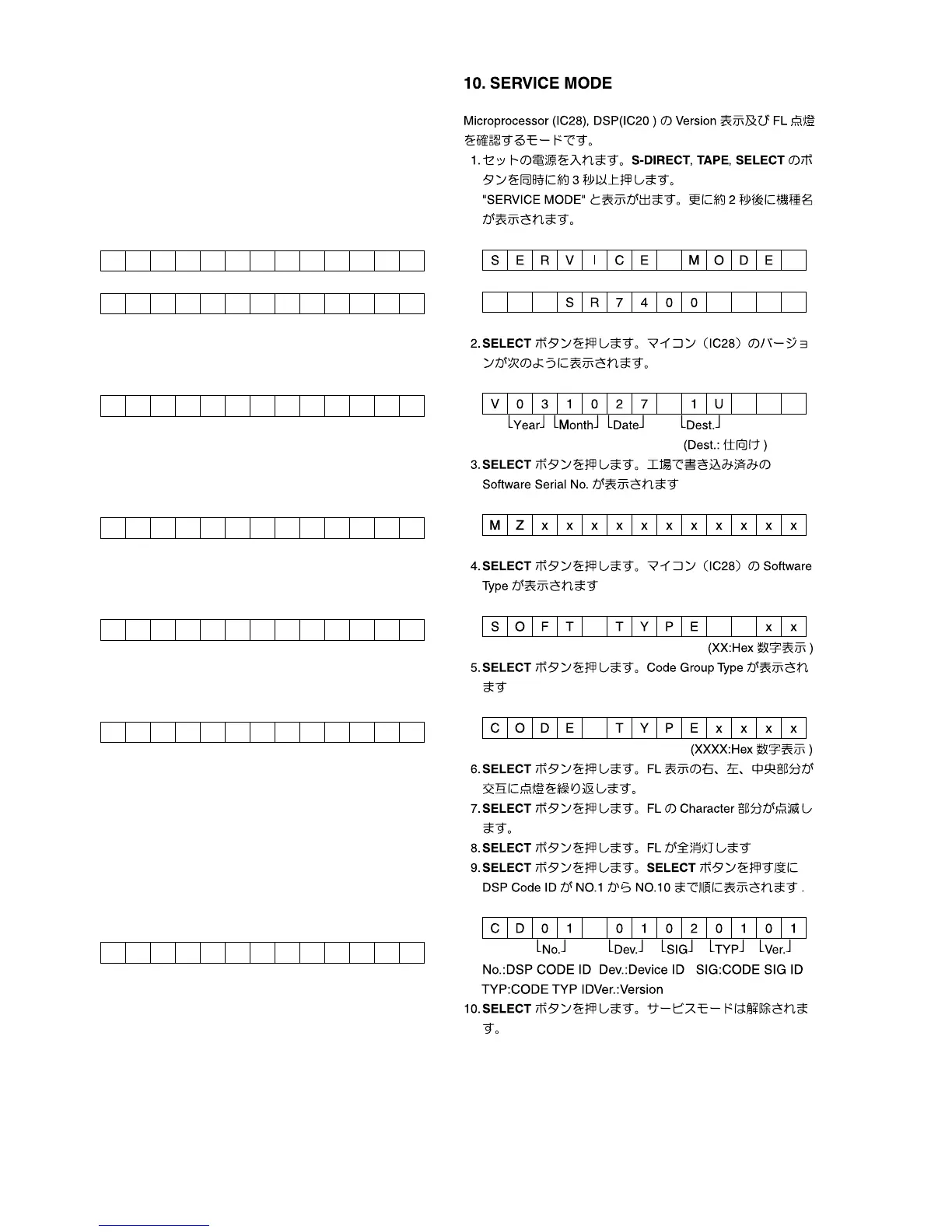
SERV I CE MODE
SR7400
2. Press SELECT button, The software version of the
microprocessor (IC28) is displayed in the format below.
V031027 IU
⎣
Year
⎦
⎣
Month
⎦
⎣
Date
⎦
⎣
Dest.
⎦
(
Dest.:Destination)
3. Press SELECT button again, The software Serial Number
that is wirtten in the factory is displayed.
MZxxxxxxxxxxx
4. Press SELECT button again, The software Type Number is
displayed.
SOFT TYPE x x
(XX is displayed in Hex)
5. Press SELECT button again, The Code Group Type
Number is displayed.
CODE TYPExxxx
(XXXX is displayed in Hex)
6. Press SELECT button again, The left half, right half and
center of the label area in the FLD light on and off each
other.
7. Press SELECT button again, The segments of the character
area in the FLD flick in checker pattern.
8. Press SELECT button again, All the FL segments turns off.
9. Press SELECT button again. Every time SELECT button is
pressed, DSP code is indicated in turn from NO.1 to NO.10.
CD01 01020101
⎣
No.
⎦
⎣
Dev.
⎦
⎣
SIG
⎦
⎣
TYP
⎦
⎣
Ver.
⎦
No.:DSP CODE ID Dev.:Device ID SIG:CODE SIG ID
TYP:CODE TYP ID Ver.:Version
10. Press SELECT button again to quit this mode.
SERV I CE MODE
SR7400
V031027 1U
Year Month Date Dest.
MZxxxxxxxxxxx
SOFT TYPE x x
CODE T YPE x x x x
CD01 01020101
No. Dev. SIG TYP Ver.



 To Next Page