62
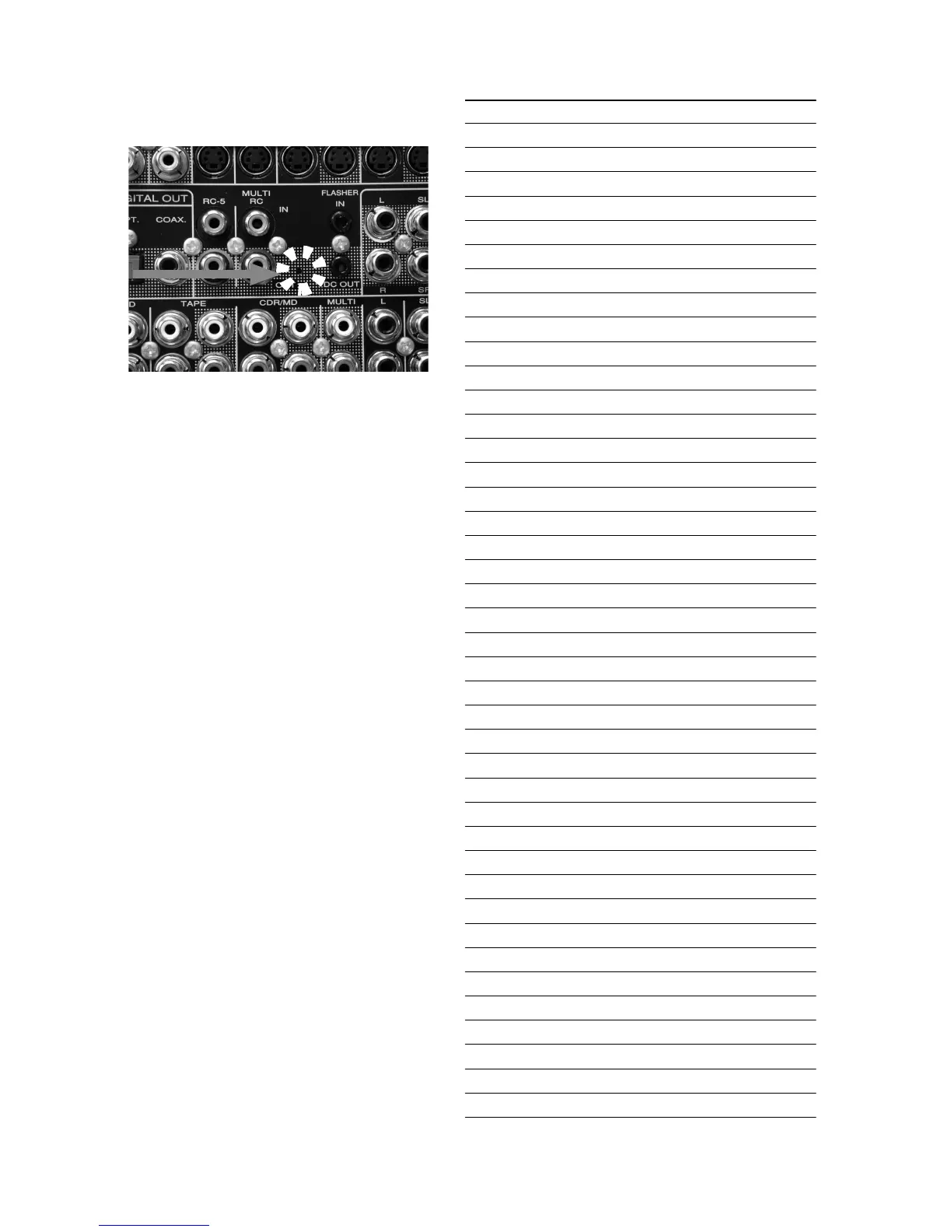
3. Insert a thin rot to the hole and push the switch (SW10)
inside to turn on the switch.
4. Turn on the power of the unit. (Confi rm that the stand-by
LED lights in green so the unit is in the boot mode.)
5. Launch "H8Download.exe" on PC.
6. Click other fi les... button in the dialog box to specify the fi le
(XXXX.mot) to be upload.
7. Click Connect button. If the connection with the H8
µ-com
is successfully made, a dialogue box saying "Success to the
H8 micro processor connection" appears. If the connection
fails, error message will appear.
8. Click Send button to start update.
9. If the fi rmware is updated successfully, a dialog box saying
"Finished the fi rmware program sending" appears.
10. Click CLOSE button to close the application.
11. Disconnect Mains power cord.
12. Turn off the internal switch that has been turned on at step 3.
13. Turn on the unit.
Firmware Version Check
To check the versions of the fi rmware, see "Microprocessor
(CPU), DSP Version and FLD Segment Check Mode" in
"SERVICE PROGRAM" section.
HOLE
Personal notes:



 To Next Page