Adjusting the tone (Tone)
Adjusts the tonal quality of the sound.
1
Press OPTION.
An option menu screen is displayed.
0
When the input source is “HEOS Music”, an option menu for
online music is displayed. Select “Receiver Options...”, then press
ENTER.
2
Use cursor Up/Down to select “Tone”, then press
ENTER.
The “Tone” screen is displayed.
3
Select the sound range to be adjusted.
Bass: Adjust bass.
Treble: Adjust treble.
4
Use cursor Left/Right to adjust the tone, then press
ENTER.
-6 dB – +6 dB (Default : 0 dB)
0
“Tone” settings are stored for each input source.
0
This cannot be set when the sound mode is set to “Direct” or “Pure Direct”.
0
You cannot set this when no audio signal is input or in the menu “HDMI Audio Out”
is set to “TV”. (v p. 137)
0
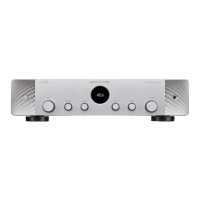
You can also adjust the tone by turning the BASS and TREBLE knobs on the main
unit.
Contents Connections Playback Settings Tips Appendix
104
Front panel Display Rear panel Remote Index


 To Next Page