General
Make various other settings.
Language
Set the language for display the menu on the TV screen.
English / Deutsch / Français / Italiano / Español / Nederlands /
Svenska / Pусский / Polski (Default : English)
0
“Language” can also be set up by the following operation. However, the menu
screen is not displayed. Watch the display while configuring the settings.
1.
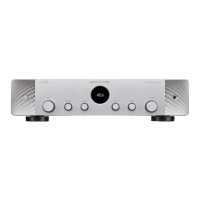
When this unit is turned on, press and hold X on the main unit until “SPECIAL
MODE” appears on the display.
2. Turn the INPUT selector knob on the main unit to select “5Special Settings”,
then press X.
“4K/8K Format <Enh>” appears on the display.
3. Turn the INPUT selector knob on the main unit to select “GUI Language
ENGLISH”.
4. Turn the SPEAKERS switching knob on the main unit to select the language.
5.
Press X on the main unit to confirm the settings.
Owner's Manual
Shows URL and QR code to access the online Owner's Manual from your
mobile device.
ECO
Configure the ECO Mode and auto standby mode settings.
o
ECO Mode
This mode can reduce the power consumption and heat generation of
this unit when power on.
This is done by reducing the power supply line to the power amplifier,
in turn the maximum power output.
Contents Connections Playback Settings Tips Appendix
162
Front panel Display Rear panel Remote Index


 To Next Page