Listening to DAB broadcasts
1
Connect the antenna. (“Connecting a DAB/FM
antenna” (v p. 44))
2
Press TUNER to switch the input source to “Tuner”.
3
Press OPTION.
The option menu screen is displayed.
4
Use cursor Up/Down to select “FM/DAB”, then press
ENTER.
This displays the reception band input screen.
5
Use cursor Left/Right to select “DAB”, then press
ENTER.
FM: When listening to an FM broadcast.
DAB: When listening to a DAB broadcast.
0
Automatically scans for DAB stations when DAB is selected for
the first time after purchase.
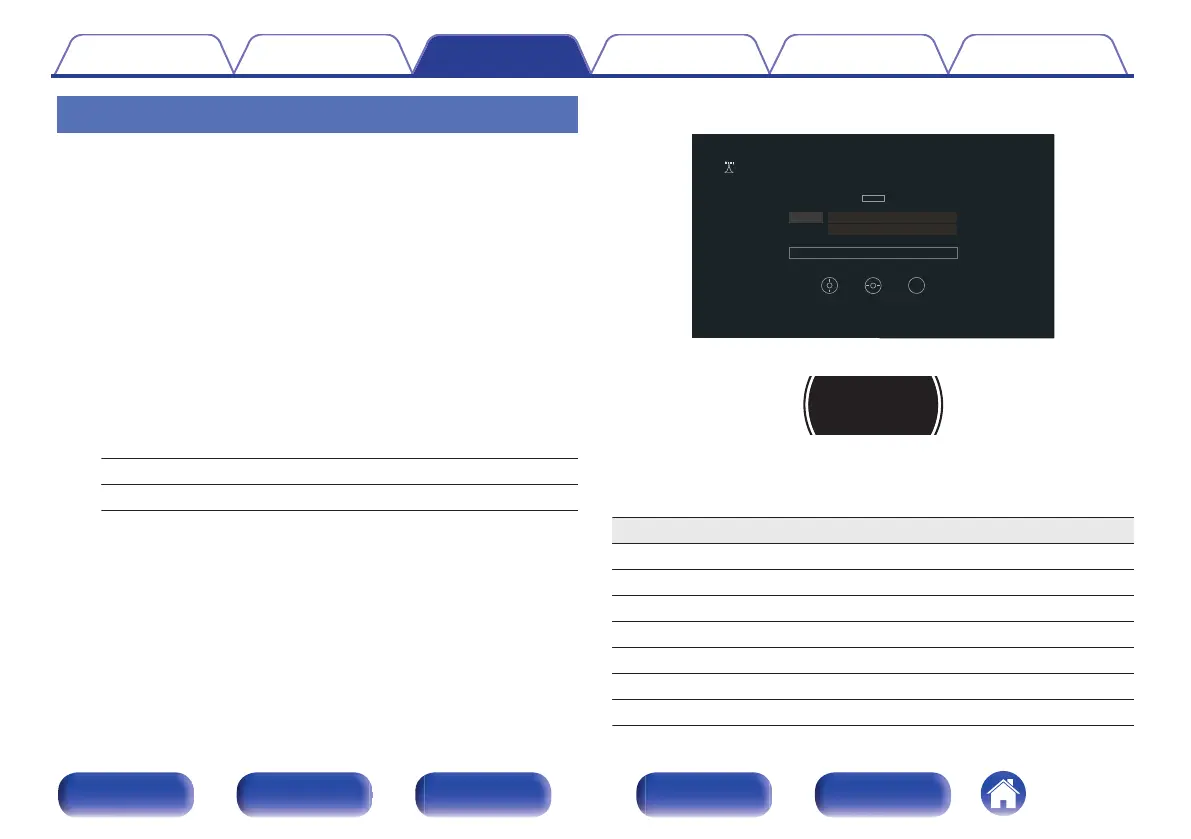
G TV screen H
OPTION
STEREO
CH 1
DAB Station -1
Genre
Tuner
Tun e Pr e se t
Option
Now Playing
G Display of this unit H
6
Press TUNE + or TUNE – to select the station you want
listen to.
Operation buttons Function
TUNE +, – Selects the radio station (up/down)
BAND Switches between FM and DAB
MODE Switching tuning mode
MEMORY Register presets
CH/PAGE ml
Selects preset radio stations
Cursor Up/Down Selects the radio station (up/down)
Cursor Left/Right Selects preset radio stations
Contents Connections Playback Settings Tips Appendix
73
Front panel Display Rear panel Remote Index


 To Next Page