EasyManua.ls Logo

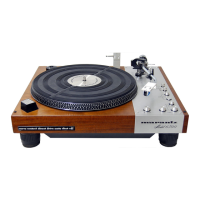
Marantz TT-6000 - Cartridge Wire Color Code; Stylus Overhang Adjustment; Stylus Tracking Force Adjustment; Tone Arm Travel Adjustment

Marantz TT-6000
16 pages
Print Icon
To Next Page IconTo Next Page
To Previous Page IconTo Previous Page
Loading...
ALIGNMENT
ADJUSTMENTS
This
service
manua!
was
prepared
for
qualified
tech-
nicians
familiar
with
turntable
maintenance
and
align-
ment
procedure.
Review
complete
adjustment
sec-
tions
before
proceeding.
CARTRIDGE
WIRE
COLOR
CODE
Before
installing
a
cartridge
to
the
headshell,
the
wires
should
be
connected
to
the
cartridge.
The
cart-
ridge
or
its
technical
sheet
will
identify
the
con-
nection
pins.
It
may
be
necessary
to
slightly
compress
the
terminal
clips
on
the
headshell
wires
with
your
fingers
to
firm
the
contact
area
to
the
pins.
Below
is
the
|headshell
color
description.
HEADSHELL
WIRES:
Right
Channel
Hot.................-.4--
Red
Right
Channel
Ground..................
Green
Left
Channel
Hot.
............
0.000
e
wees
White
Left
Channel
Ground....................
Blue
After
wire
connections
are
made,
install
the
cartridge
mounting
screws,
provided
with
the
cartridge,
through
the
mounting
slots
and
tighten
firmly
enough
to
hold
the
cartridge
in
place.
Final
adjustments
are
made
after
the
overhang
dimensions
is
adjusted.
A.
STYLUS
OVERHANG
ADJUSTMENT
A
45RPM
adaptor
is
supplied
with
the
TT-6000
turn-
table
that
will
be
used
for
adjusting
the
overhang
dimension,
An
arrow
is
marked
on
the
45RPM
adap-
tor,
and
a
gradient
scale
from
11
through
18.
1.
Place
the
adaptor
on
the
spindle
with
the
arrow
pointing
towards
the
rear
of
the
turn-
table.
The
gradient
scale
will
be
in
the
lower
left
quadrant
when
viewed
from
the
front.
2.
Remove
stylus
protective
cover
and
balance
the
tone
arm.
Place
the
tone
arm
to
the
gradient
scale
and
set
stylus
contact
to
gradi-
ent
17mm
on
the
45RPM
adaptor.
Set
the
cartridge
screws
after
checking
that
the
cart-
ridge
is
parallel
to
the
sides
of
the
headshell.
B.
STYLUS
TRACKING
FORCE
ADJUSTMENT
1.
Remove
the
stylus
protective
cover
and
adjust
the
counterweight
until
the
tone
arm
is
cap-
able
of
being
suspended
in
midair
without
movement.
2.
Set
the
counterweight
dial
to
zero.
3.
Rotate
the
counterweight
towards
the
pivot
point
to
the
manufacturer’s
specified
cart-
ridge
tracking
force.
4.
Adjust
the
anti-skate
control
to
the
same
amount
of
force
as
the
stylus
tracking
force.
TONE
ARM
TRAVEL
ADJUSTMENT
Changing
the
angle
of
the
feed
arm
assemble
deter-
mines
the
speed
of
the
tone
arm
travel.
NOTE:
Care
must
be
excercised
to
maintain
clearance
between
the
feed
arm
assembly
and
the
friction
rubber.
Refer
to
Figure
1.
FEED
ARM
CLEARANCE
FRICTION
RUBBER
FIGURE
1
Moving
the
Feed
Arm
Assembly
clockwise,
when
viewed
from
bottom
of
the
turntable,
slows
the
tone
arm
return
and
counter-clockwise
will
speed
the
return
travel.
Loosen
the
hexagon
set
screw
on
the
feed
arm
assy
(Refer
to
Figure
2)
and
turn
feed
arm
assy
in
increments
of
a
few
degrees
either
clock-wise
(slow),
counter-clockwise
(fast)
until
desired
travel
speed
is
set.
Re-tighten
set
screw
after
checking
clear-
ance
between
the
feed
arm
assy
and
the
friction
rubber
(2mm).
LEAD
-
IN
ADJUSTMENT
yw
ECCENTRIC
PIN
RETURN
ADJUSTMENT
ECCENTRIC
PIN
SELECTOR
ASSEMBLY
FEED
ARM
FIGURE
2
PHOTO
CELL
DETECTION
CIRCUIT
Install
the
tone
arm
in
its
rest
clip
and
turn
the
turntable
on.
Select
33RPM
MODE.
Adjust
voltages
below
in
the
Photo
Cell
Detection
circitit
VR1-D.C.
Voltage
between
Pins
9
and
10-0.2VDC
VR2-D.C.
Voltage
between
Pins
9
and
11-0.65VDC
After
the
tone
arm
travel
and
photo
cell
detection
circuit
is
adjusted
then
the
eccentric
pins
on
the
feed
arm
assy
can
be
used
for
fine
adjustment.
The
return
eccentric
pin
will
adjust
the
tone-arm
speed
return
while
the
Lead-in
eccentric
pin
will
position
the
tone
arm
during
lead
in
to
the
disc.
|
LEAD
IN
ADJUSTMENT
Adjust
disc
lead-in
dimension
by
turning
the
lead-in
eccentric
pin
on
the
feed
arm
assembly.
Turn
eccentric
pin
clockwise
to
adjust
tone
arm
away
from
the
disc
and
turn
counter
clockwise
to
move
the
tone
arm
toward
the
disc.
ELEVATION
PLATE
ADJUSTMENT
Cueing
elevation
of
the
tone
arm
is
adjusted
by
the
cueing
nut
located
in
the
cueing
lift
shaft
on
the
top
of
the
turntable.
Turning
the
cue
nut
clockwise
(viewed
from
the
top
of
the
turntable)
lowers
the
cueing
elevation
height
and
counter-clockwise
incre-
ases
the
elevation
height
of
the
cueing
arm.

Related product manuals