10
TroubleshootingInformationHDMI Control FunctionPlaybackSetupConnectionsGetting Started Specications
ENGLISH
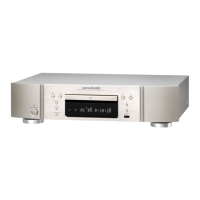
Part Names and Functions
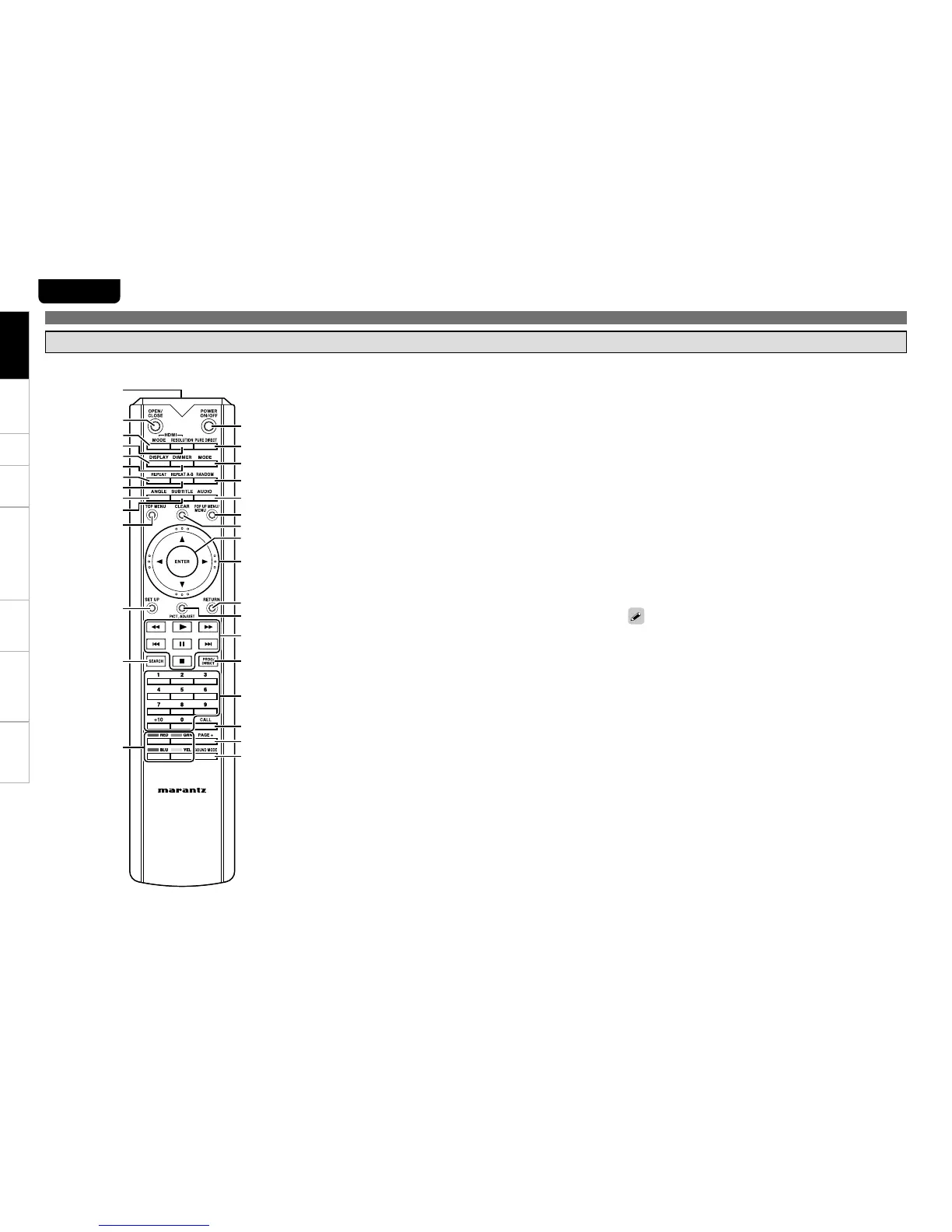
Remote Control Unit
For buttons not explained here, see the page indicated in parentheses ( ).
When power is in standby, press • E0 and Q2 (1) to turn the power
on.
You can use • Q8 when operating the BD popup menu screen, etc.
q POWER ON/OFF buttons ·························································(22)
w PURE DIRECT button ································································(40)
e MODE button ············································································ (33)
r RANDOM button·······································································(46)
t AUDIO button ···········································································(47)
y POP UP MENU/MENU button ·················································(37)
u CLEAR button ···········································································(35)
i ENTER button ···········································································(24)
o Cursor buttons (d, f, 0, 1) ·················································· (24)
Q0 RETURN button ········································································(24)
Q1 PICT. ADJUST button ·······························································(35)
Q2 Fast-reversing button (6) ····················································· (45)
Q2 Fast-forwarding button (7) ·················································· (45)
Q2 Revers-skip button (8) ·························································(43)
Q2 Forward-skip button (9) ······················································ (43)
Q2 Play button (1) ········································································· (39)
Q2 Pause/Still button (3) ························································(43, 45)
Q2 Stop button (2) ·········································································(43)
Q3 PROG/DIRECT button (PROG/DIRECT) ··································(47)
Q4 Number buttons (0 ~ 9, +10) ···················································· (37)
Q5 CALL button ·············································································· (47)
Q6 PAGE + button ··········································································(40)
Q7 SOUND MODE button ······························································(39)
Q8 RED/GRN/YEL/BLU buttons
Q9 SEARCH button ········································································(39)
W0 SETUP button ···········································································(23)
W1 TOP MENU button ···································································· (37)
W2 SUBTITLE button ······································································ (48)
W3 ANGLE button ···········································································(49)
W4 REPEAT A-B button ··································································(46)
W5 REPEAT button ········································································(46)
W6 DIMMER button ········································································ (49)
W7 DISPLAY button ········································································ (36)
W8 HDMI RESOLUTION button ····················································· (15)
W9 HDMI MODE button ·································································(13)
E0 OPEN/CLOSE button (5) ·························································(36)
E1 Remote control signal transmitter ············································ (7)
Getting Started
E1
E0
Q8
Q9
W0
W1
W2
W4
W6
W8
W3
W5
W7
W9
q
w
e
r
Q3
t
Q5
Q6
Q7
y
Q0
Q2
Q4
Q1
o
u
i



 To Next Page