23
TroubleshootingInformationHDMI Control FunctionPlaybackConnectionsGetting Started Specications
ENGLISH
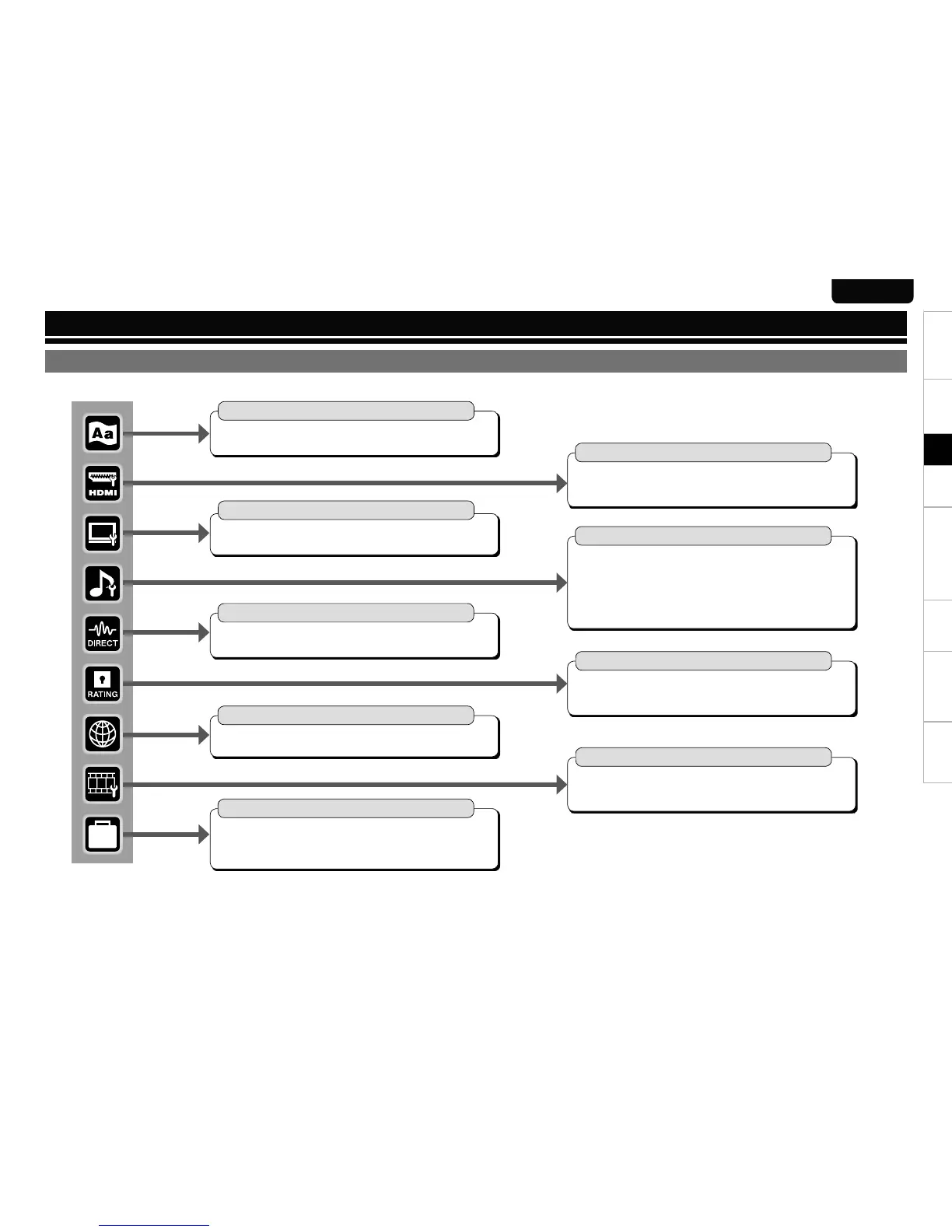
Pressing SET UP button displays the GUI menu. From this menu, you can move to various setting screens.
GUI Menu Setup
Pure Direct Setup (vpage 30)
User Preset 1 n
User Preset 2 n
Audio Setup (vpage 27 ~ 30)
7.1ch Audio Out n
Multi Channel•
2 Channel•
Subwoofer Mode n
Source Direct n
Compression n
AFDM n
BD Effect Sound n
BD Re-Encoder n
Digital Out n
Downmix n
XLR n
Menu Map
Display Setup (vpage 32)
Screen Saver n
Wallpaper n
Still Mode n
Slide Show Time n
Temporary Display n
Captions n
Ratings (vpage 31)
Password n
BD Rating Level n
DVD Rating Level n
Rating Country Code n
DivX Registration n
Video Setup (vpage 26)
TV Aspect (Aspect ratio) n
Component Resolution n
Progressive Mode n
TV Active Area n
Language Setup (vpage 25)
Dialog n
Subtitle n
Disc Menus n
GUI Language n
Other Setup (vpage 32)
Auto Power Mode n
Power Saving n
Remote Control Setting n
BD Data Utility n
Initialize n
Firmware Update n
Information n
HDMI Setup (vpage 25, 26)
Auto Format n
Color Space n
Deep Color n
Audio Setup n
SA-CD Audio Out n
HDMI Control n
Network Setup (vpage 31)
DHCP n
Proxy n
IP Address n
MAC Address n
Setup



 To Next Page