TroubleshootingInformationHDMI Control FunctionPlaybackSetupGetting Started Specications
14
ENGLISH
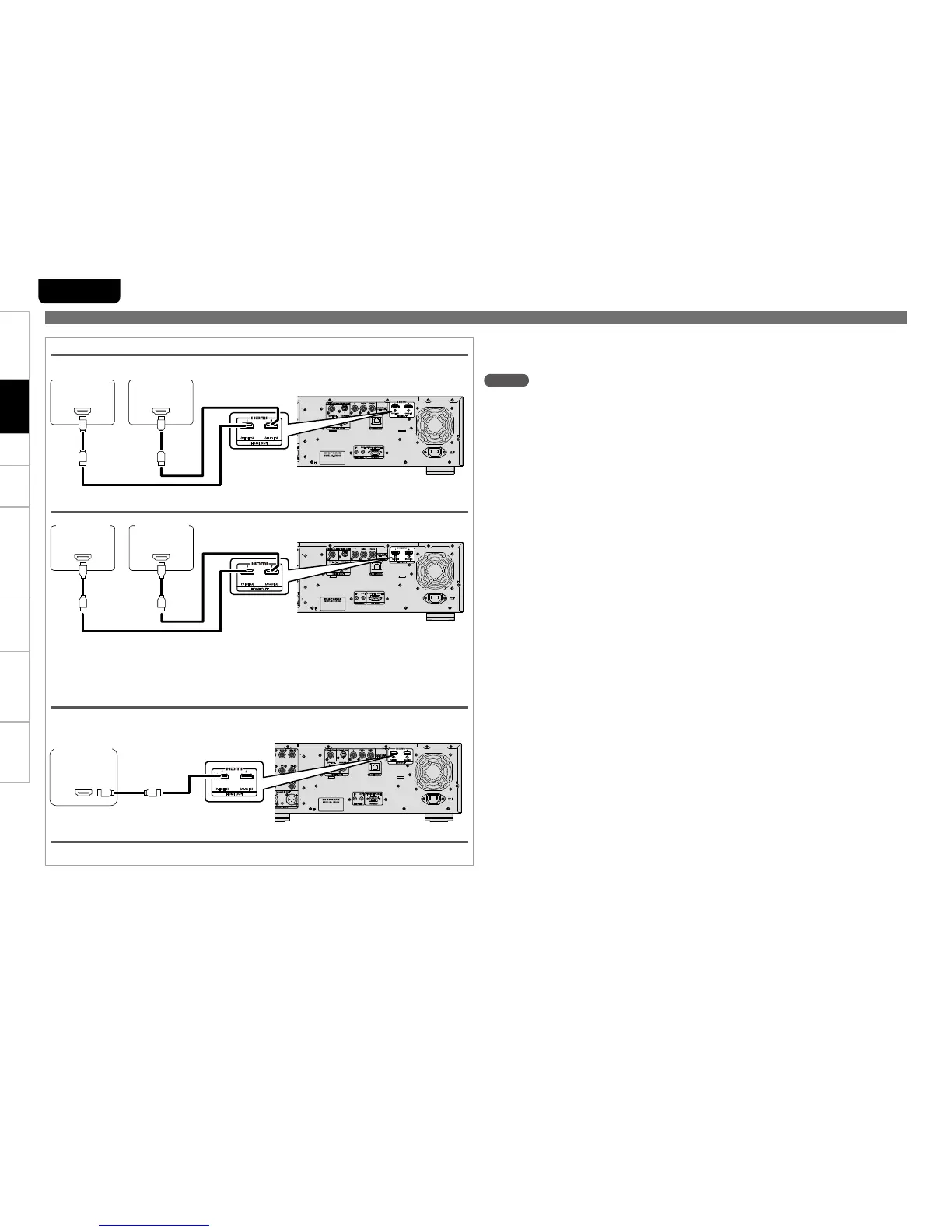
e “AV Pure Direct” connection
IN
HDMI
IN
HDMI
TV AV Amp
r “HDMI 1”, t “HDMI 2” Connection
GExampleH “HDMI 1” connection
IN
HDMI
AV Amp or
TV
y During “HDMI Off”
Audio/video is not output from the HDMI terminal.
Connection to a device with a n DVI-D terminal
If you use a HDMI/DVI-D conversion cable (sold separately), HDMI video signals are converted to DVI-
D signals, enabling connection to a device with a DVI-D terminal.
NOTE
In this case, the audio signal is not output. Make the appropriate audio connections for your devices. •
(vpage 15 ~ 21).
The video signal will be in RGB format. •
You cannot output to a DVI-D device that does not support HDCP (high-bandwidth digital content •
copyright protection system).
Video may not be output depending on the combination of devices. •
1. Home Theater Playback – Playing Back Using Multi-channel System –
About Video Signal n
When “About HDMI Video Resolution Setting” (vpage 15) is set to “Auto”, of the resolution
supported by both connected devices, the video signal of the highest resolution is output to both
devices. (From the HDMI 2 terminal, audio signal and black video signal are output.)
IN
HDMI
IN
HDMI
AV Amp 1 or
TV 1
AV Amp 2 or
TV 2
q “HDMI Auto (Dual)”, w “HDMI Auto (Independent)” connection
Connections



 To Next Page