21 Rev 20201007
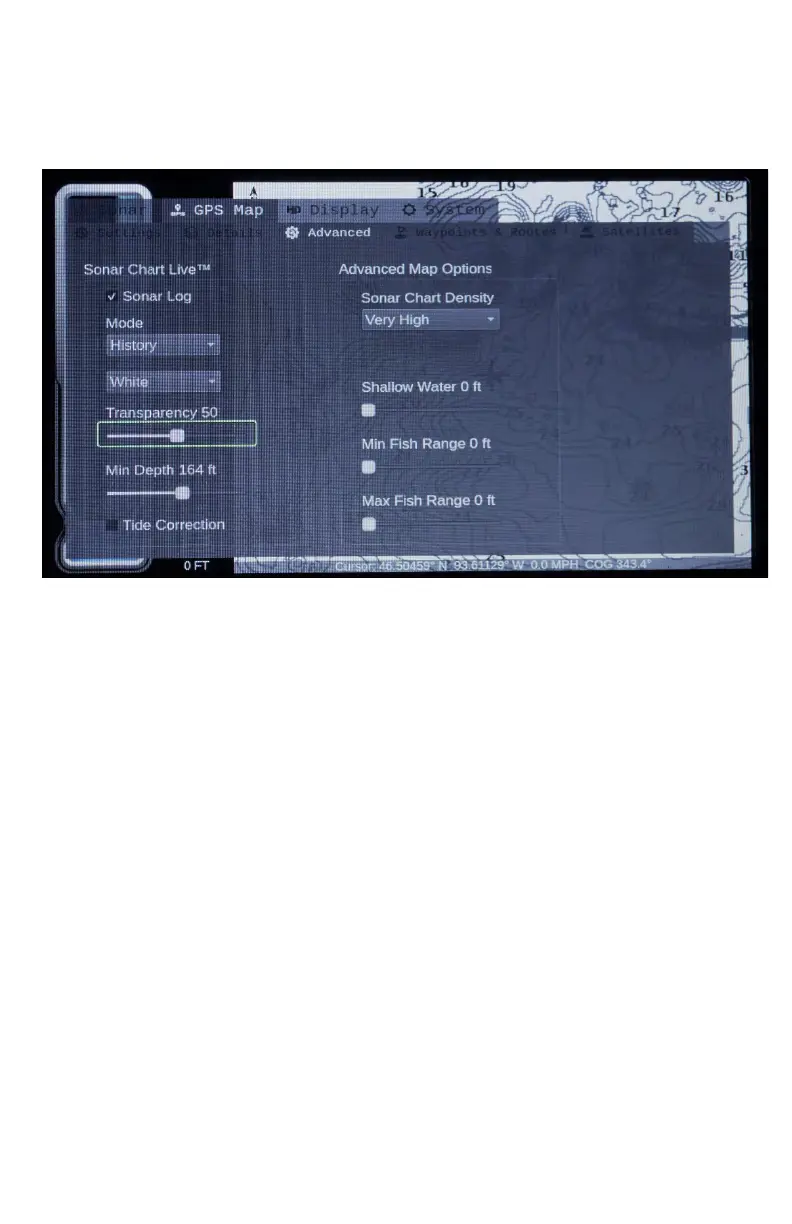
Advanced Map Options
Sonar Chart Live™: Create your own 1ft contour map. See Sonar
Chart Live settings section.
Sonar Log: Select this will allow for you to access the rest of the
Sonar Chart Live menus for creating your own map.
Mode: Select Record to start recording, History to view what you’ve
recorded. Off to shut off your Sonar Log and stop recording.
Mode Color: What you have recorded will show with the select
color over your map to show where you have recorded.
Transparency: Increase or decrease how visible the selected color
of Mode shows. (i.e. 50), is visible color (i.e.100) eliminates the
color.
Min Depth: Shades Selected depth and shallower. If you want to
view your recorded Sonar Chart Live data, you will want to set this
depth to greater than the lake depth.


 To Next Page