5 Rev 20201007
PRODUCT FEATURES
■ Dual beam 8/20-degree transducer
■ NEW 12V10amp/h Lithium LiFePo4 battery
■ 3-amp hour rapid-charge charger
■ Patented interference rejection
■ Internal GPS receiver
■ Navionics® Basemap onboard
■ Single, microSD card slot
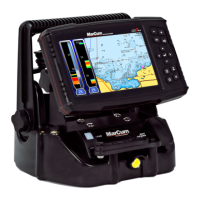
■ True-time 7” LCD display
■ Multiple depth modes
■ Optimal single frequency sonar (200khz)
■ Customizable screen options
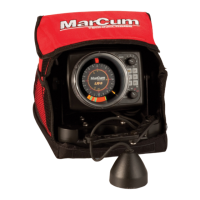
■ Deluxe padded soft pack carrying case
■ 8 feet of Kevlar-reinforced transducer cord
■ Made in the U.S.A
■ 2-year warranty
GETTING STARTED
ICE SYSTEM SET-UP
Your MX-7GPS comes virtually ready to fish. Open the top cover of
the soft pack, loosen the knobs on the sides of the monitor and the
monitor can now be positioned how you want it. Once the monitor is
positioned, tighten the knobs again to hold the monitor in place.
Look behind the monitor and hook up the MX-7PGS’s power cord to
the battery terminals. While you are at it, remove the entire system
from the soft pack so you can see exactly how everything
connects—this makes it easier down the road if you ever need to
change a battery or transducer. Your MX-7GPS is delivered with a
rechargeable 12-volt 10-amp Lithium LiFePO4 battery that is
charged 70%, so you can take it fishing right away. Even though the
battery comes with a charge on it, due to storage time or other
factors it may not be fully charged when you get it, so if you are not
going fishing immediately you should hook up the charger to make
sure the battery has a full charge.


 To Next Page